
AI Video Generator: 6 Best Tools in 2026

Compare six AI video generators in 2026, including Google Veo, Runway, Adobe Firefly, Canva, Luma, and CapCut, with features, use cases, limitations, and free options.
Best AI Tools for Content Creation in 2026
Explore the best AI tools for content creation in 2026, including ChatGPT, Claude, Jasper, Canva, and Grammarly, with practical use cases and key strengths.
How to Build an AI Chatbot for Your Business: Step-by-Step Guide (2026)
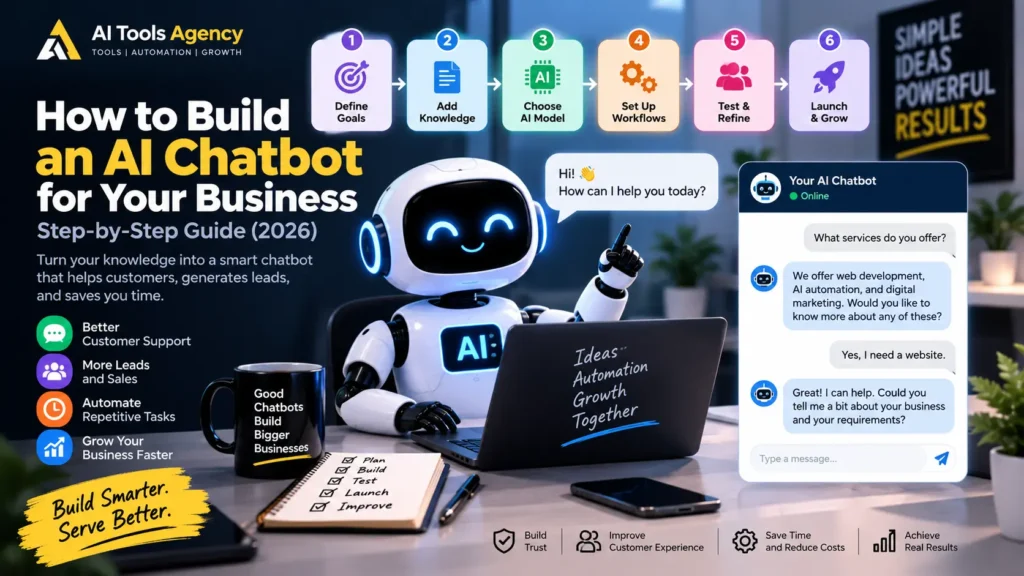
Learn how to build an AI chatbot for your business step by step, including goals, knowledge, AI models, automation, human handoff, testing, and deployment.
Best AI Chatbots for Customer Support in 2026
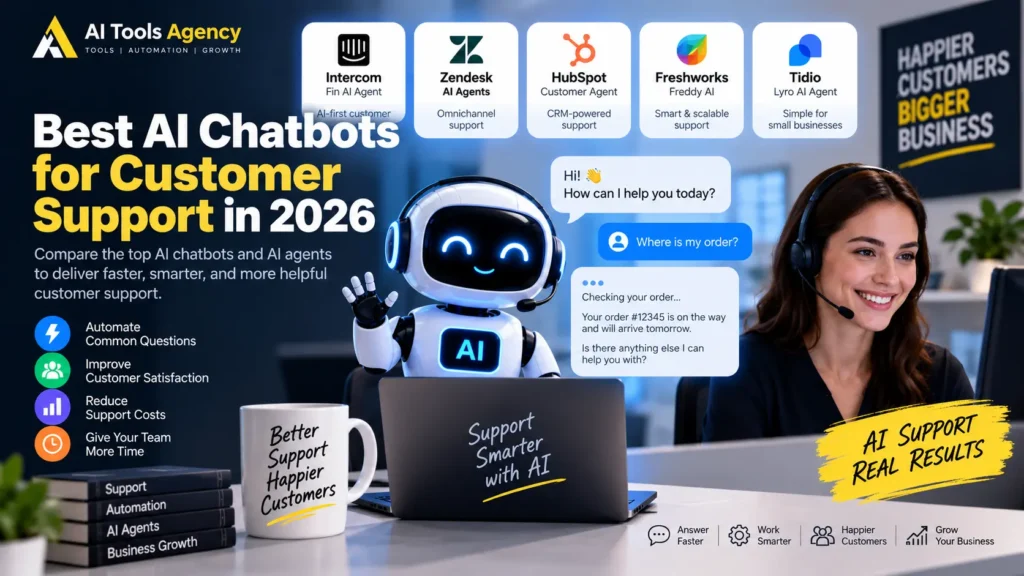
Compare five leading AI chatbots for customer support in 2026 based on automation, knowledge, integrations, human handoff, pricing, and business use cases.
AI Agents Explained: What They Are & How They Work in 2026
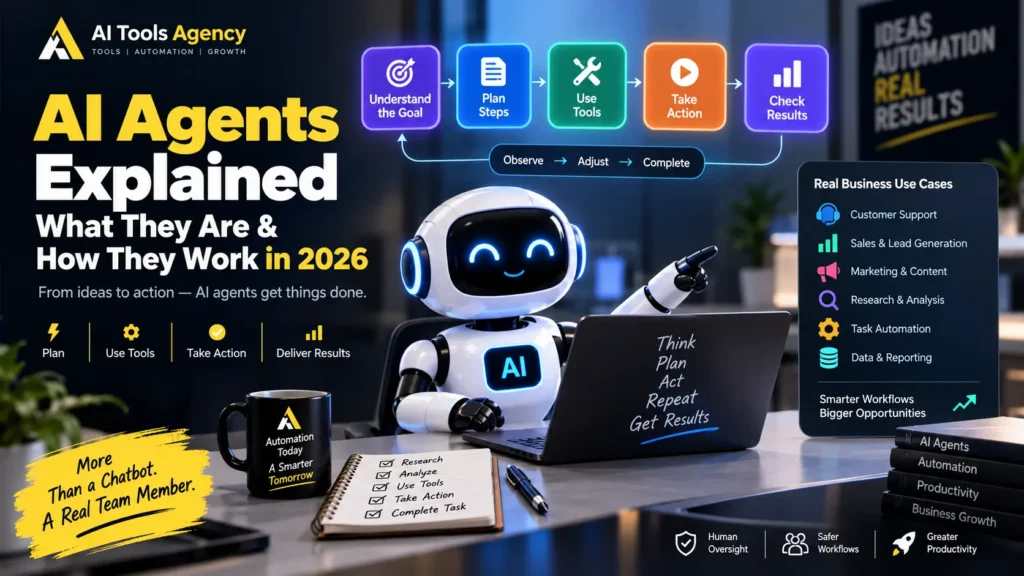
Artificial intelligence is moving beyond simple question-and-answer chatbots. Instead of only responding to a prompt, newer AI systems can receive a goal, decide what steps are required, use software tools, collect information, perform actions, evaluate results, and continue working until the task is complete. These systems are commonly called AI agents. In this guide, we will keep AI agents explained in practical language. You will learn what an AI agent is, how AI agents work, how they differ from chatbots and traditional automation, where businesses can use them, and why human oversight still matters. OpenAI describes agents as systems that can independently accomplish tasks on behalf of users. In addition, an agent can use an AI model to manage workflow execution and select tools as the task develops. Anthropic makes a similar distinction. It describes workflows as systems that follow predefined paths, while agents can dynamically direct their own processes and tool use. If you already understand basic workflow automation, our guide to automating repetitive business tasks with AI provides a useful foundation. AI Agents Explained: What Is an AI Agent? An AI agent is a software system that uses an AI model to work toward a goal with some level of independence. A normal chatbot typically waits for a question and provides a response. An agent can go further. For example, instead of asking: “Write a follow-up email for this lead.” you could give an agent a broader goal: “Review our new sales leads, identify the most promising opportunities, prepare personalized follow-ups, and create tasks for the sales team.” The agent may then: Therefore, the difference is not simply better text generation. The important change is that the AI can participate in workflow execution. How Do AI Agents Work? Most AI agents can be understood as a repeating cycle. A simplified model looks like this: Goal ↓ Understand the Task ↓ Plan ↓ Choose a Tool ↓ Take Action ↓ Observe Result ↓ Evaluate ↓ Continue, Correct, or Finish Anthropic describes this practical behavior as a self-directed loop in which an agent plans, acts, observes results, adjusts, and repeats until the task is complete or human input is required. Let us break that process down. Step 1: The Agent Receives a Goal Every useful agent begins with an objective. For example: Find five potential business leads that match our ideal customer profile and prepare a research summary for the sales manager. This is different from a highly specific automation instruction. The user provides the outcome, while the agent may decide how to reach it. However, good systems still include boundaries. For example: Do not send emails. Do not make purchases. Use only publicly available information. Ask for approval before updating the CRM. Clear boundaries reduce unnecessary risk. Step 2: The AI Model Reasons About the Task The language model acts as the decision-making layer. It interprets the goal and determines what information or actions may be required. For example, the agent may reason that it needs to: Unlike a fixed workflow, the exact sequence may change depending on what the agent discovers. OpenAI highlights this model-driven workflow management as one of the core characteristics that separates agents from simpler LLM applications. Step 3: The Agent Uses Tools An AI model alone cannot do everything. Agents become much more useful when they can access tools. Examples include: For example: Goal: Prepare tomorrow’s sales meeting. Agent may use: Calendar → Find meeting CRM → Get account data Email → Review recent messages Documents → Find proposals Analytics → Pull performance numbers AI → Summarize everything The final output might be a meeting briefing prepared automatically. Tools are important because they allow the agent to interact with real systems rather than simply generate text. Anthropic also emphasizes that agent performance depends heavily on the quality and design of the tools available to it. Step 4: The Agent Observes the Result After using a tool, the agent receives information back. Suppose it searches a CRM for a customer. The result might say: Customer: Acme Ltd Status: Active Last Contact: 12 days ago Open Deal: £18,000 Next Action: None The agent can then evaluate what to do next. Perhaps it decides that the account requires follow-up. Alternatively, it may discover missing information and perform another search. This ability to react to intermediate results is one of the biggest differences between an agent and a simple static workflow. Step 5: The Agent Adjusts Its Plan Real-world tasks rarely go perfectly. An agent may discover: Instead of stopping immediately, an agent can sometimes adjust. For example: Primary database unavailable ↓ Try approved backup source ↓ Data still missing ↓ Ask human for clarification This adaptability is useful. However, it also introduces risk because the AI may make a poor decision. Therefore, reliable agents need guardrails, approval points, monitoring, and fallback behavior. Step 6: The Agent Completes or Escalates the Task Eventually, the agent should reach one of two outcomes. It either: Completes the goal or: Returns control to a human For example: Research Complete ↓ Report Generated ↓ Manager Approval Required OpenAI’s guidance specifically notes that reliable agents should recognize when a workflow is complete and should be able to stop or transfer control back to the user when necessary. That handoff is especially important for consequential actions. AI Agents vs Chatbots People often use the words chatbot and agent interchangeably, but they are not necessarily the same. A basic chatbot usually follows this pattern: User asks question ↓ AI responds ↓ Interaction waits An agent may follow: User provides goal ↓ AI creates plan ↓ AI uses tools ↓ AI performs actions ↓ AI checks results ↓ AI adjusts ↓ Task completed Simple Comparison Feature Chatbot AI Agent Answers questions Yes Yes Generates content Yes Yes Uses external tools Sometimes Usually important Executes multi-step tasks Limited Core capability Makes workflow decisions Limited Yes Adapts based on results Limited Yes Can act across systems Sometimes Yes Human approval possible Yes Yes The distinction is increasingly
Best AI Automation Tools for Small Businesses in 2026

Compare the best AI automation tools for small businesses in 2026 for workflows, lead management, email, marketing, customer support, and daily operations.
How to Automate Repetitive Business Tasks With AI: Step-by-Step Guide (2026)

Learn how to automate repetitive business tasks with AI using practical workflows for email, leads, customer support, reporting, content, and daily operations.
Jasper vs Copy.ai: Which AI Writing Tool Is Better in 2026?

Choosing between Jasper vs Copy.ai is no longer as simple as comparing two AI writing assistants. Both platforms started with a strong focus on AI-generated content. However, they have evolved considerably. Jasper now focuses heavily on brand-controlled marketing, campaigns, AI agents, and enterprise marketing workflows. Copy.ai, meanwhile, has expanded into a broader go-to-market AI platform that connects content, sales, marketing, research, and automated workflows. Therefore, the right choice depends less on which tool can generate a blog post and more on how you plan to use AI across your business. In this Jasper vs Copy.ai comparison, we will look at writing, brand voice, automation, workflows, pricing, ease of use, marketing capabilities, and business applications. If you are still exploring the wider AI writing market, our guide to best AI writing tools for bloggers is also useful. Jasper vs Copy.ai: Quick Comparison Feature Jasper Copy.ai Main focus Marketing teams and brand-controlled content Go-to-market automation and workflows AI writing Excellent Excellent Brand voice Strong Strong Marketing campaigns Major focus Supported through workflows Workflow automation Available through agents, integrations and tools Core part of the platform Sales workflows Less central Major focus Team collaboration Strong Strong Multiple AI models Platform-managed AI capabilities OpenAI, Anthropic and Gemini access on Chat plan Best suited for Marketing teams, agencies and brand teams GTM, sales, marketing and operations teams Entry pricing Jasper Pro currently listed at $69/month monthly or $59/month billed annually Copy.ai Chat currently listed at $29/month or $24/month billed annually Pricing can change, so always check each platform’s official pricing page before purchasing. Jasper currently lists Pro at $69 per month when billed monthly or $59 per month when billed annually. Copy.ai currently lists its Chat plan at $29 monthly or $24 per month when paid annually. What Is Jasper? Jasper is an AI platform built primarily around marketing. It has moved far beyond basic AI copywriting. Jasper describes itself as a marketing agents platform designed to help organizations execute marketing work while maintaining brand control and consistency. Its current ecosystem includes tools for content creation, marketing campaigns, AI agents, brand intelligence, brand voice, style guidelines, audiences, knowledge, and other marketing activities. One of Jasper’s most important components is Jasper IQ. It acts as a brand intelligence layer where companies can define their voice, knowledge, audiences, style guide, and visual standards. Those settings can then influence content generated across Jasper’s tools. As a result, Jasper is particularly attractive to businesses that create large amounts of marketing material but need consistent messaging. What Is Copy.ai? Copy.ai has also evolved beyond traditional AI copywriting. Today, the company positions the product as a GTM AI platform, with GTM meaning go-to-market. Its goal is to connect processes across marketing, sales, customer success, research, and revenue operations rather than simply generate individual pieces of content. Copy.ai still offers AI writing and chat capabilities. However, workflows have become a major part of the platform. For example, businesses can build multi-step workflows combining actions such as text generation, research agents, web-based research and other processes. Copy.ai says these workflows can be customized and triggered automatically for repeatable business operations. Consequently, Copy.ai may appeal to companies that want AI to do more than write. Jasper vs Copy.ai for AI Writing For straightforward AI writing, both tools are capable. You can use either platform to help create blog drafts, emails, marketing copy, product descriptions, social media content, campaign assets, and other business text. The larger difference appears when you look at the environment surrounding the writing process. Jasper is built around marketing consistency. Instead of treating every prompt as an isolated request, businesses can provide Jasper with brand knowledge, voice, audience information, and style rules. This approach can reduce the amount of repeated prompting required when several team members create content. Copy.ai also supports Brand Voice. Users can provide examples of existing content, and the system can analyze them to generate material that matches the desired style. Multiple voices can also be created for different audiences or authors. Therefore, both platforms offer more sophisticated brand control than a basic chatbot. Jasper vs Copy.ai for Brand Voice Brand consistency is one of Jasper’s strongest areas. Jasper allows users to create Brand Voices using existing writing examples. Its documentation says users can provide text, documents or URLs that Jasper analyzes to understand tone, style and other characteristics. Brand Voice also connects with the wider Jasper IQ environment. This matters for agencies and businesses managing several brands because content creators do not need to manually explain the same tone and positioning in every prompt. Copy.ai also provides a strong Brand Voice system. Existing on-brand content can be analyzed, while users can also manually define distinct voices. The feature is designed to maintain consistency across different marketing channels. The practical difference is positioning. Jasper places brand governance near the center of its marketing platform. Copy.ai treats Brand Voice as one component within a broader GTM automation environment. For a company whose main concern is consistent marketing content across campaigns, Jasper’s approach may feel more focused. For a company that wants brand voice to work alongside automated GTM processes, Copy.ai may fit more naturally. Jasper vs Copy.ai for Marketing Campaigns Jasper has a particularly strong marketing orientation. Its campaign capabilities are designed to take campaign information and help create assets across channels such as social media and email. Jasper also supports content repurposing and collaboration around campaign work. For example, a marketing team could begin with a campaign brief and then use the platform to develop multiple related assets while maintaining the same brand direction. This is useful because one campaign often requires several formats: email copy, landing-page messaging, social content, advertisements, product messaging and supporting material. Instead of creating each asset independently, a marketing-focused platform can help keep them aligned. Copy.ai can also handle marketing processes. However, its broader strength is turning repeatable marketing and sales activities into workflows. So, if your primary requirement is campaign execution and brand-controlled marketing content, Jasper deserves close consideration. Jasper vs
How to Use ChatGPT for Business: Step-by-Step Guide (2026)
Artificial intelligence is no longer useful only for large technology companies. Today, entrepreneurs, freelancers, agencies, marketers, and small businesses can use ChatGPT to reduce repetitive work, organize information, research markets, analyze data, and create better first drafts. However, simply opening ChatGPT and typing “help my business” usually produces generic results. Learning how to use ChatGPT for business starts with understanding the problem you want to solve, providing the right context, and reviewing the output before using it. In this guide, you will learn a practical step-by-step system for using ChatGPT across research, marketing, customer support, documentation, data analysis, productivity, and automation. If you are still exploring different AI platforms, visit our AI Tools hub for reviews, comparisons, automation resources, and practical guides. Editorial Note: AI products change quickly. The capabilities and business-plan information in this article were checked against OpenAI’s official documentation in September 2026. Always review current plan details before purchasing. How to Use ChatGPT for Business: Quick Overview Businesses can use ChatGPT for many different types of work. Business Task Example Use Market Research Analyze competitors and customer needs Marketing Generate campaign ideas and content drafts Customer Support Draft replies and support documentation Sales Prepare outreach and follow-up messages Data Analysis Analyze spreadsheets and identify trends Documentation Create SOPs, checklists, and policies Meetings Summarize notes and identify action items Content Create outlines, briefs, and editing suggestions Productivity Organize tasks and simplify information Automation Build repeatable AI-assisted workflows ChatGPT can also search current web information, perform deeper research, work with uploaded files, and analyze structured data in supported experiences. OpenAI describes Search as useful for current information and Deep Research as a more comprehensive multi-source research workflow. What Can ChatGPT Do for a Business? The value of ChatGPT comes from its flexibility. Instead of buying a separate AI tool for every small task, businesses can use one assistant across several workflows. For example, a marketing team could research a competitor, create a campaign brief, rewrite an email, summarize a report, and analyze campaign data within the same broader environment. Likewise, a small business owner might use ChatGPT to prepare customer responses, develop a social media calendar, organize expenses, and create internal procedures. ChatGPT can also analyze uploaded spreadsheets, PDFs, text files, and structured data. Depending on the task, it can summarize trends, identify outliers, create tables, produce charts, and perform code-backed analysis. For more practical business-focused AI content, explore our Business & Productivity AI section. How to Use ChatGPT for Business Step by Step The best results usually come from a structured process rather than one vague prompt. Step 1: Identify the Business Problem Start by deciding what you actually want ChatGPT to help with. Avoid prompts such as: Help me grow my business. That request is too broad. Instead, define a clear task. For example: Identify five ways a small accounting firm could reduce repetitive administrative work using AI. Or: Create a seven-day follow-up sequence for leads who requested a quote but did not respond. A clear objective gives the AI something specific to solve. Step 2: Provide Relevant Business Context ChatGPT cannot automatically know everything about your company. Therefore, provide the information that affects the result. Useful context can include: For example, instead of saying: Write a Facebook ad. Try: Write three Facebook ads for a UK mortgage brokerage targeting first-time buyers. Focus on clear language, low-deposit concerns, and a professional but approachable tone. Avoid making guaranteed approval claims. The second prompt gives ChatGPT much more useful context. How to Use ChatGPT for Business Research Research is one of the strongest business applications for a general-purpose AI assistant. You can use ChatGPT to investigate: For quick current information, Search can help gather recent sources. Meanwhile, Deep Research is designed for more involved questions that require information to be collected and synthesized across multiple sources. Example Business Research Prompt After receiving the result, open the important sources yourself. AI research can save time, but important claims still need verification. How to Use ChatGPT for Marketing Marketing teams can use ChatGPT throughout the campaign process. Potential uses include: However, avoid publishing every AI-generated draft exactly as it appears. Instead, use ChatGPT to create the first version. Then add your own examples, customer knowledge, brand voice, evidence, and experience. If blogging is an important part of your strategy, our guide to the best AI writing tools for bloggers covers additional platforms for research, writing, and editing. Example Marketing Prompt Notice how the prompt defines the audience and output structure. As a result, the response should be considerably more useful. How to Use ChatGPT for Customer Support Customer support teams repeatedly answer similar questions. ChatGPT can help draft: For example: A human should still review important customer communications before sending them. This is especially important when the message involves refunds, legal issues, sensitive data, or a significant customer complaint. How to Use ChatGPT for Sales ChatGPT can also support sales teams. Instead of automatically sending generic AI messages, use it to improve preparation and personalization. Possible uses include: Example Sales Prompt Afterward, personalize the message with information relevant to that particular prospect. How to Use ChatGPT for Business Data Analysis Businesses often collect data but struggle to turn it into useful information. ChatGPT can analyze supported spreadsheets and data files. OpenAI’s documentation says data analysis can summarize trends and outliers, create tables and charts, and run calculations or statistical analysis. For example, you might upload: Then ask: OpenAI also provides ChatGPT experiences inside Excel and Google Sheets that can help users build, update, explain, and review spreadsheets directly, subject to plan and availability. Nevertheless, review important calculations before using them in financial or operational decisions. How to Use ChatGPT for SOPs and Documentation Many businesses rely on processes that exist only in someone’s head. That becomes a problem when another employee needs to perform the task. ChatGPT can help turn notes into: Example SOP Prompt The final sentence is important. Telling ChatGPT not to invent missing policies reduces the chance
ChatGPT vs Claude vs Gemini: Which AI Is Best in 2026?

Choosing between ChatGPT vs Claude vs Gemini has become much harder in 2026. All three AI assistants can write content, analyze documents, research information, help with coding, answer complex questions, and improve everyday productivity. However, they are no longer identical chatbots with slightly different interfaces. ChatGPT has developed into a broad AI workspace with search, deep research, files, data analysis, images, projects, memory, and specialized work capabilities. Claude combines strong writing and knowledge-work capabilities with web search, Research, Projects, integrations, and developer-focused tools. Gemini is deeply connected to Google’s ecosystem and combines advanced reasoning with Google Search, Gmail, Drive, Docs, long context, Deep Research, and other Google services. So which one should you use? This ChatGPT vs Claude vs Gemini comparison looks at writing, research, coding, business use, integrations, context, pricing, and overall usability to help you choose the AI assistant that best fits your workflow. If you want more detailed coverage of individual AI platforms, explore our AI Tool Reviews for features, pricing, strengths, limitations, and practical use cases. Editorial Note: AI products change quickly. This comparison reflects publicly available information as of September 2026. Pricing, limits, models, and features may change after publication. ChatGPT vs Claude vs Gemini: Quick Comparison Feature ChatGPT Claude Gemini General everyday use Excellent Excellent Excellent Long-form writing Excellent Excellent Very Good Web research Search + Deep Research Web Search + Research Search + Deep Research Coding Excellent Excellent Excellent File analysis Yes Yes Yes Image capabilities Strong Depends on workflow Strong Google ecosystem Integrations available Workspace integrations available Excellent native integration Projects/workspaces Projects Projects Google ecosystem + Gems Long-context work Strong Strong Very strong on supported plans Best fit Broad all-round workflows Writing, coding & knowledge work Google-centric workflows The important point is that all three platforms are capable. The differences become more meaningful when you compare them against your actual workflow rather than looking only at feature lists. What Is ChatGPT? ChatGPT is OpenAI’s general-purpose AI assistant. Its main strength is the large number of different tasks users can perform within one environment. ChatGPT can assist with web research, writing, coding, document analysis, structured data, image generation, brainstorming, planning, and longer-running project work. That makes it useful for people who regularly move between different types of tasks. A marketer might use ChatGPT to research competitors in the morning, analyze a spreadsheet in the afternoon, generate campaign ideas later, and help prepare an article before the end of the day. Instead of being optimized for only one specific task, ChatGPT’s biggest advantage is breadth. ChatGPT Is Particularly Useful For What Is Claude? Claude is Anthropic’s AI assistant and has developed into a powerful environment for writing, coding, research, and professional knowledge work. Claude is particularly attractive for users who spend significant time working with documents, long-form text, research material, technical information, or code. It also supports project-oriented workflows where users can organize conversations, instructions, and supporting information around a particular objective. Another important part of Claude’s approach is its ability to work with external tools and connected information in supported environments. Claude Is Particularly Useful For What Is Gemini? Gemini is Google’s AI assistant and is particularly useful for users already working heavily inside Google’s ecosystem. Its connection with Google services is one of its strongest advantages. Businesses and individuals using Gmail, Google Docs, Drive, Sheets, Slides, Search, and other Google products can use Gemini as part of a broader productivity workflow. Gemini also supports deep research, large-context workflows, multimodal tasks, and customized experiences through features such as Gems. Gemini Is Particularly Useful For ChatGPT vs Claude vs Gemini for Writing Writing is one area where all three platforms are highly capable. For common tasks such as rewriting a paragraph, generating ideas, creating an outline, summarizing information, or drafting an email, most users can get useful results from any of them. The differences become more noticeable during longer and more complex content workflows. ChatGPT for Writing ChatGPT is particularly useful when writing is only one part of a larger workflow. For example: Research → Outline → Draft → Edit → Generate Visuals → Repurpose → Analyze Because ChatGPT supports many different types of tasks, content creators can move between stages without constantly switching platforms. It is especially useful for bloggers who also need research, data analysis, marketing help, visuals, or brainstorming. If content creation is your main priority, read our guide to the best AI writing tools for bloggers to compare more platforms for research, writing, editing, and SEO. Claude for Writing Claude is strong for long-form writing. On the other hand, ChatGPT works well for broader workflows. It can be particularly useful when you provide extensive context, guidelines, existing drafts, notes, documents, or research material and ask the AI to reorganize or improve that information. Writers working on large articles, reports, documentation, scripts, or research-heavy material may find this style of workflow particularly useful. Gemini for Writing Gemini becomes especially convenient when content already lives inside Google’s ecosystem. If your business relies heavily on Gmail, Google Docs, and Drive, Gemini can reduce the amount of information you need to manually move between applications. Best Fit for Writing Claude: Long-form writing and editing. ChatGPT: Writing combined with broader research and creative workflows. Gemini: Writing within Google Workspace. There is no requirement to use only one platform. Some writers use a general-purpose assistant for research and another tool for specific editing or long-form work. ChatGPT vs Claude vs Gemini for Research Research has become one of the most important areas of competition between modern AI assistants. All three platforms offer functionality beyond simply answering questions from their existing model knowledge. ChatGPT Research ChatGPT provides tools for quick web search as well as deeper multi-source investigation. This makes it useful for two different research styles: Quick Search: Finding a recent fact, announcement, source, or product detail. Deep Research: Investigating broader questions that require information from multiple sources. This can be useful for market research, competitor analysis, product comparisons, content research, and business planning. Claude

