


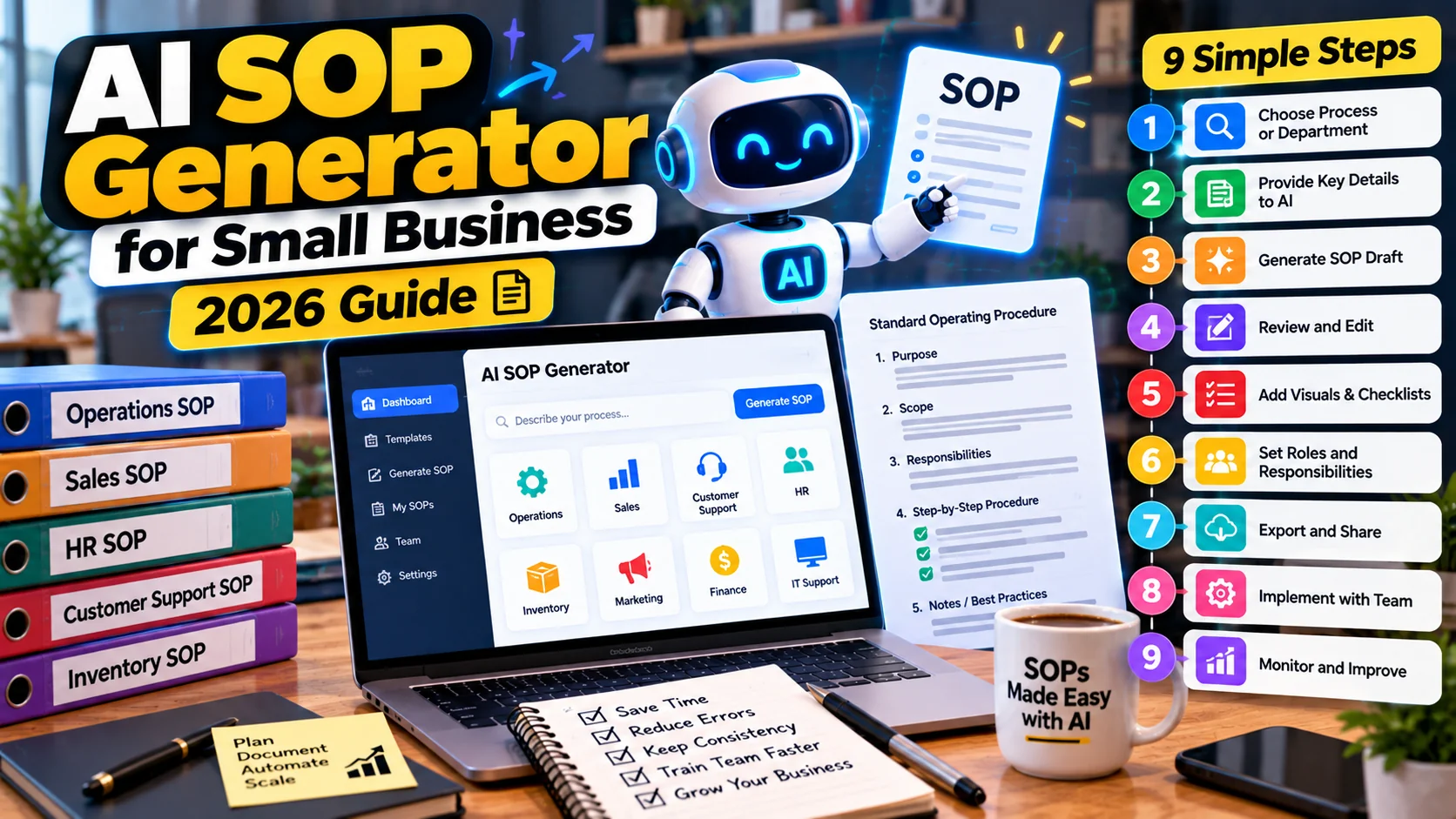
An AI SOP generator for small business can turn scattered staff notes into a clear first draft of a standard operating procedure. However, a polished document is not automatically a correct procedure. Someone must confirm that its instructions match actual work, equipment, safety requirements, and company policies.
This 2026 guide explains a nine-step process for writing, validating, approving, and maintaining SOPs with AI support. It is suitable for operations, customer support, retail, food service, and administrative teams. The focus is practical document control, not an unverified claim that a chatbot can replace staff training.
What is an SOP, and where does AI help?
A standard operating procedure explains how an approved task is performed consistently. A useful SOP identifies its purpose, scope, responsible role, prerequisites, steps, exceptions, safety checks, and escalation contact. It should be easy for a trained employee to follow without guessing.
AI can organize interviews, convert bullet notes into a consistent outline, suggest clarifying questions, and propose checklist wording. In contrast, it cannot observe a real process unless you provide accurate evidence, and it must not invent regulations or equipment settings.
9 steps to build SOPs with AI support
Choose one repeatable workflow for the first pilot. For example, a retail team might document end-of-day cash closing, while a service company might describe client onboarding or invoice approval.
1. Choose a task that actually needs a procedure
First, identify processes with repeated errors, inconsistent handoffs, training delays, or a meaningful safety or compliance impact. Ask staff where they rely on memory or informal messages.
Next, define exactly when the procedure begins and ends. “Handle customer orders” may be too broad; “verify and dispatch a paid online order” is easier to document and test.
2. Interview the people who do the work
Talk to experienced staff, supervisors, and anyone who handles exceptions. Gather approved forms, screenshots, equipment instructions, and previous checklists. Ask what happens when an item is missing, a customer changes their mind, or a system becomes unavailable.
Most importantly, distinguish the real process from the idealized version. If a manager must approve a refund, that authority needs to be explicit rather than assumed.
3. Record inputs, outputs, and responsible roles
Before asking AI to draft, list the required inputs, tools, access permissions, expected output, and handoff recipient. A procedure should answer who is allowed to perform each sensitive action.
For example, a cashier might count the drawer and submit the result, while a supervisor investigates a discrepancy. The SOP should never imply that the cashier can silently change recorded totals.
4. Generate an outline using verified notes
Provide the approved notes and instruct the model not to fill unknown gaps. Ask for purpose, scope, prerequisites, numbered steps, exception handling, quality checks, and revision control.
Sample prompt: “Draft an SOP from the attached approved workflow notes. Use clear action verbs and short steps. Separate normal work from exceptions. Identify any missing approval, safety, or data-handling information as a question for the process owner. Do not invent policy, laws, or equipment settings.”
5. Turn vague instructions into observable actions
Replace “check the order carefully” with specific questions: verify SKU, quantity, payment status, address, and packaging condition. Similarly, change “inform the manager if needed” to the exact trigger and contact method.
However, avoid turning a short task into an overwhelming document. Use a quick checklist for routine steps and reference details for uncommon situations.
6. Validate against real work and safety requirements
Ask a trained employee to follow the draft using sample data or a safe test environment. Note every ambiguous instruction, missing tool, or step that occurs in the wrong order. For regulated or safety-critical procedures, arrange appropriate expert review.
The NIST Generative AI Profile is a useful general reference for managing generative AI risks. It does not replace industry-specific rules, equipment manuals, or professional obligations.
7. Add exceptions and escalation routes
A useful SOP includes a small decision table: what happens if the customer cannot be verified, the payment fails, the inventory count is wrong, or the responsible system is offline? Say when to stop, record an exception, and ask for approval.
For instance, an offline POS may allow local order entry, but synchronization and refund behavior still depend on the software design. The procedure must reflect tested behavior rather than an AI-generated assumption.
8. Approve, version, and publish one official copy
Next, give the SOP a unique identifier, owner, approval date, version, review interval, and source links. Keep draft and approved copies clearly separated. The employee should know where to find the current version.
A searchable company knowledge base can help staff locate approved SOPs. See our AI knowledge management guide for organizing source documents and keeping them current.
9. Train, measure, and revise
Finally, demonstrate the process to employees and ask them to perform it under appropriate supervision. Measure correction rates, missed steps, training time, and whether staff can find the correct version.
Review the SOP when the tool, policy, law, or workflow changes. A document left unchanged after a significant process update can create more risk than having no document at all.
Reusable SOP template for small teams
The following sections provide a practical starting structure. Adapt them to the task and any formal requirements that apply to your business.
| Field | What to record |
|---|---|
| Procedure ID and title | Unique reference and exact process name |
| Owner and approver | Person accountable for accuracy |
| Purpose and scope | Goal, start and end conditions |
| Prerequisites | Access, tools, training and documents |
| Steps | Numbered actions with observable results |
| Exceptions | When to stop or escalate |
| Records | Evidence created and where it is stored |
| Review metadata | Version, date, next review and change log |
Example: handling a damaged online order
Imagine a small store receiving a report that an item arrived damaged. The SOP should tell support staff how to verify the order, request only necessary evidence, check the approved return policy, create a case, and route the remedy to someone with appropriate authority.
In addition, the procedure should explain privacy handling and what to do when the customer cannot find the receipt. It should not state that a full refund is guaranteed unless that truly is the business policy.
How to review an AI-generated SOP before release
Use a test checklist rather than judging only how professional the writing sounds. Walk through the actual task and check that every action is possible with the named tools. Ask a second qualified employee to identify steps that rely on unstated knowledge.
To reuse long source documents responsibly, first summarize them with verification. Our AI document summarization guide explains how to trace claims to original material.
- Confirm the correct document owner and approved source version.
- Check each role, approval boundary, and system permission.
- Verify numbers, units, forms, deadlines, and safety instructions.
- Test at least one routine scenario and one realistic exception.
- Ensure training and escalation contacts are actually available.
- Record reviewer comments and approval before employees rely on the SOP.
Common mistakes to avoid
The most frequent mistake is asking AI to create a procedure from the task name alone. That invites plausible but invented steps. Another risk is copying a template from a different business without checking equipment, policies, staffing, and local requirements.
Furthermore, avoid publishing dozens of unreviewed SOPs at once. Start with a few high-value procedures and confirm that they reduce ambiguity. A short, tested guide is more useful than a large library of obsolete documents.
A four-week SOP pilot
Keep the first project narrow and measurable. A small business could document one cash-closing workflow and one customer-support handoff.
- Week 1: interview staff and gather real examples and approved policy.
- Week 2: draft SOP sections with AI, marking missing facts clearly.
- Week 3: test with trained users, correct the steps, and obtain owner approval.
- Week 4: train the team, publish the controlled version, and track exceptions.
Frequently asked questions
Can AI create an SOP from a video or meeting transcript?
Some tools can organize a recording or transcript into draft steps. Nevertheless, a qualified owner must check the sequence, omissions, and safety implications.
Is an AI-generated SOP automatically compliant?
No. AI-generated language is not a certification or legal review. Applicable requirements must be independently checked.
How long should an SOP be?
As long as necessary for safe and consistent work, but no longer. Short numbered steps and separate exception references often help.
Who should approve a new SOP?
The person accountable for the process, with specialist reviewers where the task involves finance, safety, privacy, or regulated operations.
Final recommendation
An AI SOP generator for small business is most valuable when it converts real operational knowledge into a tested and controlled document. Use the model to accelerate structure and drafting; rely on knowledgeable employees to verify, approve, and maintain the instructions. For follow-on automations, explore ways to automate repetitive tasks.

