


Last updated: October 11, 2026
AI knowledge management helps a business organize, search, summarize, and reuse the information scattered across documents, chats, meeting notes, project tools, email, and internal systems. In 2026, that matters because teams are creating more information than they can realistically remember or search manually.
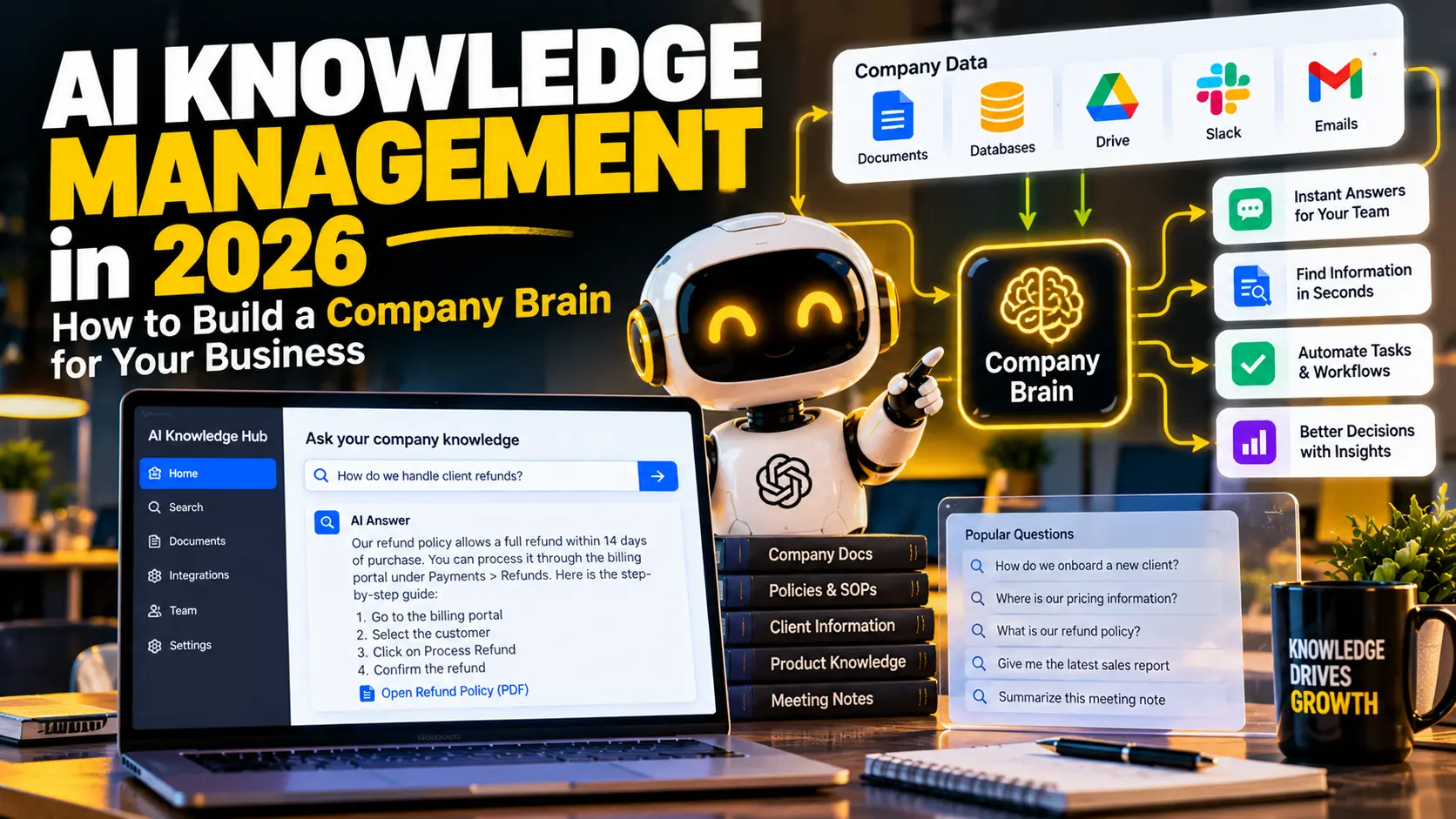
Quick answer: a useful AI knowledge system acts like a searchable company brain. It connects trusted business information, helps employees ask natural-language questions, and returns concise answers with enough context to verify the result.
The goal is not to store everything forever. Instead, the goal is to make the right information easier to find when someone needs it.
What Is AI Knowledge Management?
AI knowledge management is the use of artificial intelligence to organize, retrieve, summarize, and connect business knowledge. Traditional knowledge bases depend heavily on folders, tags, and exact keywords. By contrast, AI can understand natural-language questions and connect related information even when the wording is different.
For example, an employee might ask, “What did we promise the client about delivery?” The answer could come from a project brief, meeting transcript, email thread, and approved proposal rather than one perfectly named document.
Recent work from Microsoft Research on AgenticRAG explores retrieval and analysis over enterprise knowledge bases. Likewise, Notion Enterprise Search shows how modern AI search can retrieve information across connected workplace sources and cite the underlying content.
Why Does AI Knowledge Management Matter in 2026?
Business information often lives in too many places. A small team may use email, cloud storage, a CRM, project management software, chat, meeting tools, spreadsheets, and internal documents at the same time.
As a result, employees lose time searching for answers that already exist.
AI knowledge management can help reduce that problem by creating a common discovery layer. Instead of remembering where a file was saved, a user can ask a question and let the system search approved sources.
However, a company brain is only useful when the underlying information is accurate. Therefore, knowledge quality matters just as much as the AI model.
What Can an AI Company Brain Actually Do?
A practical AI knowledge system can support several everyday tasks.
- Answer common employee questions.
- Find policies, procedures, and product information.
- Summarize long documents.
- Surface information from past meetings.
- Help new employees understand company processes.
- Compare information across several internal sources.
- Draft answers using approved company knowledge.
- Identify missing or outdated documentation.
In addition, more advanced systems can connect knowledge to AI agents and automated workflows. That allows the same trusted information to support customer service, sales, reporting, and internal operations.
For a broader introduction to agent-based systems, see our guide on AI agents for small business.
How Do You Build an AI Knowledge Management System?
1. Choose the Questions the System Must Answer
Start with real questions instead of starting with software. Good examples include: Where is the latest pricing policy? How do we onboard a new customer? Which features are included in each plan? What did this client request in the last meeting? What is our refund process?
This step keeps the project focused. Otherwise, teams often upload thousands of files without deciding what useful outcome they want.
2. Identify Trusted Knowledge Sources
Next, decide which sources the AI is allowed to use. These may include approved documents, help-center articles, SOPs, CRM notes, project files, and meeting records.
Meanwhile, remove duplicates and outdated copies where possible. If five versions of the same policy exist, AI may retrieve the wrong one.
3. Clean and Structure Important Information
AI can work with messy content, but cleaner information still produces better results. Use clear titles, dates, owners, categories, and version information. In addition, mark documents that are no longer valid.
A simple rule is useful: if a human cannot tell which document is current, the AI may struggle too.
4. Connect Search and Retrieval
Many AI knowledge systems use retrieval-augmented generation, often called RAG. In simple terms, the system searches relevant company information first and then gives the AI model that context before it answers.
This approach is useful because the model does not have to rely only on general training data. Instead, it can ground the answer in your approved business information. Microsoft’s RAG overview for Azure AI Search describes this grounding pattern and its retrieval challenges.
5. Show Sources With Important Answers
For business use, a confident answer is not enough. Users should be able to verify important information.
Therefore, show the source document, page, record, or link when possible. This is especially important for pricing, policies, legal terms, security procedures, and customer commitments.
6. Control Who Can See What
A company brain should respect existing permissions. For example, a sales employee may need access to product documentation but not payroll records. Similarly, a support agent may need customer troubleshooting information but not confidential management files.
Permission-aware search is essential because AI can make hidden information easier to discover.
7. Create a Human Review Process
AI can summarize information incorrectly. Therefore, decide which answers can be used directly and which require review.
Low-risk internal questions may need little oversight. However, legal, financial, HR, security, and high-impact customer decisions should have a human checkpoint.
What Are the Best Use Cases for Small Businesses?
Employee Onboarding
A new employee can ask questions about processes, tools, clients, and policies instead of interrupting several coworkers throughout the day.
Customer Support Knowledge
Support teams can search troubleshooting guides, product notes, and policy documents faster. AI can also prepare a draft reply for human review. If customer support is a major use case, read our guide on AI customer service bots.
Sales Enablement
Salespeople can quickly find product details, case studies, pricing rules, and previous customer conversations before a call.
Project Handoffs
When work moves from sales to delivery or from one employee to another, AI can summarize the project history and key decisions.
Internal SOPs
Employees can ask how a process works and receive the relevant steps without searching through a large manual.
AI Knowledge Management vs Traditional Knowledge Base
| Area | Traditional Knowledge Base | AI Knowledge Management |
|---|---|---|
| Search | Keywords and folders | Natural-language questions |
| Information retrieval | Open documents manually | AI can summarize relevant content |
| Cross-source answers | Limited | Can combine approved sources |
| Maintenance | Manual | Still requires human ownership |
| Permissions | Document-level controls | Must preserve source permissions |
| Risk | Outdated documents | Outdated documents plus AI errors |
What Mistakes Should You Avoid?
Uploading Everything Without a Plan
More data does not automatically create better answers. Start with useful, trusted information.
Ignoring Old Documents
If outdated policies remain available, the AI may retrieve them. Therefore, content governance matters.
Giving the System Too Much Access
Use the minimum permissions required. Sensitive information should remain protected.
Expecting Perfect Answers
AI can make mistakes even when the source material is correct. Important outputs still need verification.
Forgetting Measurement
Track whether employees find answers faster, ask fewer repeated questions, and spend less time searching.
How Can You Measure ROI?
- Average time spent searching for information.
- Number of repeated internal questions.
- Time required to onboard a new employee.
- Support response time.
- Percentage of answers employees rate as useful.
- Number of outdated or conflicting documents found.
As a result, you can measure whether the system is genuinely improving work rather than simply adding another AI subscription.
Can AI Knowledge Management Connect to Automation?
Yes. Once trusted knowledge is searchable, it can support repeatable workflows.
New support ticket → AI searches approved knowledge → draft answer created → confidence checked → human approves → reply sent
Another example:
New employee joins → role identified → onboarding checklist generated → relevant SOPs shared → manager receives progress summary
For more ideas, see our guide on automating repetitive business tasks with AI.
Frequently Asked Questions
What is AI knowledge management?
AI knowledge management uses artificial intelligence to organize, search, summarize, and reuse information from trusted business sources.
What is a company brain?
A company brain is a central, searchable knowledge system that helps employees find information, understand processes, and reuse previous knowledge across the business.
Does a small business need AI knowledge management?
It can be useful when important information is spread across many tools or when employees repeatedly ask the same operational questions.
Is RAG required for AI knowledge management?
Not always, but retrieval-based systems are common because they allow AI answers to use current, approved business information instead of relying only on general model knowledge.
How do you keep an AI knowledge base accurate?
Assign document owners, remove outdated content, preserve permissions, show sources, and review high-impact answers.
Final Thoughts
AI knowledge management is most valuable when it solves a simple problem: helping people find the right information at the right time.
Start with a small set of trusted sources and a clear group of questions. Then improve retrieval, permissions, citations, and review rules before expanding the system.
A useful company brain does not replace employees or good documentation. Instead, it makes existing knowledge easier to discover, understand, and reuse across everyday work.

