


Last updated: October 8, 2026
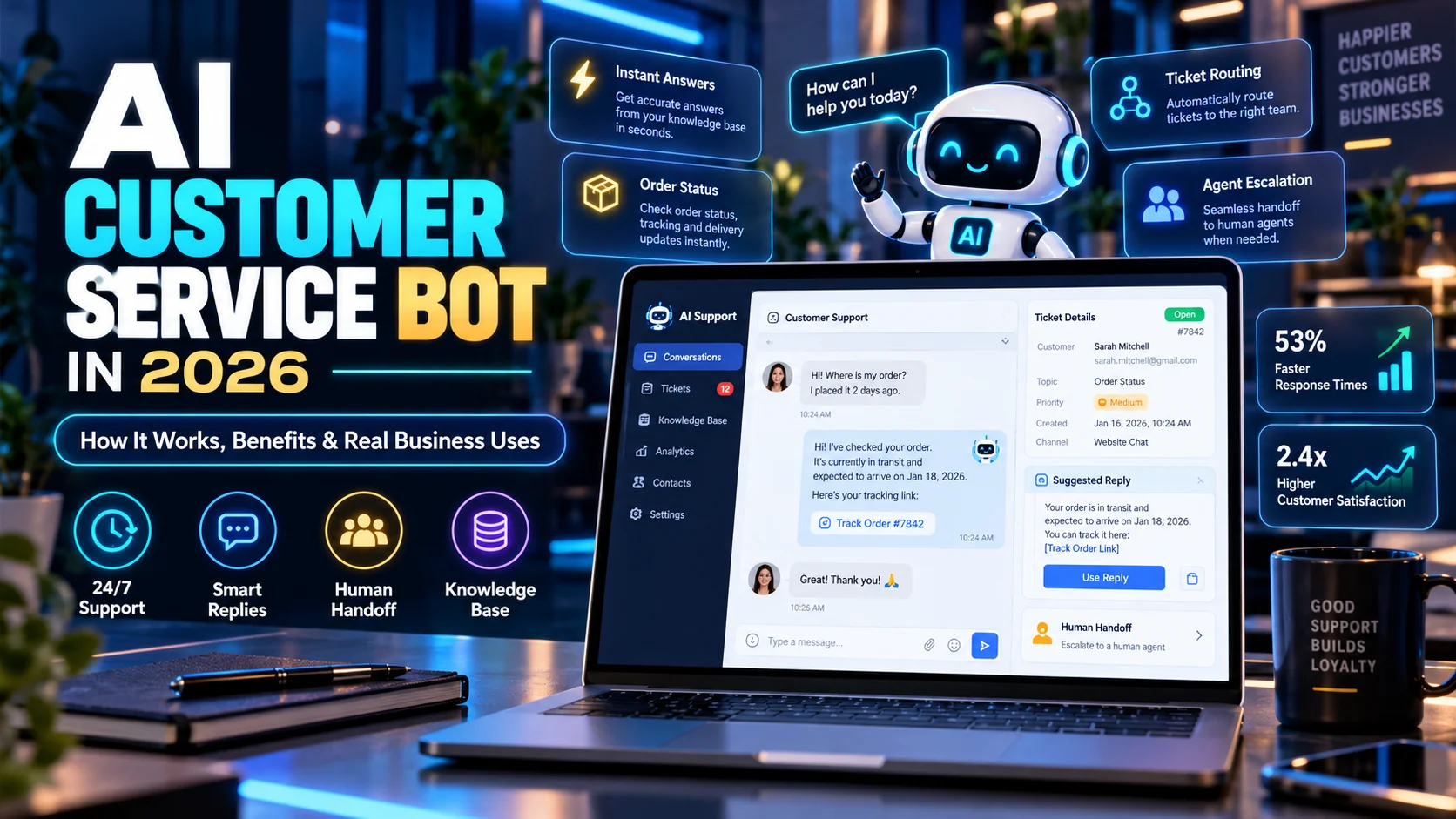
An AI customer service bot can answer common questions, classify requests, search a knowledge base, guide customers through simple processes, and hand difficult cases to a human agent. In 2026, customer-service AI is moving beyond basic scripted chatbots toward systems that can understand intent, use approved business information, and complete more useful support tasks.
That does not mean every support conversation should be automated. Instead, the strongest approach combines AI speed with human judgment. Businesses can let AI handle repetitive requests while people focus on sensitive, unusual, or high-value cases.
This guide explains how AI customer service bots work, where they are useful, what benefits they can create, which risks matter, and how a small business can introduce one safely.
What Is an AI Customer Service Bot?
An AI customer service bot is software designed to communicate with customers and help resolve support requests. Unlike an old rule-based chatbot that depends mainly on fixed menus and scripted responses, modern AI systems can interpret natural language and use business knowledge to generate a more relevant answer.
For example, Zendesk describes its current AI agents as systems that can answer questions from trusted knowledge sources and, when configured, use generative procedures, authorized actions, and API integrations. Salesforce similarly describes AI customer-service agents as systems that can respond within defined guardrails and handle service requests autonomously.
Therefore, the modern customer-service bot is becoming closer to a digital support agent than a simple FAQ widget.
How Does an AI Customer Service Bot Work?
A typical AI support workflow looks like this:
Customer message → intent detected → knowledge searched → answer generated → action taken if allowed → confidence checked → human escalation when needed
First, the system interprets what the customer is asking. Next, it looks for relevant information from approved sources such as help articles, product documentation, customer records, or connected systems. Finally, it responds or routes the request based on the rules you have configured.
More advanced systems can also perform actions. For example, an AI agent may check order status, update a ticket, start a return workflow, or collect information before handing the conversation to a person.
1. Answer Frequently Asked Questions
FAQ automation is one of the simplest places to start. Many support teams answer the same questions every day.
Typical examples include:
- What are your business hours?
- Where is my order?
- How do I reset my password?
- What is your refund policy?
- How do I change my subscription?
- Which plan includes a feature?
- How long does delivery take?
An AI customer service bot can provide an immediate first response. As a result, human agents spend less time repeating information that already exists in the knowledge base.
If you are comparing support platforms, see our guide to the best AI chatbots for customer support in 2026.
2. Provide 24/7 First-Line Support
A small business may not have employees available around the clock. However, customers can still send questions at night, on weekends, or from another time zone.
An AI customer service bot can handle simple requests immediately and collect information for requests that need a person.
For example:
Customer asks question → AI provides approved answer → issue resolved
Or:
Customer reports complex issue → AI gathers order number and problem details → ticket created → human agent follows up
Therefore, 24/7 support does not require the AI to resolve every case. It can still create value by reducing waiting and preparing better handoffs.
3. Classify and Route Support Requests
Support teams often waste time manually deciding where a ticket belongs. In contrast, AI can analyze the message and classify it by topic, urgency, language, product, or customer type.
A workflow could look like this:
New ticket → AI classifies request → priority assigned → correct team selected → suggested response prepared
This can be especially useful when several departments receive customer questions through one shared inbox.
Moreover, classification makes reporting easier because the business can see which problems appear most often.
4. Search the Knowledge Base for Customers
Customers do not always know which help article to open. They may describe a problem in their own words instead of using the same terminology as your documentation.
An AI bot can interpret that question and search the approved knowledge base for a relevant answer.
For example, a customer might write:
“I paid, but my account still shows the free plan.”
The knowledge base may use the phrase “subscription activation delay.” AI can connect the customer’s wording to the right topic and provide the correct troubleshooting steps.
As a result, good knowledge design becomes one of the most important parts of AI support.
5. Help With Order and Account Questions
When integrations are available, AI support can move beyond static answers. It may be able to check approved account or order information.
Examples include:
- order status;
- delivery progress;
- subscription status;
- appointment details;
- support ticket status;
- basic account information.
However, permissions should remain limited. A bot that only needs to read order status should not automatically receive access to financial or administrative systems.
Therefore, use the minimum permissions required for each support workflow.
6. Guide Customers Through Simple Processes
Modern AI customer service systems can guide users through multi-step tasks instead of only answering one question.
For example, a return process may require the bot to:
- confirm the order;
- check return eligibility;
- ask why the item is being returned;
- collect required information;
- create a return request;
- explain the next step.
Zendesk’s 2026 AI-agent documentation highlights goal-oriented procedures, authorized actions, and integrations as part of this move toward more capable automation.
Still, high-impact actions should have clear rules. Refunds, account closures, or sensitive changes may require human approval.
7. Support Human Agents With Suggested Replies
AI does not have to speak directly to the customer. It can also work behind the scenes as an assistant for support staff.
For example, AI may:
- summarize a long ticket;
- suggest a reply;
- recommend the next step;
- surface a relevant help article;
- translate a message;
- identify customer sentiment;
- prepare a handoff summary.
Zendesk’s agent copilot features, for instance, are designed to suggest next steps and support agent-approved actions. Consequently, businesses can use AI even when they are not ready for fully automated customer conversations.
8. Create Better Human Handoffs
A poor chatbot experience usually happens when the customer has to repeat everything after escalation.
A better workflow is:
AI conversation → issue summary → customer details → steps already tried → human agent receives context
This saves time for both sides. In addition, the customer feels that the conversation continued instead of restarting.
If you are building a support system from the beginning, our guide on how to build an AI chatbot for your business covers goals, knowledge, testing, automation, and human handoff.
AI Customer Service Bot vs Traditional Chatbot
| Feature | Traditional Chatbot | AI Customer Service Bot |
|---|---|---|
| Fixed scripts | Main approach | Can still use rules |
| Natural-language understanding | Limited | Stronger |
| Knowledge-base search | Basic or keyword-based | Context-aware |
| Generated responses | Usually no | Yes |
| Multi-step tasks | Limited | Possible |
| Authorized actions | Limited | Possible with integrations |
| Human escalation | Yes | Yes, with richer context |
Benefits of an AI Customer Service Bot
Faster First Response
Customers can receive immediate help for common questions instead of waiting in a queue.
Lower Repetitive Workload
Agents spend less time answering the same basic questions and can focus on more difficult cases.
Consistent Answers
When the bot uses an approved knowledge base, it can follow the same policy more consistently than ad hoc manual replies.
Better Scalability
Support volume can increase without manual workload increasing at exactly the same rate.
Useful Support Data
Conversation data can reveal frequent problems, missing documentation, product confusion, and new FAQ opportunities.
These benefits are part of a broader shift toward AI-assisted business operations. Our article on AI agents for small business explains how similar systems are being used across sales, marketing, reporting, and administration.
Risks and Limitations
Incorrect Answers
An AI bot can misunderstand the question or generate an incorrect response. Therefore, important support content needs testing and monitoring.
Outdated Knowledge
If your help center contains old policies, the AI may confidently provide outdated information. Consequently, knowledge maintenance is essential.
Poor Escalation
A bot should know when to stop. Customers become frustrated when AI keeps repeating suggestions instead of transferring them to a person.
Privacy and Data Access
Customer support may involve personal, financial, or account information. Therefore, integrations and permissions need strong controls.
Automation Without Accountability
Businesses still need people responsible for policy, quality, exceptions, and customer outcomes.
What Should an AI Customer Service Bot Not Handle Alone?
Human review or approval is strongly recommended for high-impact cases such as:
- large refunds;
- payment disputes;
- fraud reports;
- legal complaints;
- sensitive account changes;
- security incidents;
- medical or regulated advice;
- angry or vulnerable customers;
- unusual policy exceptions.
AI can collect information and prepare a summary. However, a person should make the final decision when the risk is high.
How to Set Up an AI Customer Service Bot
Choose One Support Problem
Start with a narrow goal, such as answering delivery questions or handling password-reset guidance.
Clean the Knowledge Base
Remove outdated instructions and make policies easy to understand. The bot can only be as reliable as the information it receives.
Define Clear Guardrails
Decide what the bot can answer, what actions it can take, and which situations require escalation.
Test Real Customer Questions
Use normal questions, vague questions, misspellings, angry messages, incomplete information, and unusual edge cases.
Create a Clear Human Handoff
The customer should be able to reach a person when AI cannot solve the problem.
Monitor Support Quality
Review failed conversations, customer feedback, escalation rates, and incorrect answers. Then improve the knowledge and rules.
Metrics to Track
| Metric | Why It Matters |
|---|---|
| First response time | Shows how quickly customers receive help |
| Resolution rate | Measures how many requests are completed successfully |
| Escalation rate | Shows how often humans are needed |
| Customer satisfaction | Measures the quality of the experience |
| Repeat contacts | Can reveal incomplete resolutions |
| Incorrect-answer rate | Helps identify knowledge or model problems |
| Agent time saved | Measures operational value |
Example Small-Business Support Workflow
A small online business could use this workflow:
Customer asks about order → AI checks approved order data → status explained → customer asks unusual refund question → AI summarizes case → human agent reviews → final decision sent
This approach combines automation with accountability. Therefore, the AI handles speed and information gathering while the human handles judgment.
Related Customer Service Workflows
Customer support does not end with a chatbot conversation. Our AI review response automation guide covers public feedback, privacy, and human approvals. If your team handles bookings, the AI appointment scheduling guide explains practical ways to organize requests and follow-ups.
Frequently Asked Questions
What is an AI customer service bot?
An AI customer service bot is software that uses artificial intelligence to understand customer questions, search approved information, provide answers, and sometimes perform support actions.
Can an AI customer service bot replace support agents?
It can automate many repetitive requests, but people are still important for exceptions, complex troubleshooting, emotional conversations, policy decisions, and high-risk cases.
Can AI customer service bots work 24/7?
Yes. A properly configured bot can provide first-line support at any time, although some requests may still need human follow-up.
What information should an AI support bot use?
It should use accurate, approved sources such as help-center articles, product documentation, policies, and carefully controlled customer data where appropriate.
How do I know if an AI customer service bot is working?
Track response time, resolution rate, escalation rate, customer satisfaction, repeat contacts, errors, and human-agent time saved.
Final Thoughts
An AI customer service bot can be valuable when a business receives frequent, repetitive questions and needs faster first-line support. The goal should not be to remove people from customer service. Instead, the goal is to use AI where speed and repetition matter while keeping humans responsible for judgment and trust.
Start with one narrow use case, clean your knowledge base, create clear escalation rules, and measure real customer outcomes. If the workflow works, expand gradually into more advanced support automation.
Further reading: Zendesk’s AI agents for customer service guide and Salesforce’s guide to AI customer service agents.

