


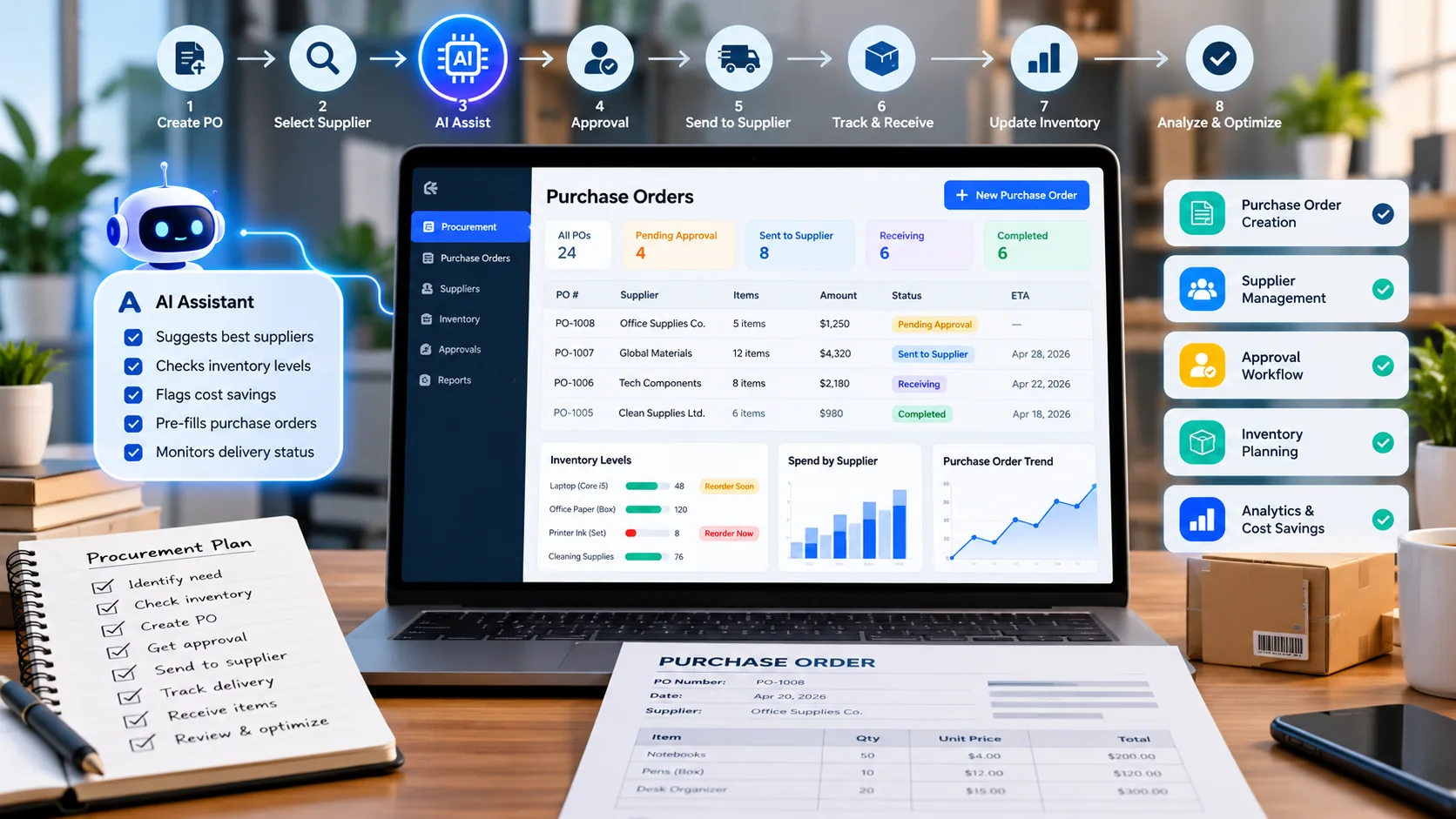
AI purchase order automation helps a small business prepare replenishment requests, compare known supplier terms, and track approvals without retyping the same information. Yet faster orders are not necessarily better orders. A quantity error, duplicate supplier request, or unapproved price change can turn a convenient automation into a costly mistake.
This 2026 guide explains eight practical steps for retailers, cafés, wholesalers, and service teams. The aim is to produce traceable draft purchase orders while leaving spending decisions, supplier choices, and exceptions with authorized people.
What is AI purchase order automation?
A purchase order, or PO, records the products or services a buyer intends to obtain, agreed quantity, price, supplier, and delivery details. AI can help organize approved purchasing information, flag missing values, and recommend draft quantities. Meanwhile, deterministic business rules should enforce budgets, approvals, and unique order numbers.
A full workflow has several distinct states: a purchasing need, draft request, approval, issued PO, supplier acknowledgement, receipt, invoice match, and closure. In particular, an AI suggestion should not automatically become a binding supplier instruction.
8 steps to build a reliable purchasing workflow
Begin with one product category or branch. Once errors and exceptions are understood, expand to additional suppliers and order types.
1. Map how purchases are approved today
First, note who identifies low stock, requests a purchase, checks supplier terms, approves spending, and receives goods. Include urgent orders, substitutions, returns, and partial deliveries rather than assuming every order follows the happy path.
Next, mark where employees spend time copying data or chasing approvals. Those repetitive handoffs are stronger pilot candidates than allowing a chatbot to order goods on its own.
2. Clean product and supplier records
A trustworthy item record needs SKU, description, unit of measure, pack size, preferred supplier, minimum order quantity, lead time, and verified cost. For example, 12 cartons of cups and 12 individual cups are different purchases. A model cannot resolve an ambiguous unit safely without additional data.
Also keep a date on quoted prices, clear supplier identity, and a record of authorized terms. New bank details and unusual supplier-account changes should go through separate verification.
3. Define transparent reorder signals
Start with stock on hand, outstanding orders, recent usage, supplier lead time, and an appropriate safety allowance. An illustrative shop selling five units per day, with an eight-day lead time and ten units of safety stock, might use a reorder point of 50 units (5 × 8 + 10).
However, this basic example is not a universal forecasting rule. Seasonality, spoilage, promotions, demand variability, and delayed deliveries may change the right order. For more detail, see our AI inventory forecasting guide.
4. Generate a draft request with source references
Use approved data to ask AI for candidate SKUs, suggested quantities, known supplier terms, reasons, and uncertainty flags. Importantly, keep the result in draft status until a person confirms it.
Prompt example: “Using only the attached inventory and approved supplier records, identify items below their reorder points. Return SKU, current stock, units, outstanding orders, suggested quantity, supplier, known cost, and a reason. Mark missing fields as unknown. Do not create a new vendor or issue a purchase order.”
5. Compare quotes on total purchasing impact
Compare supplier quotations using effective unit cost, freight, taxes, delivery dates, return conditions, minimum quantities, and expiry dates. A low price per carton may be misleading when a high minimum quantity creates spoilage or tied-up capital.
Therefore, keep both source documents and conversion calculations alongside the recommendation. Any unresolved or conflicting quote must go to a buyer rather than being silently filled by AI.
6. Add spending limits, approvals, and duplicate protection
Set rules for who may approve different amounts, which suppliers can be used, and when price increases require confirmation. For sensitive purchases, the requestor and final approver should be different people when practical.
Moreover, use unique request identifiers and retry-safe sending. If an API times out, the system should determine whether the original PO was received rather than creating a second identical order.
7. Match the order to what actually arrives
When deliveries arrive, record received quantities, damaged units, backorders, and substitutions. Compare the approved PO with the goods receipt and invoice before payment or stock reconciliation.
For instance, a supplier invoice may bill for 100 items even though only 92 were accepted. That difference needs an exception, not a silent adjustment. Our AI invoice processing guide covers the document-matching side in more detail.
8. Review exceptions and improve the process
Finally, track approval delays, duplicate attempts, urgent buys, received-versus-ordered differences, and overstock or stockout rates. A faster approval process is only valuable if purchasing accuracy is maintained.
Review the reasons for overrides as well. If staff routinely change suggested quantities, fix the source data or rules before expanding the automation.
Worked example: café weekly supply planning
Imagine a café buying coffee beans, milk, and takeaway cups each Monday. Its system checks current quantities, planned events, recent sales, and known supplier lead times. AI drafts a buying list and identifies one unusual increase in cup demand. The manager verifies the promotion and confirms quantities before anything is transmitted.
On Wednesday, a delivery arrives short. The receiving team records the actual quantity, the open balance remains visible, and an invoice mismatch is routed for review. This sample is a requirements example, not a claim about any specific product.
| Record | Business control | Common exception |
|---|---|---|
| SKU and unit | Avoid pack-size confusion | Cartons versus pieces |
| Supplier and quotation | Use approved terms | Expired price |
| Approval identity | Enforce authority | Over-budget order |
| Unique request ID | Prevent duplicates | Network retry |
| Received quantity | Reconcile inventory | Partial shipment |
| Invoice reference | Match payments | Unexpected billed items |
Security and data controls
Never expose supplier credentials, private agreements, or bank-account changes to an unapproved AI workflow. Limit the AI integration to only the catalog and order data it requires. Keep human approval for payments, supplier-account creation, and unusual requests.
For a risk-management reference, see the NIST Generative AI Profile. Our AI agent security guide also covers permissions and audit trails for connected business systems.
A four-week pilot plan
Rather than automate everything at once, use a small, measurable trial. Agree which data is authoritative, who can approve, and how errors will be corrected.
- Week 1: map one purchasing flow and standardize the supplier and SKU data.
- Week 2: generate AI suggestions as drafts and compare them with staff decisions.
- Week 3: pilot approval, purchase reference numbers, and receipt matching for a limited category.
- Week 4: simulate price changes, shortages, duplicate retries, and offline errors, then decide whether to expand.
Mistakes to avoid
Common failures include granting automatic spending authority too early, using outdated supplier pricing, treating predicted demand as certainty, and skipping goods-receipt checks. Another mistake is measuring automation only by time saved rather than by the cost of corrections and the actual stock situation.
Instead, combine practical buying rules with human judgment and regular reviews. Reliable purchasing leaves a clear record of why an order was suggested, approved, sent, and settled.
Frequently asked questions
Can AI send purchase orders directly to suppliers?
It can in some integrated systems, but businesses should start with draft-only suggestions. An authorized person should approve the order and any financially significant exception.
Do I need years of inventory history?
No. Clean recent sales and clear reorder rules are often enough for a useful pilot. More complex forecasts need additional data and evaluation.
Is a purchase order the same as an invoice?
No. A PO documents the buyer’s order. An invoice requests payment for supplied goods or services; the two should be reconciled.
How can I prevent accidental duplicate POs?
Use unique request IDs, retry-safe API logic, visible sending status, and an approval trail that records each action.
Final recommendation
Treat AI purchase order automation as a draft-and-review system, not automatic spending authority. Clean records, explicit approvals, accurate receiving, and exception review create the foundation for useful automation. Explore small-business AI workflow examples when planning connected processes.

