


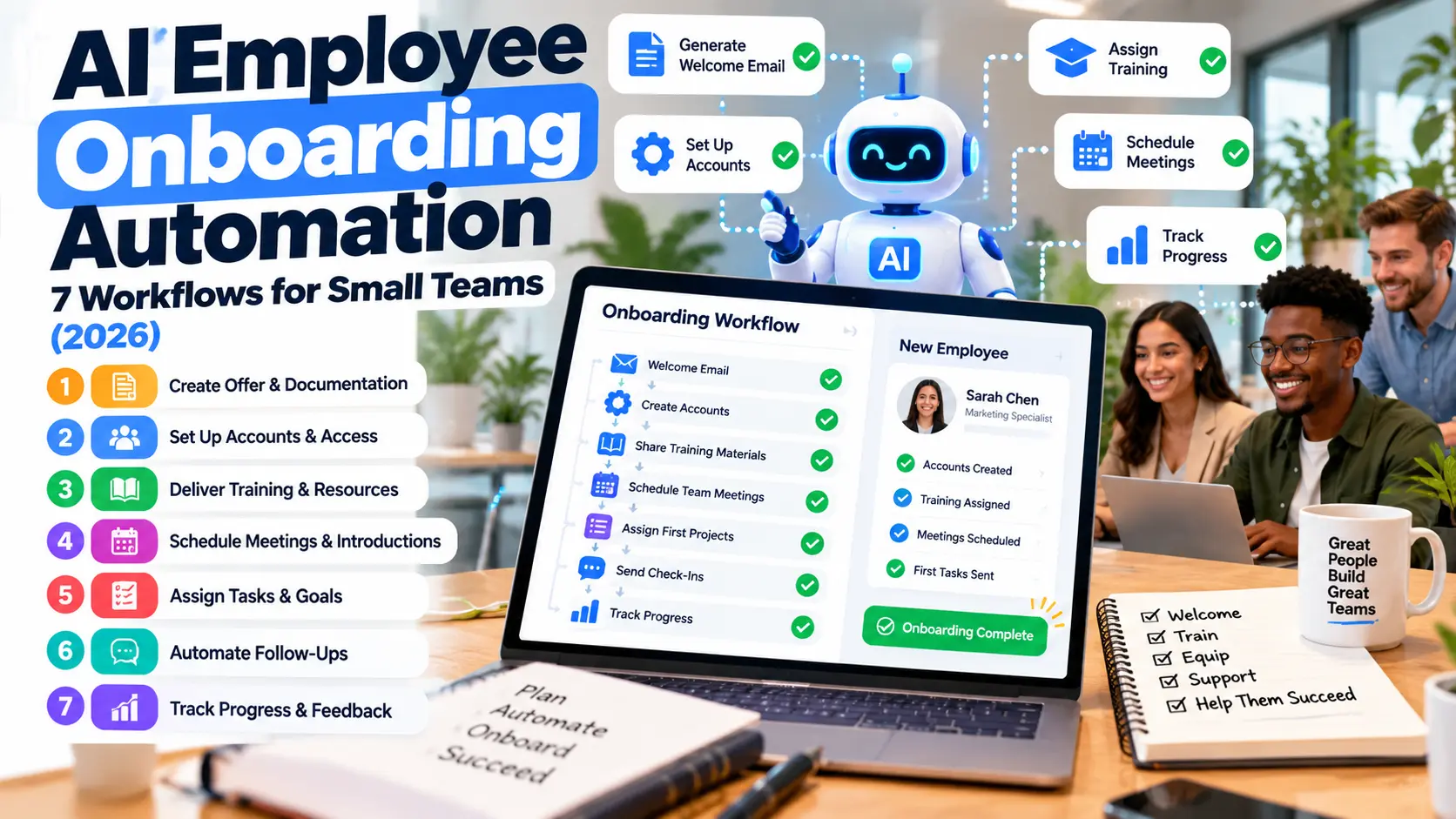
New employees often spend their first week searching for forms, waiting for system access, and asking the same policy questions. Meanwhile, managers repeat explanations that could have been organized once. AI employee onboarding automation can reduce that administrative friction, provided it does not replace essential human supervision or make employment decisions without appropriate oversight.
This 2026 guide walks through seven onboarding workflows a small business can plan, including practical examples, data safeguards, and a simple pilot. It is written for employers building a repeatable employee experience, not for automating hiring or evaluating workers through unverified AI judgments.
What does AI onboarding automation mean?
Onboarding automation connects the steps after a person joins an organization: welcome messages, required forms, learning materials, equipment, access requests, role-specific training, and check-ins. AI can classify requests, retrieve approved answers, summarize training materials, and help draft communications. Ordinary automation handles predictable triggers and reminders; AI is most helpful with variable language and document lookup.
The goal is a smoother handoff among HR, managers, IT, and the employee. A chatbot alone is not an onboarding system, and a well-written welcome email does not prove all access and compliance steps are complete.
7 AI employee onboarding workflows worth designing
1. Build role-specific onboarding checklists
Instead of giving every employee the same generic list, define tasks by role, location, employment type, and start date. For example, a café cashier may need register training, food-service guidance relevant to the position, shift scheduling, and receipt procedures. A software support employee may need a ticketing account, help-desk playbook, and privacy training.
Use AI to suggest a checklist from a reviewed template, but keep required items controlled by the responsible team. Record task owner, due date, approval state, and completion evidence.
2. Generate welcome and first-week communications
Automation can send an approved welcome note, first-day location information, introductions, and a schedule. AI may personalize wording from role and team information without inventing benefits, promises, or policy exceptions. Managers should review templates that discuss compensation, eligibility, or legal obligations.
Keep a resend and correction process. An onboarding email sent to the wrong address or containing inaccurate access instructions is not a successful workflow.
3. Provide answers from an approved knowledge base
Employees may ask how to request leave, where to find a form, or which team handles expense approvals. An internal assistant can retrieve relevant answers from approved HR documents. Each answer should point to the policy source and revision date, with an option to contact a human when uncertain.
This use case connects naturally to AI knowledge management. Without version control and access permissions, a fast assistant can confidently repeat outdated rules.
4. Route equipment and account requests
Use a standardized form to request an employee laptop, app license, badge, or workstation. Automation can send the request to the right owner and track completion. AI can classify a free-text request, but account provisioning and elevated permissions should follow explicit approval policies.
For example, a new sales employee might need CRM access but not administrator privileges. Document access owners and avoid using generic shared accounts. The AI agent security checklist explains why connected tools need scoped privileges.
5. Create structured learning paths
Ask an AI assistant to turn approved training materials into a role-specific outline, glossary, practice questions, and short summaries. A manager can review the content before assigning it. Questions should test understanding of actual procedures, not fabricated company rules.
Make learning accessible in more than one format when useful: text, short videos, diagrams, or supervised demonstrations. Some tasks—handling cash, safety procedures, or resolving sensitive customer issues—require real-world practice and sign-off.
6. Track milestones and respectful check-ins
Schedule a first-day welcome, end-of-week questions, and later check-ins according to your team’s process. AI can help summarize voluntarily submitted questions by theme, but employee feedback should not automatically turn into a performance judgment. Explain what information is collected, who can view it, and how it is used.
A manager might track whether required access was provisioned on time and whether training questions remain unresolved. These operational metrics are more useful than speculative personality scores.
7. Close the loop with human approval and audits
Before marking onboarding complete, confirm the required tasks, equipment, access, training, and documentation. Identify a named owner for exceptions. Periodically review whether checklist templates, policies, permissions, and help content are still accurate. If an employee changes roles, update access rather than duplicating old permissions.
Example onboarding timeline for a small company
| Stage | Automation task | Human responsibility |
|---|---|---|
| Before start | Create checklist and route equipment request | Manager approves requirements |
| Day one | Share welcome plan and policy links | Team introduction and safety briefing |
| First week | Assign training and answer common questions | Coach and verify practical tasks |
| Later check-in | Collect open questions and missing steps | Resolve concerns and approve completion |
This is an illustrative framework. Adjust timing for the organization, applicable laws, collective agreements, role risk, and employee circumstances.
Privacy and fairness safeguards
- Collect only the personal information needed for the workflow.
- Explain the purpose, retention, and access to employee data.
- Avoid sending identification documents and sensitive information to unapproved services.
- Keep protected categories out of automated performance profiling or decisions that could be unfair or unlawful.
- Make it easy to correct inaccurate records and contact a person.
- Use role-based access, audit trails, and time-limited permissions.
For general privacy program principles, businesses can consult the NIST Privacy Framework, then apply the obligations that actually govern their workplace and jurisdiction.
How to measure a successful pilot
Choose one role and a limited set of workflows. Record the baseline: average time to provide required accounts, number of missing first-week steps, repeated policy queries, and manager hours spent chasing tasks. After a pilot, compare results and collect structured feedback from employees and the people doing approvals.
Do not assume a lower message count proves a better experience; employees might simply be unable to find someone to ask. Track resolved questions and time to resolution alongside satisfaction.
What should not be delegated entirely to AI?
Final hiring decisions, legal eligibility determinations, disciplinary actions, high-stakes employee evaluation, sensitive conflict resolution, and approvals involving significant access or spending require appropriate human accountability. AI can support communication and document retrieval without becoming the decision-maker.
Frequently asked questions
Do small businesses need specialized HR software to start?
Not always. A reviewed checklist, secure document library, approved communication templates, and simple task automation can provide a useful starting point.
Can onboarding chatbots answer employee questions accurately?
They can help when grounded in current approved sources. Require source links, uncertainty handling, and escalation for unusual or sensitive questions.
Should an AI assistant create user accounts automatically?
Only within carefully defined, authorized workflows. Least-privilege permissions, explicit approvals, and an audit trail are particularly important.
What is a sensible first pilot?
Try role-specific checklists and policy Q&A for one team. Those workflows are easier to review than broad access automation.
Final takeaway
Good onboarding automation frees people from repetitive coordination while making employees feel informed and supported. Start with a few well-defined workflows, protect personal information, require approval for sensitive actions, and improve based on real feedback. For additional ideas, explore how to automate repetitive business tasks with AI.

