


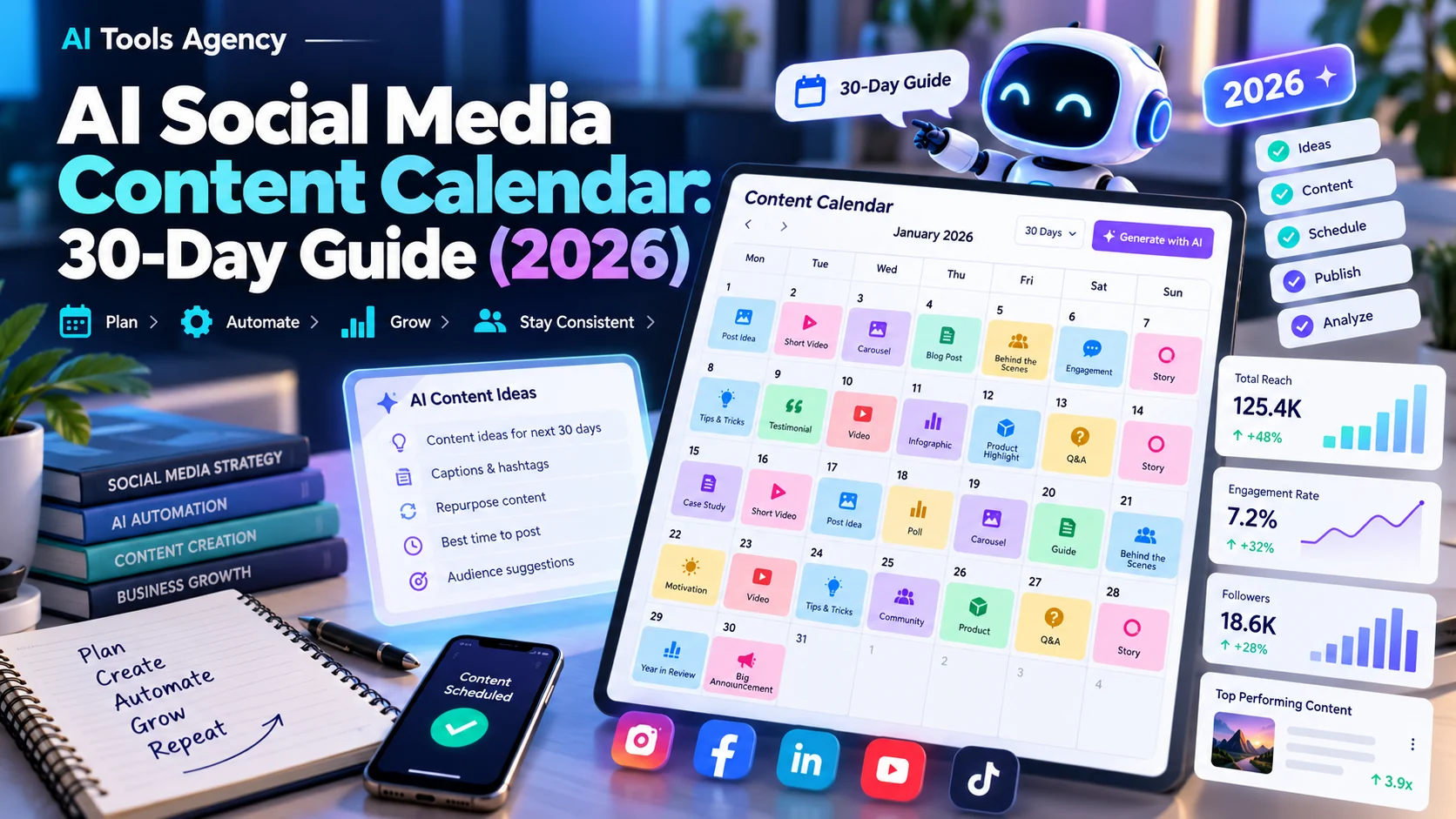
Publishing on social media becomes exhausting when every post starts with a blank page. A business owner may have plenty of useful ideas—customer questions, behind-the-scenes moments, helpful demonstrations, and product stories—but no repeatable way to turn them into a schedule. An AI social media content calendar can make planning easier when the strategy, facts, and final approval remain in human hands.
This guide shows how to build a practical 30-day calendar in 2026, select AI and scheduling tools, create platform-specific posts, and measure results. It includes a reusable content matrix and prompts you can adapt without publishing generic, repetitive AI copy.
What is an AI social media content calendar?
An AI social media content calendar is an editorial plan supported by AI for idea generation, outlines, draft captions, repurposing, and sometimes scheduling. In addition, it assigns each post a date, channel, format, objective, topic, owner, and status. However, it is not the same as an autopilot system that writes, approves, and posts everything without supervision.
A calendar should answer simple operational questions: What are we publishing? Why does it matter to our audience? Who checks its accuracy? Which original asset supports it? How will we tell whether it worked? AI can help propose answers, but the business must supply real products, customer understanding, and brand judgment.
For example, a useful calendar usually includes a backlog of ideas, drafts awaiting review, approved posts, scheduled items, and published items. In addition, it should reserve space for timely updates and customer questions that were not predictable at the beginning of the month.
Step 1: Choose one business goal
Before writing prompts, choose a priority such as getting product-page visits, increasing newsletter signups, explaining a service, generating qualified leads, or answering common pre-sale questions. “Get more engagement” is usually too vague to guide topics.
Translate the goal into a customer action. For example, a shop may want visitors to read product details before purchasing. Meanwhile, a local service business may want people to request an estimate. Similarly, a creator may want viewers to watch a complete tutorial. Keep the call to action appropriate to each platform and avoid making every post a sales pitch.
Next, decide who the audience is, what questions they ask, what proof you can show, and which tone fits your brand. A helpful post for an experienced marketing manager may be confusing to a first-time shop owner. Audience definition matters more than the number of AI tools in the workflow.
Step 2: Create four content pillars
Next, organize your ideas into content pillars, recurring themes that keep a feed recognizable without making it repetitive. A practical small-business mix is:
| Pillar | Reader benefit | Example post |
|---|---|---|
| Education | Solve a frequent problem | “How to choose the right product size” |
| Proof and process | See how the business works | “What happens after an order is placed” |
| Community and conversation | Feel heard or share an experience | “Which challenge should we explain next?” |
| Offer and conversion | Understand a relevant product or service | “Who this service is a good fit for” |
However, add a fifth pillar only when there is a clear reason, such as hiring or public events. In other words, pillars should be based on actual customer needs, not generic trends suggested by a model.
For example, an ecommerce store can prioritize product images and how-to demonstrations. Our guide on AI product photography for ecommerce covers image quality, consistency, and the need to avoid misleading visuals. An agency may instead use mini case studies, common mistakes, and process explainers.
Step 3: Build a realistic publishing cadence
However, a daily schedule is not automatically better than three strong posts per week. Instead, choose a cadence your team can maintain with original material and a real review process. If your business has no video editor and only two useful photos this month, do not promise fifteen elaborate videos.
For example, a practical starting point might be three feed posts weekly, two short-form videos monthly, and occasional stories or replies. Then increase the pace only if the results justify the effort. This guide provides 30 days of ideas, not a requirement to publish 30 feed posts.
In addition, add buffer days for comments, customer support, product updates, and spontaneous opportunities. Social listening and replies are part of the job; a calendar that consumes all available time leaves no room to engage.
Step 4: Collect raw material before prompting AI
First, gather the assets you already have permission to use: product specifications, service FAQs, real customer questions, approved testimonials, existing blog articles, team knowledge, video clips, and photos. Note what cannot be shared: customer private information, confidential documents, unlicensed images, or claims that require evidence.
Next, record a source link and a fact owner for each asset. AI writing works best when it is transforming verified information into suitable formats, not inventing brand success stories. Never fabricate customer quotes, before-and-after results, endorsements, or performance statistics to fill an empty slot.
Similarly, if you’re making creator-style advertisements, review ourAI UGC video generator guide for authenticity, disclosure, and claims considerations.
Step 5: Use AI for ideas and drafts—not fictional proof
Next, begin with a structured brief. Replace the bracketed values with your real information:
Act as a social media editor for a [business type] serving [specific audience]. Our offer is [verified product or service] and our goal is [reader action]. Use only these facts: [paste approved facts]. Create 12 distinct post ideas across education, proof/process, community, and conversion. For each, provide a hook, suitable format, audience question, proposed CTA, and source material needed. Flag any claim that requires verification. Do not invent metrics or testimonials.
Afterward, a second prompt can turn a selected idea into versions for LinkedIn, Instagram, or Facebook. In addition, ask for different lengths and structures rather than using the same caption everywhere. A LinkedIn post may need a professional explanation; an Instagram reel needs a strong opening and visual plan; Pinterest content benefits from descriptive, search-oriented language.
Finally, edit every draft to remove exaggerated claims, overused phrases, and robotic transitions. Then read the caption aloud. If it sounds unlike your business or repeats last week’s message, rewrite it.
Step 6: Use this 30-day idea calendar
The table is an editorial idea bank, not an auto-publishing schedule. Choose dates and channels based on your audience and workload. “Proof” ideas require real supporting evidence before posting.
Days 1–15: Educate and engage
| Day | Content idea | Suggested format |
|---|---|---|
| 1 | Answer your most common new-customer question | Carousel |
| 2 | Show one real step in your workflow | Short video |
| 3 | Share a myth and a factual correction | Text post |
| 4 | Highlight a genuinely useful product detail | Image + caption |
| 5 | Ask followers what challenge they face | Question post |
| 6 | Repurpose a helpful paragraph from your blog | Carousel |
| 7 | Review comments and collect new questions | No feed post |
| 8 | Explain a common beginner mistake | Short video |
| 9 | Introduce a team role or process | Photo + caption |
| 10 | Compare two ways to solve one problem | Carousel |
| 11 | Explain a term customers often misunderstand | Graphic |
| 12 | Walk through what happens after purchase | Short video |
| 13 | Invite feedback on a relevant topic | Poll or question |
| 14 | Review what engaged the right audience | Analytics day |
| 15 | Publish an FAQ with a useful answer | Carousel |
Days 16–30: Build trust and review results
| Day | Content idea | Suggested format |
|---|---|---|
| 16 | Explain who a particular offer is not for | Text post |
| 17 | Show how to prepare for using your service | Checklist |
| 18 | Share an approved customer story, if available | Story or carousel |
| 19 | Correct a misconception about your industry | Short video |
| 20 | Answer a thoughtful follower question | Q&A |
| 21 | Gather assets for the final week | Planning day |
| 22 | Show a product or service in context | Demonstration |
| 23 | Explain a decision-making checklist | Carousel |
| 24 | Highlight an informative article or resource | Link post |
| 25 | Share a real operational improvement | Process story |
| 26 | Present a transparent product comparison | Table or graphic |
| 27 | Invite audience questions for next month | Community post |
| 28 | Summarize three lessons from the month | Carousel |
| 29 | Offer a relevant next step with a clear CTA | Conversion post |
| 30 | Evaluate and update next month’s plan | Review day |
In practice, it is fine to repeat a pillar; however, avoid repeating the same insight. The plan deliberately includes analysis days because more output does not guarantee stronger marketing.
Step 7: Turn the plan into a production workflow
Next, track each item through idea → fact check → draft → asset creation → editorial review → approved → scheduled → published → measured. Assign one owner per stage and a clear rule for what happens when a draft is rejected.
For example, a lean team can use a spreadsheet with columns for date, channel, pillar, title, asset URL, caption, CTA, reviewer, scheduled URL, and results. A larger team may use a project management board. Keep the definitive approved copy in one location so employees do not accidentally publish earlier versions.
Additionally, when the post is about a customer experience or sensitive issue, review it with the appropriate internal owner. Marketing approval does not substitute for legal, medical, financial, or product safety review when those subjects arise.
Which AI and scheduling tools are useful?
Next, choose tools to match your process. Buffer provides a publishing calendar, platform-specific customization, and an AI Assistant for generating or reworking draft copy; its official publishing overview explains the workflow. Canva offers design creation and a Content Planner for supported plans and accounts; Canva’s scheduling help details current options and constraints.
| Tool type | Best job | Check before relying on it |
|---|---|---|
| AI writing assistant | Brainstorming, rewriting and repurposing | Source accuracy and brand voice |
| Visual design editor | Creating branded cards and layouts | Image rights and plan features |
| Social scheduling platform | Calendar, queues and channel versions | Supported networks, format limits, approvals |
| Analytics tool | Evaluating outcomes | Attribution and metric definitions |
| Simple spreadsheet | Planning and review ownership | Version control and human follow-through |
However, feature access, pricing, integration support, and scheduling limits may change. Check official documentation for the account and destination platform you use; do not assume every social format supports automatic posting.
How to measure a calendar’s value
Match metrics to the goal. For awareness, measure relevant reach and qualified profile visits. Meanwhile, educational posts can be evaluated through saves, meaningful comments, and visits to helpful resources. Finally, for conversion-focused posts, track qualified inquiries or purchases attributed through appropriately configured links and analytics.
Then, calculate performance per post or per hour of work rather than celebrating a higher publishing count. If three carefully produced tutorials outperform twelve generic posts, use that insight to adjust the calendar. Compare similar formats and audiences rather than treating all platforms as equal.
Finally, keep in mind that platform analytics can be delayed or incomplete. However, an apparent increase in engagement does not prove sales growth. Therefore, use first-party evidence where available and acknowledge limitations.
Mistakes that make AI social calendars feel generic
Using one prompt for all channels: Different platforms have distinct norms. Customize the hook, length, media and CTA.
Publishing unverified information: AI can produce convincing but inaccurate statistics, trends, or product specifications. Trace claims to approved sources.
Overloading every post with sales language: Audiences need useful information and trust-building context, not just purchase requests.
Ignoring accessibility: Add meaningful alt text, captions for videos, legible on-image text, and descriptive link labels where supported.
Creating synthetic testimonials: Do not invent reviews or imply an AI-generated person is a real customer. Seek permission for authentic endorsements and disclose relevant relationships.
Failing to reserve time for conversation: Social media is not just a scheduling problem. Responding thoughtfully can be more valuable than producing one more post.
Frequently asked questions
Can AI make a 30-day content calendar automatically?
It can generate a 30-day idea plan from a detailed brief. The business still needs to confirm facts, assets, audience fit, and the schedule before publishing.
Should small businesses post every day?
Not necessarily. Choose a sustainable cadence, measure outcomes, and adapt. Consistent useful posts generally matter more than filling every date with generic content.
What is the difference between an AI content calendar and a scheduler?
A content calendar organizes strategy, topics, ownership, and approval. By contrast, a scheduler sends approved posts to supported social platforms at chosen times. Some products combine both capabilities.
Can I reuse a blog post across platforms?
Yes, when you have the rights to the material. Extract different useful points for each platform rather than copying the same long caption everywhere. Use an accurate summary that links to the original article when appropriate.
Will a content calendar improve sales?
Ultimately, a good calendar can support awareness, education, and conversion efforts, but no tool guarantees sales. Track qualified business outcomes alongside engagement metrics.
Final takeaway
Build your AI social media content calendar around customers and evidence, then let AI speed up ideation, formatting, and repurposing. A workable 30-day system gives the team more clarity, fewer last-minute drafts, and better opportunities to learn what genuinely helps the audience.
Finally, to connect content planning with your broader operations, read AI workflow automation examples and our overview of AI for small business.

