


Last updated: October 6, 2026
AI for small business is no longer limited to writing a quick email or generating a social media caption. In 2026, small companies are using artificial intelligence to reduce repetitive work, respond to customers faster, organize information, analyze data, create content, and automate routine business processes.
For that reason, small-business owners and teams usually have limited time. One person may be responsible for sales, marketing, customer support, administration, reporting, and day-to-day operations. Used carefully, AI can reduce the amount of time spent on repetitive tasks without removing the human judgment that important business decisions still require.
The trend is already measurable. A 2026 Federal Reserve Bank of San Francisco analysis found that nearly 40% of small-business respondents were already using or planning to use AI. Common use cases included productivity, marketing, written communication, visual generation, customer service, analytics, and forecasting.
OpenAI also reported that at least four million people in the United States used ChatGPT during March 2026 to help plan, start, run, or grow a business. The opportunity is clear—but the best results come from solving specific problems rather than adopting AI simply because it is popular.
How Can Small Businesses Use AI in 2026?
Small businesses can use AI anywhere a task involves language, research, classification, summarization, drafting, data analysis, content creation, or repetitive decision support.
The most useful question is not:
“Which AI tool should we buy?”
A better question is:
“Which repeated task takes too much time, and where could AI safely reduce that workload?”
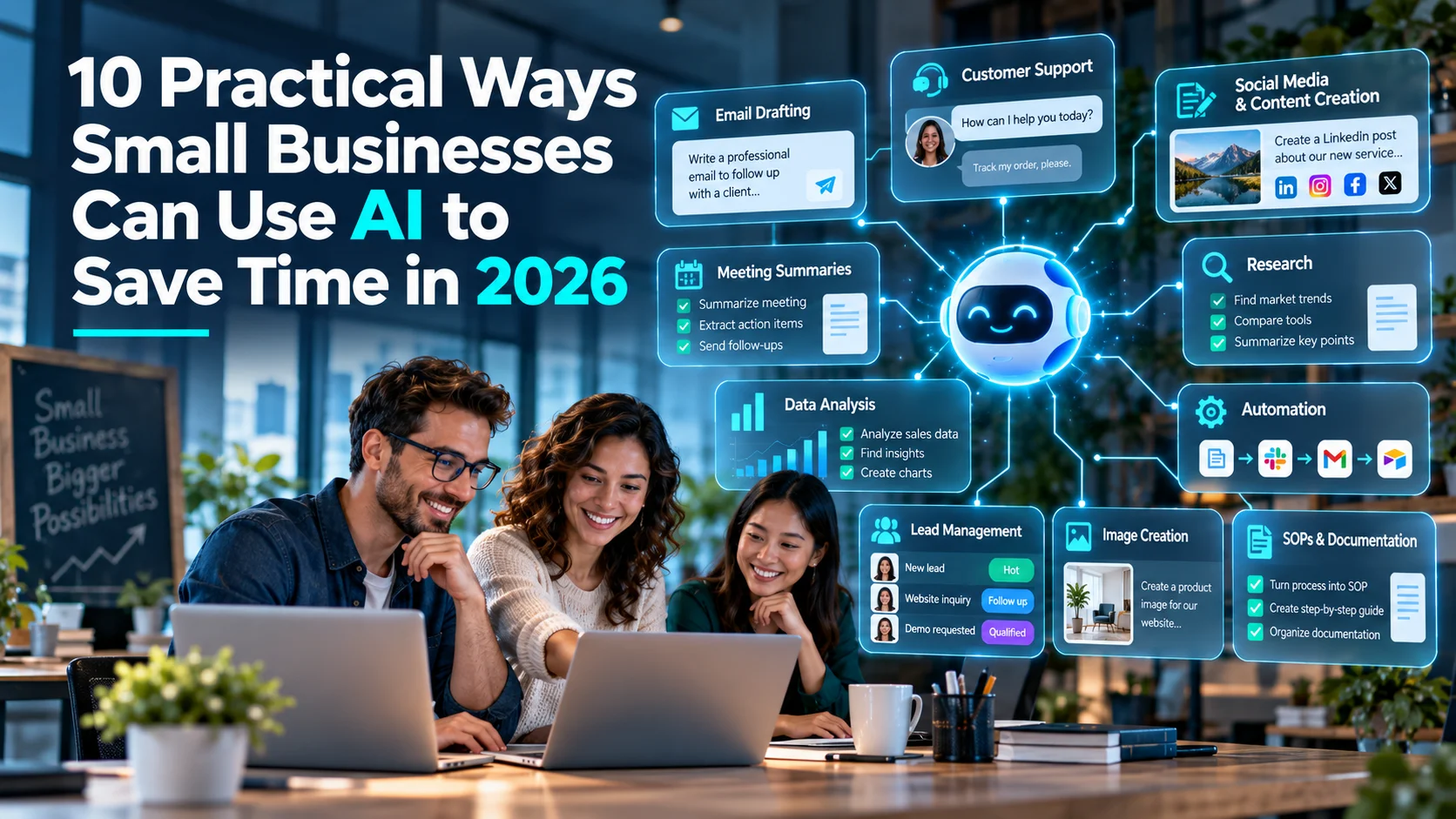
Here are ten practical ways small businesses can use AI to save time in 2026.
1. Write and Organize Business Emails Faster
For example, email is one of the easiest places to start using AI because most small businesses send similar types of messages repeatedly.
AI can help prepare:
- lead follow-up emails;
- customer-service replies;
- appointment confirmations;
- payment reminders;
- quotation follow-ups;
- supplier messages;
- meeting follow-ups;
- internal announcements.
Instead of asking AI to “write an email,” provide useful context.
For example:
Weak prompt: Write a sales follow-up.
Better prompt: Write a polite follow-up email for a customer who requested a website-development quotation three days ago. Keep it under 120 words, professional but friendly, and ask whether they have any questions before making a decision.
The second prompt gives the AI a clear purpose, audience, tone, and length.
In addition, AI can summarize long email threads and extract action items. However, important messages involving contracts, complaints, payments, legal matters, or sensitive customer information should still be reviewed by a person before they are sent.
2. Use AI for Customer Support
Similarly, customer support can consume a large amount of time when the same questions appear again and again.
AI can help small businesses:
- draft answers to common questions;
- summarize customer complaints;
- classify support tickets;
- identify urgency;
- suggest relevant help articles;
- translate simple customer messages;
- route requests to the correct team member;
- prepare a response for human approval.
A simple workflow could be:
Customer message → AI identifies issue → Knowledge base checked → Reply drafted → Human approves if required
Businesses with higher support volume can also use AI chatbots for first-line assistance. If you want to explore that approach, see our guide to the best AI chatbots for customer support in 2026.
AI should not be allowed to make sensitive decisions automatically. Refund disputes, legal complaints, account-security issues, and emotionally difficult conversations usually need human involvement.
3. Create Social Media and Marketing Content More Efficiently
Moreover, AI can reduce the amount of time needed to move from an idea to a usable marketing draft.
Small businesses can use it to create:
- social media post ideas;
- caption drafts;
- content calendars;
- email campaign drafts;
- ad variations;
- blog outlines;
- video scripts;
- product descriptions;
- FAQ content;
- campaign briefs.
The strongest workflow is not “generate and publish.” It is:
Research → AI draft → Human edit → Brand check → Fact check → Publish
This approach helps a business move faster while protecting its voice and credibility.
For a broader look at writing, design, image, and research platforms, our guide to the best AI tools for content creation in 2026 covers several practical options.
4. Turn Meetings Into Notes and Action Items
Meanwhile, meetings often create extra work after the meeting ends. Someone has to review notes, identify decisions, assign tasks, and send follow-ups.
AI can help turn a meeting transcript or notes into:
- a short summary;
- decisions made;
- open questions;
- assigned tasks;
- deadlines;
- a follow-up email;
- a manager briefing.
For example, after a 45-minute sales meeting, AI could produce:
Summary → 5 key decisions → 6 action items → owners → deadlines → follow-up email draft
This can save time and reduce the chance that important actions are forgotten.
Businesses should be careful when recording meetings. Obtain required consent and avoid uploading confidential conversations into tools that do not meet your privacy requirements.
5. Research Competitors, Markets and Business Ideas
Furthermore, research is one of the most useful AI applications for small businesses because it can shorten the first stage of information gathering.
AI can help organize research about:
- competitors;
- market trends;
- customer questions;
- content opportunities;
- pricing models;
- product ideas;
- industry terminology;
- potential suppliers;
- business risks.
For example, a local service business could ask an AI research tool to compare the websites, positioning, services, reviews, and messaging of five competitors.
The result should be treated as a research starting point—not unquestioned truth.
Always open important sources yourself and verify claims before using AI research to make financial, legal, strategic, or reputational decisions.
6. Analyze Business Data Without Spending Hours in Spreadsheets
However, many small businesses collect useful data but do not have time to analyze it properly.
AI can help review spreadsheets and structured data to find:
- monthly sales trends;
- best-selling products;
- slow-moving inventory;
- customer patterns;
- unusual expenses;
- seasonal changes;
- marketing performance;
- conversion trends;
- repeated support issues.
For example, a business could upload a monthly sales spreadsheet and ask:
“Compare the last six months, identify the three fastest-growing product categories, flag any unusual drops, and summarize the findings in plain English.”
This can make data more accessible to business owners who are not analysts.
However, important calculations should still be verified—especially when the result affects tax, payroll, pricing, forecasting, or investment decisions.
7. Automate Repetitive Administrative Tasks
As a result, some of the biggest time savings happen when AI is connected to automation.
A small business may repeatedly:
- copy website leads into a spreadsheet;
- send confirmation messages;
- categorize enquiries;
- create CRM records;
- prepare weekly summaries;
- rename and organize documents;
- extract invoice information;
- notify staff about new tasks.
Instead of completing each step manually, businesses can connect AI with workflow automation.
For example:
New enquiry → AI classifies request → CRM record created → Team member assigned → Draft reply generated → Follow-up reminder scheduled
If repetitive tasks are taking too much time in your business, read our step-by-step guide on how to automate repetitive business tasks with AI.
8. Improve Lead Management and Sales Follow-Up
For instance, small businesses often lose potential customers simply because leads are not followed up consistently.
AI can help sales teams and business owners:
- summarize new enquiries;
- identify what the prospect is asking for;
- prepare personalized follow-ups;
- categorize leads;
- extract important information from messages;
- prepare meeting notes;
- suggest questions for a sales call;
- create reminders for unanswered quotations.
More advanced systems can use AI agents to coordinate several of these actions across connected tools.
Our recent guide on how AI agents are changing small businesses in 2026 explains how agentic systems can support sales, customer service, marketing, reporting, and operations.
Keep humans responsible for important pricing decisions, negotiations, promises, and contract terms.
9. Create Images and Visual Ideas Faster
Likewise, small businesses often need visual content but may not have a full-time designer.
AI image tools can help with:
- blog featured-image concepts;
- social media graphics;
- ad creative ideas;
- product-scene concepts;
- presentation visuals;
- illustrations;
- backgrounds;
- design inspiration.
This can be especially useful during the early design stage when the goal is to explore ideas quickly.
However, businesses should review generated visuals carefully. Look for incorrect text, unrealistic details, brand inconsistencies, misleading representations, and intellectual-property concerns.
AI should speed up creative work—not remove quality control.
10. Build SOPs, Checklists and Internal Documentation
Finally, many small businesses rely on processes that exist only in the owner’s or an experienced employee’s head.
That creates problems when a new employee joins, someone is absent, or the company grows.
AI can help turn rough notes into structured:
- standard operating procedures;
- employee checklists;
- onboarding guides;
- customer-service scripts;
- quality-control procedures;
- training documents;
- process maps;
- FAQ documents.
For example, you could provide a rough description of how your business handles a new customer order and ask AI to convert it into:
Purpose → Required information → Step-by-step process → Responsible person → Exceptions → Final quality check
This creates a useful first draft quickly.
Someone who actually understands the process should then verify every step before the document becomes an official procedure.
Quick Comparison: Where AI Can Save Time
| Business Task | How AI Helps | Human Role |
|---|---|---|
| Drafts, summarizes and rewrites | Review important messages | |
| Customer Support | Classifies requests and prepares answers | Handle sensitive cases |
| Marketing | Creates ideas, drafts and variations | Strategy, editing and approval |
| Meetings | Summarizes decisions and actions | Confirm accuracy and ownership |
| Research | Collects and organizes information | Verify sources and make decisions |
| Data Analysis | Finds patterns and summarizes data | Validate critical calculations |
| Automation | Interprets information inside workflows | Set rules and monitor exceptions |
| Sales | Prepares lead summaries and follow-ups | Relationships and negotiations |
| Visuals | Generates concepts and creative drafts | Brand and quality control |
| Documentation | Turns notes into structured SOPs | Verify the real process |
How Much Time Can AI Actually Save?
Therefore, there is no single number that applies to every business.
The time saved depends on:
- how repetitive the task is;
- how much context the AI receives;
- the quality of the underlying data;
- whether the process is standardized;
- how much human review is required;
- whether AI is integrated with existing tools.
A 2026 survey from the U.S. Chamber of Commerce Foundation found that small-business owners using AI commonly described it as helping employees work more efficiently, improve quality, and take on more ambitious tasks.
The best way to measure value inside your own business is to choose one workflow and compare:
Time before AI → Time after AI → Error rate → Quality → Cost → Employee effort
If the workflow becomes faster but creates more mistakes or requires constant correction, it may not actually be saving time.
What Small Businesses Should Not Automate Blindly
Nevertheless, AI can save time, but speed should not come at the expense of accuracy, trust, or security.
Be especially careful with:
- legal advice;
- tax calculations;
- medical decisions;
- large payments;
- bank-account changes;
- contracts;
- employee hiring or termination;
- security permissions;
- sensitive personal data;
- high-impact customer complaints.
AI may help organize information or prepare a draft in these areas, but a qualified person should make or approve the final decision.
How to Start Using AI in a Small Business
Step 1: Find a Repetitive Task
Start with a task that happens frequently and consumes measurable time.
Good examples include customer-email drafting, meeting summaries, lead organization, social content preparation, or weekly reporting.
Step 2: Measure the Current Process
Before adding AI, estimate how long the task takes today and how often it happens.
This gives you a baseline.
Step 3: Test AI on Low-Risk Work
Start with tasks where a mistake can be easily reviewed and corrected.
Avoid giving AI unrestricted access to financial, legal, security, or customer-account systems on day one.
Step 4: Create a Repeatable Prompt or Workflow
If AI produces a good result once, turn the process into a repeatable template.
Define:
- input;
- instructions;
- required output;
- tone;
- rules;
- approval points;
- exceptions.
Step 5: Review the Results
Check accuracy, time saved, and whether employees actually find the workflow useful.
Step 6: Automate Only After the Process Works
Do not automate a broken process.
First prove that the AI-assisted version is reliable. Then connect it to automation tools if additional time savings are worthwhile.
AI Tools vs AI Automation vs AI Agents
These terms are related but not identical.
Standard AI tool: It helps with an individual task, such as writing, research, images, or data analysis.
Automation with AI: By contrast, it connects AI to a repeatable workflow that follows predefined steps.
Agentic AI system: Finally, it can make some workflow decisions dynamically while working toward a goal.
A small business does not need an AI agent for every task. Often, a simple AI tool or basic automation is faster, cheaper, and easier to manage.
If you want to compare workflow platforms, see our guide to the best AI automation tools for small businesses in 2026.
Frequently Asked Questions
How can AI help a small business?
AI can help small businesses draft emails, support customers, create marketing content, summarize meetings, research markets, analyze spreadsheets, organize leads, automate repetitive work, generate visual concepts, and create internal documentation.
What is the easiest way to start using AI for small business?
To begin, start with one repetitive, low-risk task such as writing routine emails, summarizing meetings, creating social-media drafts, or organizing customer enquiries. Measure whether the AI actually saves time before expanding its use.
Can AI save money for small businesses?
It can reduce the time employees spend on repetitive work, but AI tools also have subscription, integration, training, and review costs. Businesses should measure actual time and cost savings instead of assuming every AI tool will produce a return.
Do small businesses need expensive AI software?
No. Many useful AI tasks can begin with general-purpose assistants or affordable no-code tools. More expensive platforms become useful when a business needs team features, integrations, governance, advanced automation, or larger usage limits.
Is AI safe for customer information?
That depends on the platform, account configuration, data policy, and type of information involved. Businesses should review provider terms, limit unnecessary data sharing, control permissions, and avoid placing sensitive information into tools that are not approved for that use.
Will AI replace small-business employees?
In many small businesses, AI is more useful as a productivity tool than as a direct replacement for employees. It can reduce repetitive work while people remain responsible for relationships, judgment, creativity, accountability, and high-impact decisions.
Final Thoughts
AI for small business in 2026 is most valuable when it solves ordinary, repetitive problems.
You do not need to automate the entire company. Start with one task that wastes time, test whether AI improves it, keep a human involved where judgment matters, and measure the result.
The strongest opportunities are often simple: faster email drafting, better customer-support preparation, quicker research, easier reporting, more organized leads, reusable content workflows, and clearer internal documentation.
Small businesses that focus on useful workflows instead of AI hype can save meaningful time while keeping people in control of the decisions that matter most.

