


Content creation has changed significantly because artificial intelligence can now support almost every stage of the creative process.
A blogger can use AI to research ideas and create an outline. A marketer can develop campaign copy, while a social media manager can generate visual concepts and repurpose existing content. In addition, businesses can use AI to improve editing, create product descriptions, and organize larger content workflows.
However, choosing the right platform is not always easy.
The best AI tools for content creation are not necessarily the tools with the longest feature lists. Instead, the right choice depends on what you want to create, how much control you need, and whether you work alone or as part of a team.
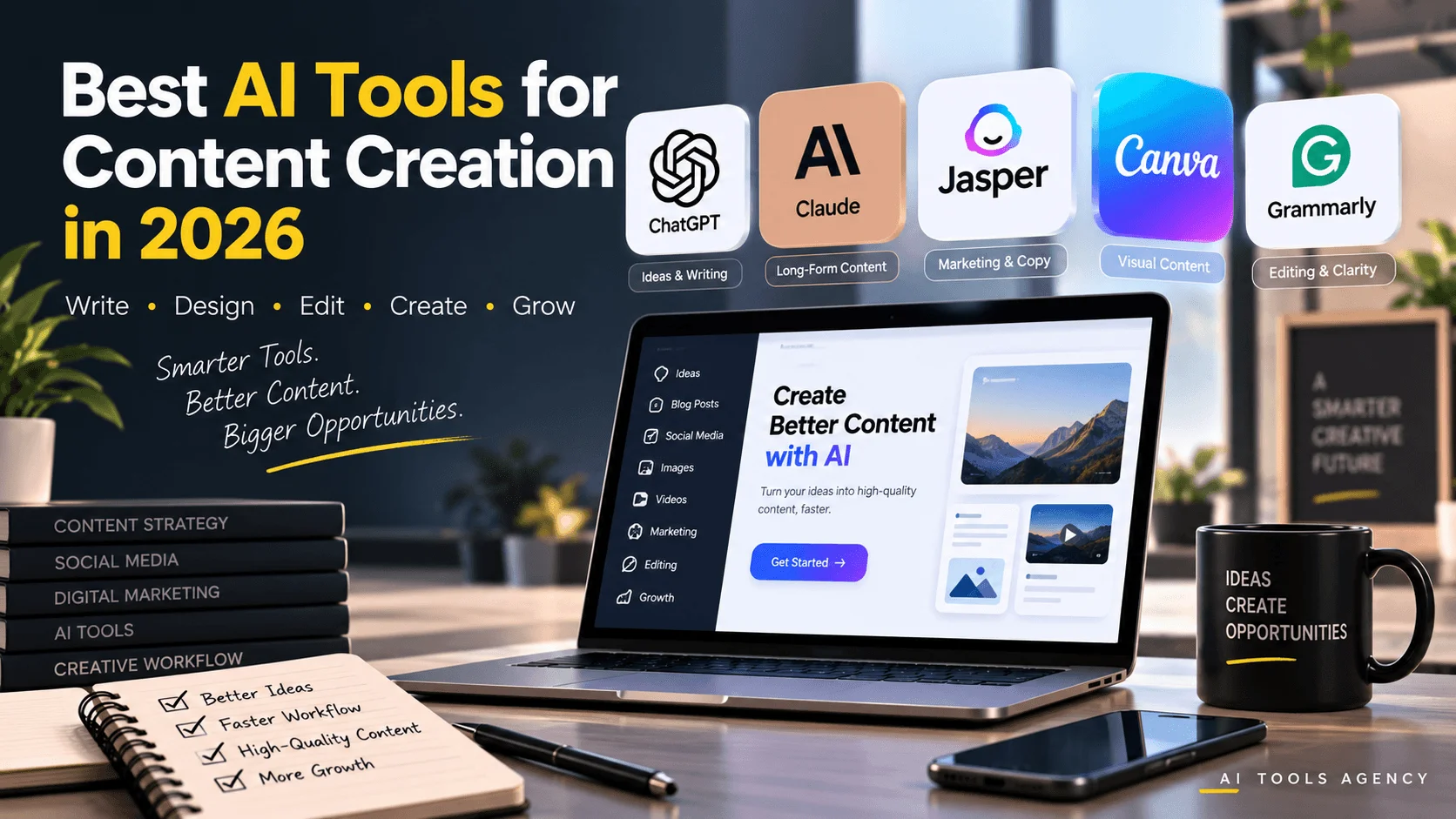
For example, ChatGPT and Claude are flexible for brainstorming and writing. Jasper focuses more heavily on structured marketing workflows. Canva is particularly useful for visual content, while Grammarly is strongest when you already have a draft and want to improve it.
If you are still exploring the wider AI software landscape, our AI Tools hub brings together reviews, comparisons, tutorials, automation resources, and practical AI guides.
In this guide, we will examine five useful AI content creation tools in 2026, explain what each one does well, and help you understand where each platform fits into a practical content workflow.
What Are AI Content Creation Tools?
AI content creation tools are platforms that use artificial intelligence to assist with tasks involved in producing digital content.
Depending on the platform, they may help create or improve:
- Blog articles
- Social media posts
- Email campaigns
- Advertisements
- Product descriptions
- Images
- Presentations
- Video concepts
- Scripts
- Marketing campaigns
- Research summaries
- Content calendars
However, these platforms should not be treated as automatic publishing machines.
AI can generate a strong starting point, but useful content still requires human judgment. Facts should be verified, examples should be relevant, and the final piece should match the intended audience and brand.
Therefore, the best workflow combines AI speed with human editing and original insight.
1. ChatGPT — Best All-Round AI Content Assistant
ChatGPT is one of the most flexible content creation tools available because it can support many different parts of the creative process.
You can use it to brainstorm ideas, build outlines, draft content, rewrite paragraphs, develop campaign concepts, summarize information, create social posts, and generate visual ideas.
For a deeper look at the platform itself, read our detailed ChatGPT Review.
What Can ChatGPT Help You Create?
A content creator could use ChatGPT for:
- Blog post ideas
- SEO outlines
- Email newsletters
- Landing-page copy
- Product descriptions
- Video scripts
- Social media captions
- Content repurposing
- FAQs
- Ad concepts
- Editing
- Brainstorming
For example, suppose you have already published a 2,000-word article.
Instead of creating social content from zero, you could provide the article to ChatGPT and ask it to turn the main ideas into an Instagram carousel, LinkedIn post, email summary, and short video script.
As a result, one piece of original content can support several marketing channels.
Writing and Editing With ChatGPT
ChatGPT can also act as a collaborative writing assistant.
You can ask it to shorten a paragraph, improve clarity, change the tone, simplify complex language, or suggest several alternatives.
OpenAI currently provides dedicated writing functionality for creating and refining longer drafts, which makes iterative content work easier than repeatedly starting new conversations.
However, the quality of the result still depends heavily on the instructions you provide.
Compare these two prompts:
Weak prompt:
Write a blog about marketing.
Better prompt:
Create a practical 1,800-word guide for small-business owners explaining how AI can help with social media marketing. Use short paragraphs, real-world examples, actionable steps, and a professional but beginner-friendly tone.
The second instruction gives the AI an audience, objective, format, length, and style.
Consequently, the output is much more likely to be useful.
Best For
ChatGPT is particularly useful for:
- Bloggers
- Marketers
- Agencies
- Entrepreneurs
- Freelancers
- Small businesses
- Students
- Researchers
- Social media managers
Limitations
ChatGPT should not be treated as an unquestionable source of truth.
It can occasionally provide incorrect, incomplete, or outdated information. Therefore, important product specifications, statistics, pricing, quotations, medical information, financial claims, and other factual statements should be verified separately.
Moreover, generic prompts often produce generic content.
The strongest results usually come when you add your own expertise, screenshots, examples, opinions, data, or experience.
If you are deciding between different general-purpose assistants, our ChatGPT vs Claude vs Gemini comparison examines how their strengths differ.
2. Claude — Best for Long-Form Writing and Document-Based Work
Claude is another strong AI assistant for content creators, particularly when the work involves substantial documents, research material, structured writing, or repeated revisions.
Anthropic states that Claude can help with writing across different formats, summarization, brainstorming, document analysis, and other knowledge tasks.
One particularly useful feature is Artifacts.
Artifacts allow substantial standalone content to appear in a dedicated workspace rather than remaining buried inside the conversation. Users can continue editing, iterating, and creating new versions of that work.
Where Claude Can Be Useful
Imagine that you are creating a detailed industry report.
You might:
- Upload your source documents.
- Ask Claude to identify important themes.
- Build a structured outline.
- Draft one section at a time.
- Ask for clearer transitions.
- Create a conclusion.
- Review the complete document.
That workflow can be especially useful when the material is longer and needs several rounds of refinement.
Best For
Claude can work well for:
- Long-form articles
- Reports
- Research summaries
- Business documents
- Content planning
- Document analysis
- Brainstorming
- Structured drafts
Why Content Creators May Like Artifacts
Artifacts are useful because they separate substantial output from the conversational flow.
For example, Claude can create documents, diagrams, code, visualizations, or other standalone outputs that can then be modified through further instructions.
This can make longer projects easier to manage.
Limitations
Claude-generated facts still require verification.
In addition, a strong long-form draft can still sound generic if the source material and instructions are generic.
Therefore, creators should add original examples, first-hand observations, industry knowledge, and supporting evidence.
3. Jasper — Best for Marketing Teams and Brand Consistency
Jasper is positioned more directly toward professional marketing workflows.
Rather than focusing only on individual AI conversations, Jasper connects content creation with brand context, marketing workflows, AI agents, governance, and structured content pipelines.
Jasper currently describes its platform as a marketing workspace combining teams, content, workflows, agents, brand context, and governance.
That makes it particularly relevant for organizations producing large amounts of branded marketing content.
If you want a direct comparison with another marketing-writing platform, see our Jasper vs Copy.ai comparison.
Jasper’s Main Strength: Brand Context
A common problem with general AI writing is inconsistency.
One article may sound formal, another casual, and a third may use terminology the company normally avoids.
For businesses, that inconsistency becomes more serious as content volume increases.
Jasper addresses this through features that can incorporate information such as:
- Brand voice
- Style guidance
- Audience information
- Business knowledge
- Marketing rules
- Visual guidelines
- Content workflows
Jasper’s current platform also includes Canvas, Agents, Jasper IQ, content pipelines, and integrations designed around marketing execution.
Practical Jasper Workflow
For example, a marketing team launching a new product could use Jasper to:
- Store brand and product context.
- Create campaign briefs.
- Draft landing-page messaging.
- Adapt the message for email.
- Develop social variations.
- Produce alternative headlines.
- Review content against brand requirements.
- Optimize existing marketing assets.
Therefore, Jasper can be more suitable when content needs to follow an established brand system.
Best For
Jasper is mainly suited to:
- Marketing teams
- Agencies
- Established businesses
- Brand managers
- Content departments
- Organizations producing content at scale
Pricing
Jasper’s current official pricing lists a Pro plan at $69 per month per seat when billed monthly, alongside custom Business pricing; pricing can change, so readers should verify the current offer directly before subscribing.
This means Jasper may be harder to justify for someone who only needs occasional AI writing.
However, businesses that require repeatable marketing workflows may find the additional structure useful.
Limitations
Jasper may be unnecessary for users who simply need a general writing assistant.
A solo blogger, for example, might achieve most of what they need with ChatGPT or Claude.
Therefore, the value of Jasper depends heavily on whether you actually need brand governance, team collaboration, structured marketing workflows, and larger-scale content operations.
4. Canva — Best for Visual AI Content Creation
Content creation is not limited to writing.
Modern businesses need:
- Social graphics
- Instagram posts
- Presentations
- Advertisements
- YouTube thumbnails
- Product visuals
- Marketing materials
- Videos
- Branded documents
This is where Canva becomes especially useful.
Canva has expanded its AI functionality considerably through Magic Studio and Canva AI.
The company currently offers AI-assisted design, text generation, image creation, document drafting, image editing, campaign scaling, and other creative features.
Why Canva Works Well for Content Teams
Traditional design software can have a significant learning curve.
Canva takes a template-first approach, making it easier for non-designers to create polished visual assets.
AI further reduces the amount of manual work required.
For instance, marketers can generate design concepts, draft text with Magic Write, create images, and then customize the results inside Canva.
Example Content Workflow
Suppose your company publishes a blog titled:
“5 Ways Small Businesses Can Use AI Automation.”
You could then create:
- One blog featured image
- One Instagram carousel
- One LinkedIn graphic
- One Facebook image
- One presentation slide
- One short promotional visual
Instead of designing every asset separately, Canva can make it easier to reuse the same visual direction across different formats.
Moreover, Canva’s tools can help scale content production across campaigns and different markets.
Best For
Canva works particularly well for:
- Social media managers
- Bloggers
- Small businesses
- Marketing teams
- Students
- Agencies
- Educators
- Non-designers
Limitations
AI-generated visuals still require inspection.
For example, you should check:
- Text inside images
- Logo placement
- Brand colors
- Hands and faces
- Product details
- Layout consistency
- Image quality
- Copyright considerations
Additionally, a generated design should not automatically replace good design judgment.
AI is most useful when it accelerates the creative process while a person still controls the final result.
5. Grammarly — Best for Editing and Refining Content
Many creators focus heavily on generating the first draft.
However, editing is just as important.
A good idea can lose credibility if the final article contains awkward sentences, unclear wording, spelling errors, or inconsistent tone.
Grammarly focuses heavily on improving communication and now includes a range of AI-assisted writing capabilities.
Its current AI offering includes writing assistance, specialized agents, rewriting, grammar checking, paraphrasing, reader-oriented feedback, and tools for improving clarity and tone.
Best Way to Use Grammarly
Grammarly is often most valuable near the end of the workflow.
For example:
Step 1: Research the topic.
Step 2: Build the outline.
Step 3: Create the first draft.
Step 4: Verify factual claims.
Step 5: Add your own examples.
Step 6: Use Grammarly to improve readability and clarity.
Step 7: Perform the final human review.
This approach is usually better than expecting one AI platform to research, write, fact-check, edit, and publish everything automatically.
Best For
Grammarly is useful for:
- Bloggers
- Students
- Professionals
- Content writers
- Email marketers
- Business teams
- Non-native English writers
- Editors
Limitations
Grammar suggestions are still suggestions.
Sometimes a stylistic recommendation may make a sentence technically smoother but weaken the intended tone.
Therefore, creators should review recommendations instead of accepting every edit automatically.
Best AI Tools for Content Creation Compared
| Tool | Best For | Main Strength | Potential Limitation |
|---|---|---|---|
| ChatGPT | General content creation | Flexibility across many tasks | Outputs require fact-checking |
| Claude | Long-form work | Documents, analysis and structured drafts | May still require extensive editing |
| Jasper | Marketing teams | Brand context and structured workflows | Higher cost for simple needs |
| Canva | Visual content | Fast visual design and AI creative tools | AI visuals need review |
| Grammarly | Editing | Clarity, grammar and tone improvement | Not a complete content-production system |
Which AI Content Tool Should You Choose?
The right choice depends on what part of the content process causes the most difficulty.
Choose ChatGPT if…
You want one flexible assistant for brainstorming, outlining, writing, rewriting, summarization, and content repurposing.
It is particularly useful for creators who move between several different types of content.
Choose Claude if…
You regularly work with large documents or need help structuring and refining substantial pieces of content.
Claude can be particularly useful for reports, long guides, analysis, and iterative drafting.
Choose Jasper if…
You operate within a marketing team where brand voice, campaign consistency, repeatable processes, and governance are important.
Jasper’s value becomes stronger when content creation is part of a larger marketing operation.
Choose Canva if…
Visual content is a major part of your work.
For example, marketers who regularly produce Instagram content, presentations, campaign graphics, advertisements, and promotional visuals can benefit from Canva’s integrated design workflow.
Choose Grammarly if…
You already have a writing process but want to improve the final quality.
It can serve as the editing layer that helps catch awkward sentences, grammar problems, readability issues, and tone inconsistencies.
A Better AI Content Creation Workflow
Rather than looking for one platform to do everything, it can be more effective to combine tools according to their strengths.
For example:
Stage 1 — Research
Collect reliable information from official documentation, research papers, first-party sources, and trusted publications.
AI can help organize this information, but it should not replace source verification.
Stage 2 — Content Planning
Use ChatGPT or Claude to organize your research into:
- Search intent
- Main sections
- Supporting points
- Questions
- Examples
- FAQ ideas
If blogging is your main focus, our guide to the best AI writing tools for bloggers provides additional writing-focused options.
Stage 3 — First Draft
Create the draft section by section.
Instead of generating the entire article with one prompt, work through the content logically.
This usually provides greater control over quality.
Stage 4 — Add Original Value
This is one of the most important stages.
Add:
- Your own screenshots
- Original examples
- Real tests
- Personal observations
- Case studies
- Unique workflows
- Comparisons
- Lessons learned
This is what separates genuinely helpful content from another generic AI summary.
Stage 5 — Create Visual Assets
Use Canva or another visual platform to create:
- Featured images
- Infographics
- Social graphics
- Tables
- Diagrams
- Promotional content
Stage 6 — Edit
Use Grammarly alongside manual proofreading.
Check sentence structure, transitions, grammar, headings, readability, and factual accuracy.
Stage 7 — Repurpose the Content
Once the article is published, AI can help turn it into:
- Social media posts
- Email newsletters
- LinkedIn posts
- Carousel copy
- Video scripts
- FAQs
In addition, automation can reduce repetitive publishing work. Our guide on automating repetitive business tasks with AI explains how AI can fit into broader workflows.
How to Get Better Results From AI Content Tools
Buying a better AI tool does not automatically produce better content.
Your process matters just as much.
Provide Clear Context
Tell the AI:
- Who the audience is
- What the content should accomplish
- Desired tone
- Required length
- Important facts
- Examples
- Brand style
- Content format
Use Reliable Sources
Provide the AI with trustworthy source material whenever possible.
This reduces the chance of unsupported information entering the article.
Work Section by Section
Long one-shot prompts can create repetitive or shallow writing.
Instead, create:
- Outline
- Introduction
- Main sections
- Examples
- Conclusion
- FAQs
Then edit the entire article for consistency.
Add Human Experience
One of the easiest ways to improve AI-assisted content is adding information that comes from actual experience.
For example:
We tested the platform with a 1,500-word blog workflow and found that the first draft still required substantial fact-checking.
That type of observation is more useful than writing:
This platform creates great content quickly.
Specificity builds trust.
Can AI Replace Content Creators?
AI can automate several content-production tasks, but that does not mean every part of content creation should be automated.
AI is excellent at:
- Generating alternatives
- Brainstorming
- Organizing information
- Creating first drafts
- Summarizing
- Reformatting
- Repurposing
However, humans are still responsible for decisions such as:
- What is worth publishing?
- Is the information accurate?
- Does the content represent the brand?
- Is the advice genuinely useful?
- Is the tone appropriate?
- Is something important missing?
- Does the content provide original value?
Therefore, AI works best as an accelerator rather than a substitute for editorial responsibility.
Common Mistakes When Using AI for Content Creation
Publishing the First Draft
AI-generated first drafts should normally be treated as starting points.
Always review them.
Creating Generic Content
If the input contains no unique knowledge, the output is unlikely to contain much unique value.
Add expertise, examples, data, tests, or first-hand experience.
Ignoring Fact-Checking
AI can confidently present incorrect information.
Verify important claims.
Using Too Many Tools
A complicated workflow with ten AI applications may waste more time than it saves.
Choose only the tools that solve a real problem.
Ignoring Your Audience
A technically impressive article is useless if it does not answer the reader’s question.
Search intent and audience needs should guide the content.
Frequently Asked Questions
What are the best AI tools for content creation in 2026?
Useful options include ChatGPT for flexible content work, Claude for substantial documents and long-form projects, Jasper for structured marketing workflows, Canva for visual content, and Grammarly for editing.
The best choice depends on the type of content you create.
Which AI tool is best for bloggers?
ChatGPT and Claude are both useful for brainstorming, outlining, drafting, editing, and repurposing.
However, bloggers should still verify facts and add original experience.
For more specialized options, see our AI writing tools for bloggers guide.
Can AI create SEO content?
AI can help research topics, create outlines, improve headings, generate drafts, and suggest internal links.
However, good SEO content still requires accurate information, search-intent understanding, original value, appropriate internal linking, and human review.
Is Canva good for AI content creation?
Yes. Canva combines traditional visual design with AI-assisted writing, image generation, editing, design generation, and content-scaling capabilities.
Is Jasper better than ChatGPT for content?
They serve somewhat different needs.
ChatGPT is a more flexible general assistant, while Jasper is designed specifically around marketing workflows, brand context, governance, and repeatable marketing execution.
Therefore, the better fit depends on the user’s workflow.
Final Thoughts
The best AI tools for content creation can make research, writing, visual design, editing, and repurposing significantly more efficient.
ChatGPT provides broad flexibility. Claude is particularly useful for long-form and document-heavy workflows. Jasper focuses on structured marketing execution and brand consistency. Canva supports visual creation, while Grammarly strengthens the final editing process.
However, using AI effectively is not about generating the largest possible volume of content.
The goal should be to produce content that is accurate, useful, original, and relevant to the reader.
Therefore, use AI to remove repetitive work, improve your workflow, and explore more ideas. At the same time, keep humans responsible for factual accuracy, original insight, brand decisions, and final approval.
For more reviews, comparisons, tutorials, and practical resources, explore the AI Tools hub.

