


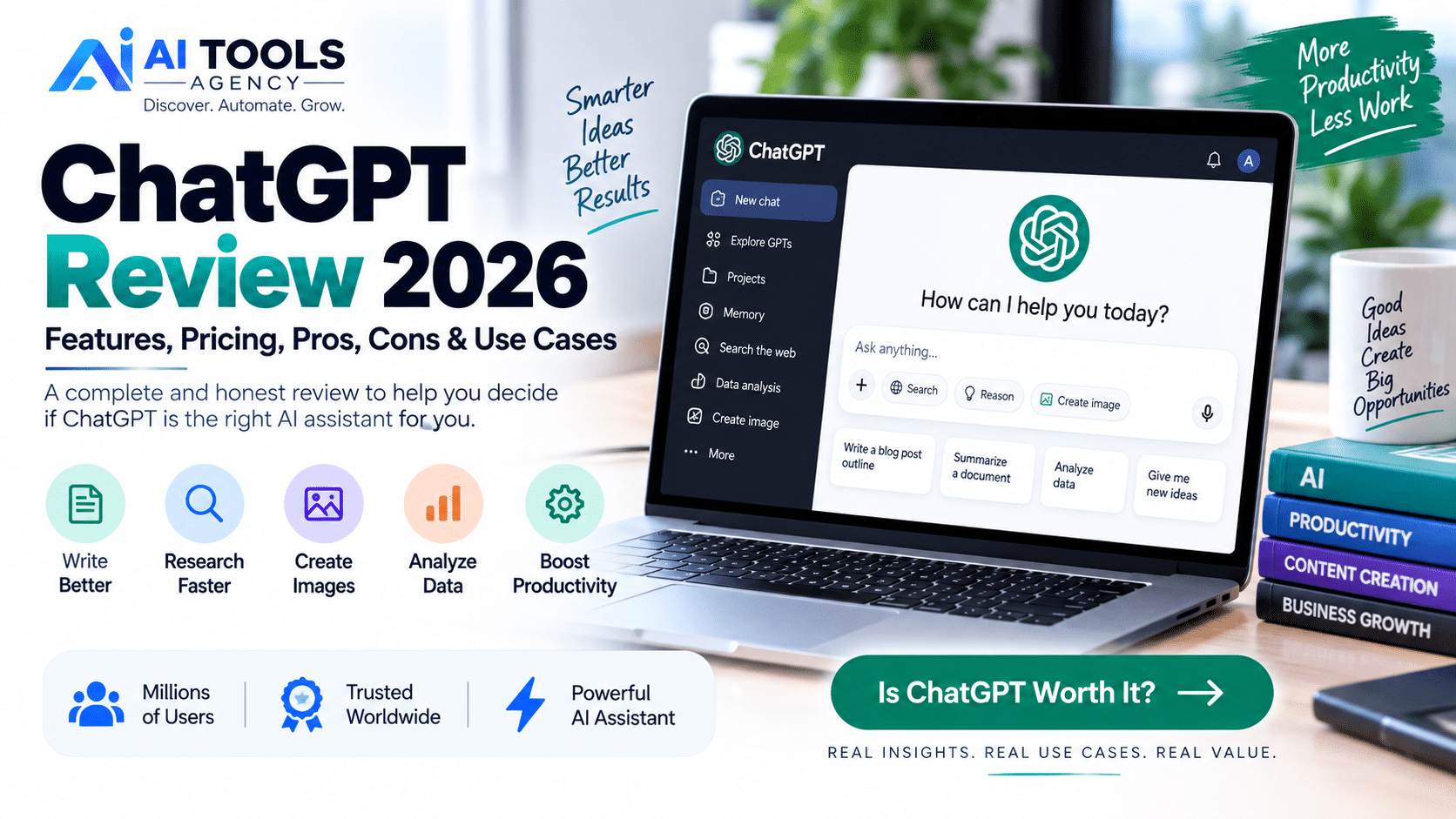
Finding the right AI assistant can be difficult because the market is now filled with tools promising better writing, faster research, smarter automation, and improved productivity. In this ChatGPT Review, we take a detailed look at one of the most widely used AI assistants and examine what it can actually do in 2026.
ChatGPT has developed far beyond a simple text chatbot. Depending on your plan and available features, it can search the web, analyze documents, work with spreadsheets, conduct deeper research, understand images, generate and edit images, help with programming, organize long-running projects, and assist with everyday business tasks.
But that does not automatically mean ChatGPT is the best choice for everyone.
This ChatGPT Review 2026 covers the major features, pricing options, advantages, disadvantages, real-world applications, and alternatives so you can decide whether ChatGPT fits your needs.
Editorial Disclosure: AI Tools Agency publishes independent AI tool reviews, tutorials, and comparisons. Product features, usage limits, and pricing may change, so we recommend checking the official provider before purchasing a subscription.
ChatGPT Review: Quick Verdict
ChatGPT is one of the strongest all-purpose AI assistants available for users who need one platform for multiple types of work.
Its biggest advantage is versatility.
Instead of requiring separate tools for brainstorming, writing, research, document analysis, coding assistance, images, and data analysis, ChatGPT brings many of these capabilities into one interface.
For bloggers, entrepreneurs, developers, marketers, students, researchers, agencies, and businesses, this flexibility can make ChatGPT particularly valuable.
However, it is important to understand that ChatGPT can still make mistakes. Important facts should be verified, and AI-generated content should be reviewed before it is published or used for critical decisions.
Our Overall View
| Area | Assessment |
|---|---|
| Ease of Use | Excellent |
| Writing & Brainstorming | Excellent |
| Research | Very Strong |
| Coding Assistance | Very Strong |
| Image Capabilities | Very Strong |
| Data Analysis | Very Strong |
| Business Productivity | Excellent |
| Accuracy | Good, but verification is still required |
| Overall Versatility | Excellent |
We intentionally do not give ChatGPT an artificial “5/5” score because AI products change quickly and different users have different requirements.
What Is ChatGPT?
ChatGPT is a conversational artificial intelligence assistant created by OpenAI.
Instead of relying on traditional menus and commands, users interact with ChatGPT by explaining what they want in natural language.
For example, you can ask ChatGPT to explain a complicated subject, summarize a document, improve a paragraph, brainstorm marketing ideas, analyze spreadsheet data, research a topic, help troubleshoot code, or create an image.
OpenAI describes ChatGPT as an AI assistant designed to help users think, write, and solve problems using natural-language interaction.
This conversational approach is one of the main reasons the platform is accessible to people without technical backgrounds.
ChatGPT Review: Key Features in 2026
ChatGPT’s feature set has expanded considerably. Not every feature is available at the same level on every subscription, but the platform now supports a broad range of work.
1. Conversational AI
At its core, ChatGPT lets you communicate with an AI assistant through natural language.
You do not need to learn a programming language or complicated syntax.
You can simply explain what you want and provide context.
For example, instead of entering a technical command, a business owner can say:
“Create a customer follow-up email for people who requested a quote but have not replied after five days.”
ChatGPT can then generate a starting draft that the user can review and customize.
The more relevant context you provide, the more useful the result usually becomes.
2. ChatGPT Web Search
ChatGPT can search the web when current information is required and can provide source-backed responses.
This is especially useful for topics that change frequently, including software updates, current events, product features, industry developments, pricing information, and recent research.
For bloggers and marketers, web search can also help discover current sources before creating an article.
However, you should still open and review important sources yourself.
AI-assisted research should make verification easier, not eliminate it.
3. Deep Research
One of the more advanced ChatGPT capabilities is Deep Research.
It is designed for questions that require information to be gathered and synthesized across multiple sources. OpenAI says Deep Research can produce structured reports with citations or source links and can work with the public web, uploaded files, and—in supported environments—connected data sources.
This can be useful for tasks such as competitive analysis, market research, product comparisons, strategy reports, literature reviews, and detailed content research.
For an affiliate marketer, for example, Deep Research could help compare several software platforms before writing an in-depth buying guide.
4. File Uploads and Document Analysis
ChatGPT can work with uploaded documents, allowing users to summarize information, extract important details, compare material, or ask questions based on a file.
This is valuable when working with reports, PDFs, research documents, presentations, spreadsheets, or other business material.
Instead of manually reviewing a large document, you can ask ChatGPT to identify key themes or explain a particular section.
You should still review the original source when accuracy is important.
5. Data Analysis
ChatGPT can analyze structured files such as spreadsheets and CSV data.
OpenAI’s current documentation says ChatGPT can summarize trends, review rows and columns, create tables and charts, clean data, and perform code-backed analysis.
For businesses, this opens up many useful applications.
A company could upload sales information and ask for trends by month, compare product performance, identify unusual values, or prepare a summary for management.
This makes ChatGPT more than just a writing assistant.
6. Image Understanding and Image Generation
ChatGPT can analyze uploaded visual information such as screenshots, charts, diagrams, and images.
It can also generate images and make natural-language edits to images in supported experiences.
For content creators, this can help with blog illustrations, marketing concepts, ad creatives, product mockups, social media graphics, and idea generation.
It also means users can upload a screenshot of a problem and ask ChatGPT to explain what they are seeing.
7. Projects
Projects are designed to organize related chats, files, and context around a longer-term objective.
This is particularly useful when one task lasts longer than a single conversation.
For example, a blogger could create a project for one website and keep the following information together:
Website goals, target audience, article ideas, brand tone, research files, SEO strategy, and related conversations.
That can make ongoing AI-assisted work more organized.
8. Memory
Where enabled, ChatGPT can use memory to retain useful context across conversations and provide more personalized responses.
For regular users, this can reduce the need to repeatedly explain the same preferences or background.
However, users should still review their privacy settings and understand what information they are comfortable sharing with any AI platform.
9. Voice
ChatGPT also supports voice interaction in supported environments, allowing users to communicate with the assistant more naturally rather than typing every request.
This can be helpful for brainstorming while travelling, practicing conversations, discussing ideas hands-free, or getting quick explanations.
ChatGPT Review: What Can You Use ChatGPT For?
One of the strongest conclusions from our ChatGPT Review is that the platform does not have only one use case.
| User Type | Example Uses |
|---|---|
| Bloggers | Research, outlines, editing, content ideas |
| Marketers | Campaigns, emails, ads, positioning |
| Businesses | Reports, planning, SOPs, analysis |
| Developers | Code explanation, debugging, planning |
| Students | Explanations, study support, practice |
| Researchers | Summaries, source discovery, reports |
| Analysts | Spreadsheet and data analysis |
| Designers | Ideas, image generation, visual concepts |
| Entrepreneurs | Research, planning, brainstorming |
| Agencies | Content, automation, research, client work |
The real value depends on whether ChatGPT fits your actual workflow.
ChatGPT for Bloggers and Content Creators
For bloggers, ChatGPT can support nearly every stage of content production.
It can help identify audience questions, develop article ideas, generate content outlines, reorganize research, rewrite unclear paragraphs, create headline variations, prepare FAQs, and repurpose an article into social media content.
But there is an important distinction between using AI to assist content creation and publishing whatever the AI produces.
High-quality blogging still benefits from real research, experience, screenshots, original observations, fact-checking, and human editing.
For example, when writing a product review, do not simply ask ChatGPT to generate “pros and cons.”
Actually test the product where possible, verify the current features, check official pricing, and then use AI to help organize your findings.
ChatGPT for Business
Businesses can use ChatGPT for much more than content creation.
Potential applications include drafting internal documents, preparing reports, organizing meeting notes, brainstorming campaigns, writing customer responses, analyzing spreadsheets, preparing training content, researching markets, and documenting workflows.
OpenAI also offers Business and Enterprise options aimed at organizational use, with additional workspace, administration, collaboration, and privacy capabilities.
Businesses handling confidential information should review the appropriate security, data handling, access, and retention policies before integrating an AI platform into internal workflows.
ChatGPT Review: Pros and Cons
| ChatGPT Pros | ChatGPT Cons |
|---|---|
| Easy to use | Can produce inaccurate information |
| Very broad range of capabilities | Important facts require verification |
| Useful for writing and research | Quality depends heavily on instructions |
| Can search the web | Some features have usage limits |
| Can analyze documents | Advanced access may require paid plans |
| Can analyze data | Output can become generic without context |
| Image generation and understanding | Not a replacement for expert judgment |
| Useful for coding | Complex answers should still be reviewed |
| Supports long-term workflows | Features can change frequently |
ChatGPT Review: Pricing in 2026
ChatGPT currently offers multiple subscription levels.
OpenAI’s documentation lists Free, paid consumer plans, and separate Business and Enterprise options. Plus currently costs $20 per month, while availability, limits, and exact features vary by plan and may change over time.
ChatGPT Go has also expanded globally; OpenAI announced a U.S. price of $8 per month, noting that regional pricing may differ.
OpenAI also offers Pro tiers aimed at higher-intensity AI usage. Because Pro availability and plan structure have changed during 2026—including a temporary pause on new $200 Pro sign-ups as of September 10, 2026—we recommend checking the current subscription screen rather than relying on an old pricing table.
For businesses, OpenAI currently lists Business seat options with different usage levels and billing choices.
Which ChatGPT Plan Should You Choose?
For occasional AI use, the Free plan may be sufficient.
For users who rely on ChatGPT regularly for writing, research, files, images, data analysis, or professional productivity, Plus may provide more practical value because it offers broader model and tool access and higher limits than Free.
Higher-tier plans become more relevant when AI is a major part of your daily professional workflow.
The correct plan is therefore determined by usage rather than simply choosing the most expensive subscription.
Is ChatGPT Accurate?
This is one of the most important questions in any serious ChatGPT Review.
ChatGPT can produce detailed and convincing answers, but convincing does not always mean correct.
AI systems can misunderstand questions, make incorrect assumptions, or produce outdated or inaccurate information.
Therefore, important factual claims should be verified against authoritative sources.
This is particularly important for medical, legal, financial, academic, security, and other high-impact decisions.
For general productivity work, you should think of ChatGPT as an assistant rather than an unquestionable authority.
How to Get Better Results From ChatGPT
The quality of an AI response often depends on the quality of the instructions.
Compare these two requests:
Weak request:
“Write a marketing strategy.”
Better request:
“Create a 30-day Instagram content strategy for a small UK mortgage brokerage targeting first-time buyers. Include three posts per week, content themes, calls to action, and KPIs. Keep the tone professional and approachable.”
The second request provides audience, business type, platform, timeline, output structure, and tone.
That gives the AI significantly more context.
As a general rule, tell ChatGPT who the output is for, what you want to achieve, what information it should use, what format you want, and any restrictions it should follow.
ChatGPT Alternatives
ChatGPT is not the only capable AI assistant.
Claude is a strong alternative for writing, analysis, and working with substantial context.
Google Gemini can be attractive for people working heavily in Google’s ecosystem.
Specialized platforms may also be better than a general AI assistant for particular jobs.
For example, an SEO-focused tool may provide specialized optimization features, while a dedicated automation platform may provide deeper workflow controls.
That is why choosing an AI platform should start with your actual objective.
We will cover this in more detail in our ChatGPT vs Claude vs Gemini comparison.
Who Should Use ChatGPT?
This ChatGPT Review suggests ChatGPT is particularly suitable for people who need an adaptable AI assistant rather than software designed around only one task.
Bloggers may use it for research and editing.
Developers may use it for code-related work.
Marketers can use it for campaigns and brainstorming.
Businesses can use it for analysis, internal documentation, and productivity.
Students can use it as a learning assistant.
Entrepreneurs can use it to explore ideas, evaluate options, and organize information.
Users who only need one highly specialized feature may find that a dedicated application fits their workflow better.
Is ChatGPT Worth It in 2026?
For many users, yes.
ChatGPT has become much more than a conversational chatbot.
The combination of writing, research, web search, Deep Research, files, images, data analysis, voice, memory, and project organization gives the platform a very wide range of applications.
However, value depends entirely on how you use it.
If ChatGPT saves several hours every month, improves your workflow, or allows you to complete tasks you would otherwise outsource, a paid subscription may be worthwhile.
If you only ask occasional basic questions, a free tier may be enough.
The best approach is to identify your most repetitive or time-consuming tasks and test whether ChatGPT actually improves them.
Frequently Asked Questions About This ChatGPT Review
Is ChatGPT free to use?
Yes. ChatGPT has a Free plan, while paid options provide broader access, additional capabilities, or higher limits depending on the plan.
How much is ChatGPT Plus?
As of September 2026, OpenAI lists ChatGPT Plus at $20 per month.
Can ChatGPT search Google or the web?
ChatGPT can search the web and provide source-backed answers when current information is required.
Can ChatGPT analyze Excel or CSV files?
Yes. ChatGPT’s data-analysis functionality supports structured files such as spreadsheets and CSVs, subject to plan and feature availability.
Can ChatGPT generate images?
Yes. ChatGPT can create images and can also support natural-language image editing in supported experiences.
Can businesses use ChatGPT?
Yes. ChatGPT can assist businesses with research, content, documents, analysis, coding, and other workflows. OpenAI also provides Business and Enterprise offerings designed for organizations.
Is ChatGPT always accurate?
No. Users should verify important information and review AI-generated output before relying on it.
What is the best alternative to ChatGPT?
The best alternative depends on the task. Claude and Gemini are major general-purpose alternatives, while specialized AI products may be better for individual use cases.
Final ChatGPT Review Verdict
Our ChatGPT Review 2026 finds that ChatGPT’s biggest strength is its versatility.
It combines many capabilities that previously required several different applications, making it useful for writing, research, business productivity, coding, images, documents, and data.
It is particularly attractive for users who want one general-purpose AI assistant that can adapt to different tasks.
At the same time, ChatGPT should not replace human judgment.
The best results come when users provide good context, verify important information, and treat AI as a productivity assistant rather than a guaranteed source of truth.
For bloggers, entrepreneurs, marketers, developers, students, agencies, and businesses looking for a flexible AI platform, ChatGPT remains one of the strongest tools worth considering in 2026.
Next: Read our upcoming ChatGPT vs Claude vs Gemini comparison to see which AI assistant is best for your specific workflow.

