


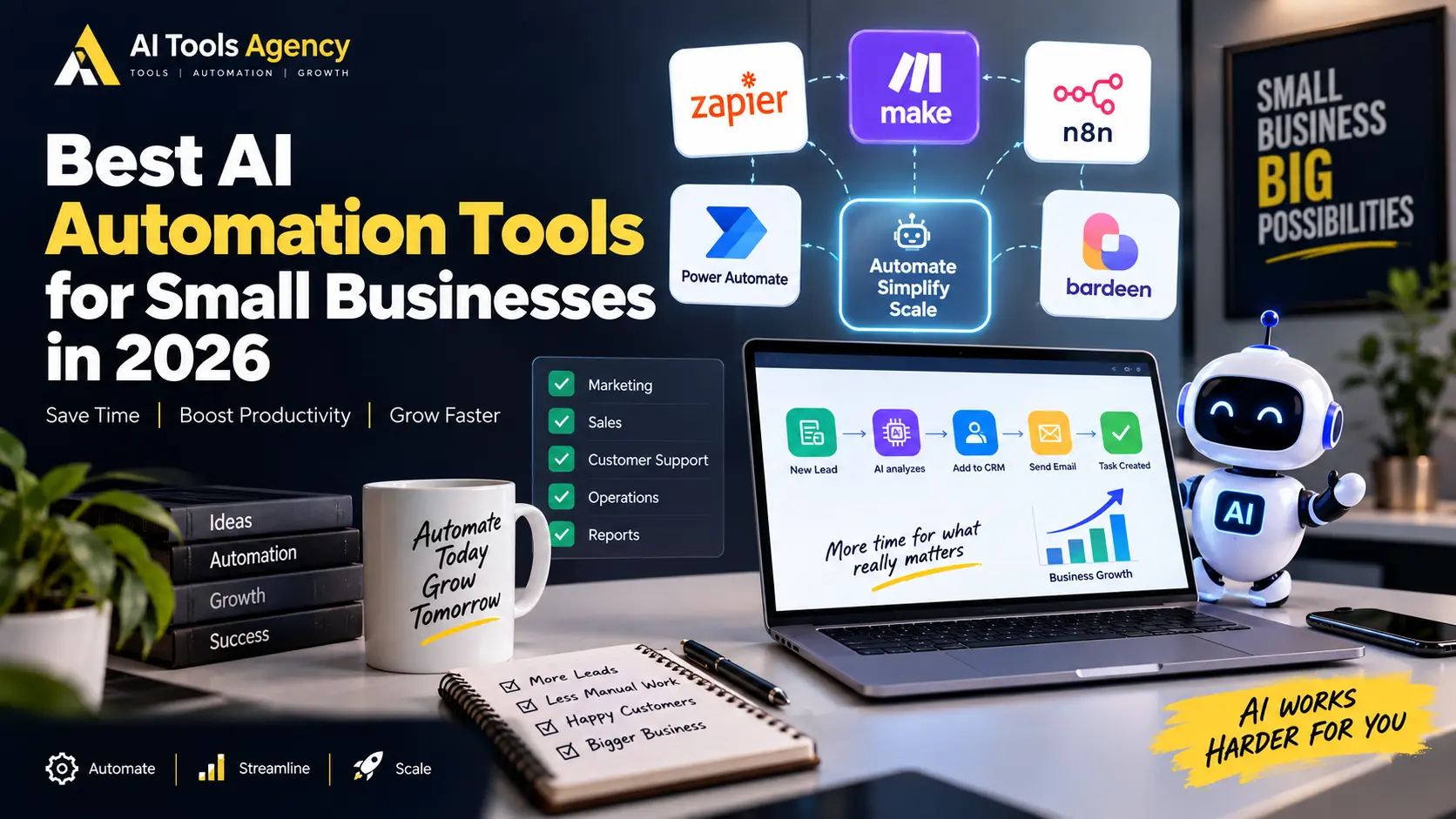
Small businesses often spend valuable time on repetitive work that does not directly create revenue.
Employees manually copy leads into spreadsheets, send follow-up emails, organize customer requests, prepare reports, update CRMs, transfer files, summarize information, and move data between different applications.
Fortunately, modern AI automation tools can reduce much of this repetitive work.
The best AI automation tools for small businesses combine traditional workflow automation with artificial intelligence. As a result, businesses can automate predictable actions while also using AI to summarize, classify, extract, generate, and interpret information.
However, every automation platform is different.
Some are designed for beginners. Others provide advanced workflow control, AI agents, browser automation, or enterprise-level integrations.
This guide compares several popular AI automation platforms to help small businesses understand which type of tool fits their workflow.
If you are new to automation, first read our guide to automating repetitive business tasks with AI.
Best AI Automation Tools for Small Businesses: Quick Comparison
| Tool | Main Strength | Best For |
| Zapier | Easy app-to-app automation | Beginners and small teams |
| Make | Visual workflow building | Complex multi-step automation |
| n8n | Flexibility and advanced workflows | Technical users and custom automation |
| Microsoft Power Automate | Microsoft ecosystem automation | Microsoft 365 businesses |
| Bardeen | Browser, research and GTM automation | Sales and lead-generation workflows |
Pricing and features change frequently, so businesses should always check the official pricing page before purchasing a plan.
1. Zapier
Zapier is one of the most established workflow automation platforms.
Its core concept is simple:
Trigger → Action
For example:
New website lead → Add lead to CRM → Send Slack notification → Create follow-up task.
However, Zapier has expanded considerably beyond simple trigger-and-action automation.
Zapier now describes itself as infrastructure for AI-powered automation and supports connections across more than 9,000 apps. It can also incorporate AI models into workflows for tasks such as summarization, classification, content generation, and decision-making.
What Can Small Businesses Automate With Zapier?
Common examples include:
- lead capture;
- email notifications;
- CRM updates;
- customer onboarding;
- social media workflows;
- form submissions;
- task creation;
- appointment notifications;
- spreadsheet updates;
- AI summaries.
For example, a service business could create:
Website Form
↓
AI analyzes inquiry
↓
Lead added to CRM
↓
Salesperson notified
↓
Follow-up task created
This removes several manual steps from lead management.
Zapier AI Features
AI by Zapier can use AI inside workflow steps to perform tasks such as summarizing, classifying, drafting, or making decisions. Zapier has also introduced tool-enabled AI workflow capabilities that allow AI steps to interact with connected applications.
Therefore, Zapier is becoming more than a simple automation connector.
Zapier Pricing
Zapier currently offers a free plan with 100 tasks per month. Its Professional plan starts at $19.99 per month, while Team plans start at $69 per month, based on current published pricing.
Small businesses should pay close attention to task usage because automation costs increase as workflow volume grows.
Best For
Zapier may suit:
- beginners;
- freelancers;
- marketing agencies;
- service businesses;
- businesses using many SaaS applications.
Its biggest advantage is accessibility.
You can create useful automation without being a developer.
2. Make
Make takes a more visual approach to workflow automation.
Instead of representing automation mainly as a simple trigger followed by actions, Make lets users visually connect modules together inside workflows called scenarios.
This can make complicated automation easier to understand.
For example:
New Lead
↓
AI Analysis
↓
┌───────────┬────────────┐
High Value Normal Lead Spam
↓ ↓ ↓
Sales Team CRM Queue Ignore
You can visually see where information moves and how different conditions affect the workflow.
Why Make Is Useful for Small Businesses
With support for thousands of applications, Make allows businesses to create flexible workflows with:
- filters;
- routers;
- conditions;
- multiple branches;
- scheduled automation;
- API requests;
- AI processing;
- data transformation.
According to Make, the platform supports more than 3,000 apps. In addition, its AI Agent environment combines AI-driven decisions with visual workflow orchestration.
Make AI Agents
Beyond traditional workflow automation, the platform has expanded into AI agent automation.
These agents can operate directly inside Make’s visual canvas. Therefore, businesses can see how AI decisions interact with workflow logic.
This visual approach is particularly useful because AI-driven automation should remain observable. For example, teams can inspect how an agent reaches a decision instead of treating the process as a black box.
However, AI agents can still make incorrect decisions. As a result, teams should regularly review their behavior and adjust the workflow when necessary.
Make Pricing
Make currently offers a free plan with up to 1,000 credits per month.
For 10,000 monthly credits, current published pricing lists approximately:
- Core: $12/month
- Pro: $21/month
- Teams: $38/month
Pricing depends on usage and billing arrangements.
Best For
Make can be a strong option for:
- growing businesses;
- marketing agencies;
- e-commerce automation;
- multi-step workflows;
- businesses requiring complex conditional logic.
It generally provides more visual control than simple automation builders.
3. n8n
n8n is another powerful workflow automation platform.
It is especially popular among developers, automation specialists, and businesses that want greater technical flexibility.
While beginners can still use its visual workflow interface, n8n becomes particularly useful when workflows require:
- APIs;
- custom logic;
- databases;
- webhooks;
- AI models;
- code;
- advanced data transformation;
- AI agents.
Unlike purely beginner-focused platforms, n8n provides more control over how workflows operate.
n8n for AI Automation
Businesses can combine standard workflow nodes with AI-powered components.
A workflow might look like:
Customer Email
↓
AI Determines Intent
↓
Search Company Database
↓
Generate Suggested Reply
↓
Human Approval
↓
Send Response
This is particularly powerful because not every step needs artificial intelligence.
Standard workflow logic handles predictable actions, while AI handles interpretation.
That is usually a better automation architecture than allowing AI to control everything.
Self-Hosting Advantage
One reason many technical teams consider n8n is its flexibility around deployment and infrastructure.
For businesses with specific privacy, integration, or customization requirements, greater deployment control can be useful.
However, self-hosting also means someone must understand hosting, security, backups, updates, and system maintenance.
Therefore, it is not automatically the easiest option for every small company.
Best For
n8n may suit:
- developers;
- technical agencies;
- AI automation specialists;
- businesses building custom internal systems;
- teams integrating APIs and databases.
Later, we will publish a complete n8n workflow automation tutorial on AI Tools Agency.
4. Microsoft Power Automate
Businesses already using Microsoft services should consider Power Automate.
It connects naturally with tools such as:
- Excel;
- Outlook;
- Teams;
- SharePoint;
- Microsoft 365;
- Dynamics;
- other Microsoft business services.
Power Automate supports both cloud automation and robotic process automation.
That means businesses can automate application-to-application workflows as well as certain desktop processes.
Example Microsoft Automation
A company using Microsoft 365 could create:
New Outlook Attachment
↓
Save to SharePoint
↓
Extract Information
↓
Update Excel
↓
Notify Teams
For organizations already working heavily inside Microsoft products, this can reduce the need to introduce another completely separate automation ecosystem.
Power Automate Pricing
Microsoft currently lists Power Automate Premium at $15 per user per month when paid yearly. It includes cloud flows and attended desktop automation capabilities. More advanced bot/process plans cost considerably more.
Best For
Power Automate can make sense for:
- Microsoft 365 businesses;
- corporate environments;
- Excel-heavy workflows;
- Teams and SharePoint users;
- desktop automation requirements.
For businesses mostly using Google Workspace and independent SaaS applications, another automation platform may be simpler.
5. Bardeen
Bardeen has a somewhat different focus.
It combines automation with areas such as research, data enrichment, lead generation, scraping, and go-to-market workflows.
This can make it interesting for sales and marketing teams.
For example, a business might use automation to:
Find Company
↓
Collect Public Information
↓
Enrich Lead
↓
Add to Spreadsheet
↓
Prepare Outreach Data
Instead of manually researching dozens of prospects, automation can organize much of the repetitive process.
Bardeen’s current pricing page emphasizes lead sourcing, enrichment, scraping, AI tools, and agent-based GTM automation.
Bardeen Pricing
Its current published pricing includes:
- Basic: approximately $10/month
- Premium: approximately $50/month
- Enterprise: custom pricing
The system uses credits for activities such as scraping, web search, enrichment, and AI tools.
Best For
Bardeen may be relevant for:
- sales research;
- prospecting;
- lead enrichment;
- GTM teams;
- browser-based workflows.
However, businesses looking mainly for broad app-to-app automation may prefer Zapier, Make, or n8n.
Which AI Automation Tool Is Easiest for Beginners?
For many beginners, Zapier is one of the easiest platforms to understand.
The trigger-and-action structure is straightforward.
For example:
WHEN:
New lead arrives
DO:
Add to Google Sheets
THEN:
Send email
THEN:
Notify team
You do not need to understand complex programming concepts to build useful workflows.
However, ease of use is only one consideration.
Businesses should also evaluate:
- supported applications;
- automation complexity;
- monthly usage;
- AI requirements;
- scalability;
- pricing.
A simple platform that does not support your business applications will not be useful.
Which Tool Is Better for Complex Workflows?
Make and n8n become particularly interesting when workflows involve many branches, conditions, APIs, transformations, or AI steps.
For example:
Lead Received
↓
Validate Information
↓
AI Qualification
↓
Check Existing CRM
↓
├── Existing Client → Account Manager
└── New Lead
↓
Check Budget
↓
├── High → Sales Team
└── Low → Automated Follow-up
A visual workflow environment can make this structure easier to maintain.
Best AI Automation Tool for Marketing Agencies
Agencies often need automation across:
- lead management;
- reporting;
- social media;
- client onboarding;
- content workflows;
- CRM updates;
- project management.
Zapier and Make both work well for many agency workflows.
However, technically advanced agencies may prefer n8n when they need greater control over custom integrations.
If your agency also relies on AI-generated content, see our Jasper vs Copy.ai comparison.
Best Automation Tools for Lead Generation
Lead-generation workflows often need:
- web forms;
- CRM integration;
- enrichment;
- email;
- spreadsheets;
- notifications;
- AI qualification.
Zapier, Make, n8n, and Bardeen can all participate in these types of systems.
However, the correct tool depends on whether your main problem is connecting apps, researching prospects, or building advanced custom workflows.
For example, Bardeen focuses heavily on prospect research and enrichment, while Zapier provides much broader general-purpose app connectivity.
AI Automation for Customer Support
Customer support is another strong automation use case.
A workflow can:
- receive a support request;
- analyze the message;
- classify the issue;
- determine priority;
- search approved information;
- draft a response;
- route complicated cases to a human.
For example:
Customer:
“My card was charged but my account is still locked.”
AI Output:
Category: Billing
Priority: High
Issue: Payment activation
Department: Accounts
The automation system can then route the ticket correctly.
This can save time without allowing AI to make sensitive financial decisions automatically.
AI Automation for Email
AI can help businesses process incoming email more efficiently.
Instead of employees manually organizing every message, workflows can classify emails into categories such as:
- sales;
- support;
- billing;
- partnerships;
- job applications;
- spam.
AI can also extract useful information and create summaries.
For example:
Company:
Service Requested:
Budget:
Deadline:
Priority:
Required Action:
That information can then be sent to a CRM or project-management system.
AI Automation for Reporting
Another useful workflow is automated reporting.
A business might connect:
CRM
+
Google Sheets
+
Analytics
↓
Weekly Data Collection
↓
AI Summary
↓
Management Report
The AI should summarize trusted business data rather than invent statistics.
For example:
Website leads increased this week, while follow-up completion decreased. Three high-value prospects still require sales contact.
Managers receive useful context without manually assembling the same report every week.
How to Choose the Best AI Automation Tool
Before buying an automation platform, answer these questions:
Which apps do we already use?
Your automation platform must connect with your existing systems.
How complicated are our workflows?
Simple trigger-and-action processes may not require an advanced platform.
How technical is our team?
A powerful tool has little value if nobody can maintain it.
How many automations will run every month?
Usage-based pricing becomes important as workflows grow.
Do we need AI at all?
Many tasks should remain traditional automation.
Use AI where understanding, classification, extraction, summarization, or generation is genuinely required.
Start With One Automation
Small businesses often make a mistake by trying to automate everything immediately.
Instead, select one repetitive process.
For example:
Website Inquiry
↓
Add Lead to CRM
↓
Send Notification
↓
Create Follow-Up
Build it.
Test it.
Measure the time saved.
Then add intelligence:
Website Inquiry
↓
AI Classifies Service
↓
AI Estimates Priority
↓
Correct Salesperson Assigned
↓
Draft Response Created
↓
Human Reviews
Automation should grow gradually.
Common AI Automation Mistakes
Avoid these common problems:
- automating broken processes;
- using AI for simple rules;
- giving AI unnecessary access;
- ignoring workflow failures;
- automatically sending sensitive messages;
- relying on AI-generated financial data;
- creating workflows nobody understands;
- forgetting human approval.
The best automation systems are not necessarily the most complicated.
They are the systems employees can trust and maintain.
FAQ
What is the best AI automation tool for small businesses?
It depends on the workflow. Zapier is accessible for general automation, Make provides strong visual workflow control, n8n offers greater technical flexibility, Power Automate works well within Microsoft’s ecosystem, and Bardeen focuses heavily on research and GTM automation.
Can small businesses use AI automation without coding?
Yes. Platforms such as Zapier and Make provide visual workflow builders that can automate many business processes without traditional programming.
Is Zapier free?
Zapier currently offers a free plan with a limited monthly task allowance. Businesses requiring multi-step automation and higher usage generally need a paid plan.
Is Make free?
Make currently offers a free tier with up to 1,000 monthly credits.
Do I need AI for every automation?
No. Simple tasks such as copying data, sending notifications, or creating calendar events usually work better with standard automation rules.
Can AI automation replace employees?
The more practical use is reducing repetitive administrative work. Humans should remain responsible for sensitive, strategic, financial, legal, or high-impact decisions.
Final Thoughts
The best AI automation tools for small businesses are not necessarily the platforms with the largest number of features.
The right platform is the one that reliably solves your actual workflow problem.
Zapier offers broad connectivity and relatively accessible automation.
Make provides a powerful visual environment for more complicated workflows.
n8n provides flexibility for technical teams and custom AI automation.
Microsoft Power Automate integrates naturally with Microsoft-centered organizations.
Bardeen offers useful automation for sales research, enrichment, and GTM processes.
Start with one repetitive task.
Automate it successfully.
Then expand your automation system gradually.
Over time, connected workflows can reduce administrative work, speed up customer response, improve lead management, and give employees more time for work that actually requires human judgment.
For more practical ideas, explore our AI Automation guides and our complete guide on how to automate repetitive business tasks with AI.

