


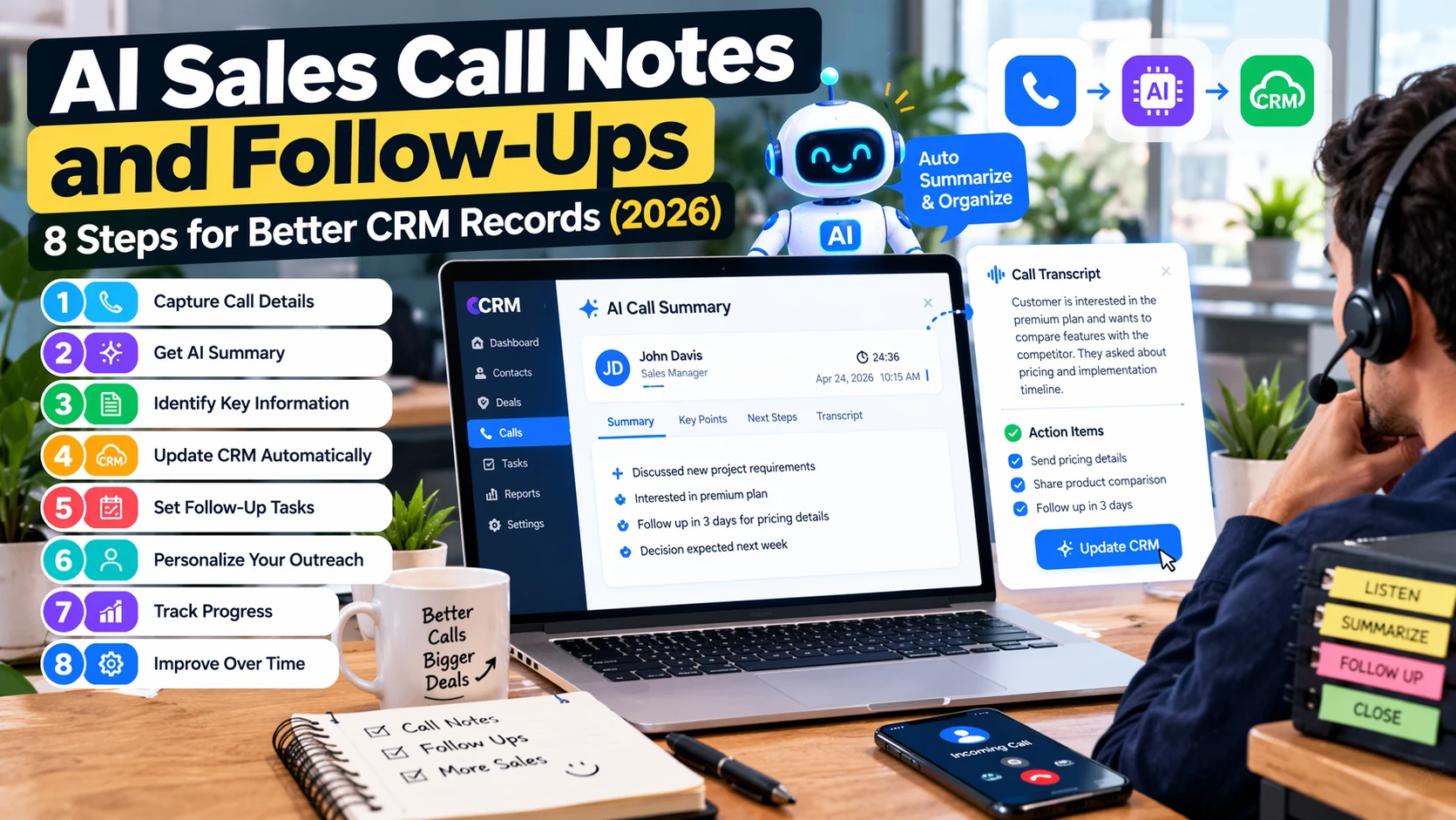
After a sales call, a team may have a recording, several pages of rough notes, an incomplete CRM record, and a promised follow-up that has not been sent. AI can reduce the effort involved in organizing that information. However, a summary that invents a discount or misstates a customer’s requirement can damage trust.
This guide describes how to use AI sales call notes and follow-up workflows in 2026. It covers eight practical steps from consent through CRM review, with clear safeguards for privacy and accuracy. The aim is to improve continuity between conversations, not to outsource relationship decisions to an unverified model.
What does an AI sales call assistant actually do?
Depending on the product and configuration, an AI assistant may transcribe a meeting, highlight key topics, extract decisions, suggest next steps, draft a follow-up email, or populate CRM fields. Transcription converts speech to text; summarization organizes that text; CRM automation moves selected data into a business system. These are distinct capabilities, and each needs its own quality check.
Our AI meeting assistant guide covers the wider meeting workflow. Sales-specific work adds customer commitments, objections, decision-makers, next actions, and deal history.
8 steps to reliable AI sales call notes and follow-ups
1. Establish a lawful recording and consent process
Before recording or transcribing conversations, check applicable laws, company policy, customer expectations, and service-provider terms. Recording-consent requirements vary by location and context. Inform participants appropriately, offer alternatives when necessary, and avoid recording payment credentials or other unnecessary sensitive information.
If recording is not appropriate, use approved notes prepared during or immediately after the call instead. AI can still help organize a human-authored account of the conversation.
2. Create a consistent sales-call template
Define fields before connecting an AI tool: account name, meeting date, attendees, customer objectives, current process, requested capabilities, budget status when volunteered, timeline, concerns, next action, owner, and due date. Include an “unknown or not discussed” option. Otherwise, a model may turn a missing field into a plausible but false detail.
Distinguish what the customer explicitly said from your team’s interpretation. “Customer said rollout may happen in December” is not the same as “deal closes in December.”
3. Check transcript quality before summarization
Names, product models, acronyms, prices, and dates are commonly misheard. Speaker attribution may also be wrong when people interrupt each other or use a poor microphone. Review the parts that affect commitments, scope, price, or legal conditions before creating an approved summary.
When transcription quality is uncertain, mark the passage for manual confirmation rather than treating an AI-generated quote as exact.
4. Ask for structured notes with evidence
A useful sales summary can include objective, current problem, decision criteria, objections, commitments, open questions, and next actions. Request source timestamps or quoted passages when available and require a clear distinction between confirmed statements and suggestions.
Summarize this sales conversation using only supported details. Separate confirmed customer requirements, concerns, decisions, open questions, and next actions. Include an owner and date only when explicitly stated. Mark uncertain details as requiring confirmation. Do not invent prices, commitments, or buying intent.
5. Review CRM fields before saving
Map approved notes to CRM records carefully. A contact name belongs in the correct account; a potential project requirement should not automatically become a contracted deliverable. Keep track of who approved updates and when.
Prefer a review queue for fields that affect deal stage, forecast, contract scope, price, or customer status. Overwriting verified data with a speculative summary can be more harmful than leaving a field blank.
6. Draft a useful follow-up without invented promises
A follow-up should acknowledge the customer’s priorities, summarize agreed actions, list requested materials, and propose a clear next step. AI can prepare wording, but the account owner should verify facts, attachments, recipients, and delivery dates before sending.
For example, a follow-up might say: “As discussed, you will send the current inventory workflow, and I will share a proposed integration outline by the date we agreed.” If no date was agreed, ask the owner to supply one rather than having AI invent a deadline.
7. Assign tasks and protect customer information
Use a task tracker or CRM workflow to assign follow-up responsibility. Restrict access to call recordings and transcripts according to business needs, retention rules, and consent terms. Sensitive data should not be copied into multiple unapproved apps simply to make automation convenient.
When connecting CRM or email services, apply least-privilege permissions and human approval for customer-facing messages. See AI agent security for small businesses for related safeguards.
8. Measure quality and close the loop
Track whether next actions were completed, how often notes needed correction, average time to send an accurate follow-up, and whether CRM fields remained consistent. These measures provide more useful feedback than simply counting how many summaries the tool generated.
Review a sample of customer communications after implementation. If the assistant repeatedly misses objections or confuses speakers, fix the transcription process or adjust the workflow before wider rollout.
Example of a sales-call summary template
| Field | Example entry | Review requirement |
|---|---|---|
| Customer objective | Reduce manual inventory entry | Confirm against customer’s statement |
| Current challenge | Two systems require duplicate updates | Check exact systems and scope |
| Next action | Share process diagram | Assign owner and confirmed due date |
| Open question | Whether API access is available | Verify with technical owner |
| Deal status | Discovery | Account manager approval |
This is illustrative sample data, not a real customer call. A good template makes uncertainty visible instead of hiding it behind polished wording.
What can go wrong?
- Incorrect speaker labels: one person’s objection is attributed to another.
- Unapproved commitments: a suggested discount appears as an agreed offer.
- False confidence: the CRM marks a deal as ready to close without supporting evidence.
- Leaked information: a transcript is sent to an unapproved service or exposed to excess users.
- Over-automation: a generic follow-up is emailed automatically even when the customer needs a careful personal response.
- Stale records: a newer conversation is overwritten by an earlier note.
How to pilot the workflow in one month
- Week 1: choose one team, document recording rules, and define required CRM fields.
- Week 2: test transcripts and summaries on appropriately authorized calls; correct errors manually.
- Week 3: enable draft-only follow-up and human-reviewed CRM suggestions.
- Week 4: measure correction rate, follow-up timeliness, and adoption; revise templates before expanding.
During the pilot, keep humans in control of every external email and deal-stage decision. Compare the proposed summaries against notes from the actual account owner to see which details the tool consistently misses.
How does this connect to broader AI sales workflows?
Call notes are only one part of the customer journey. Lead qualification, proposal creation, scheduling, and support handoff may use separate systems. For wider use cases, explore AI sales assistants and AI proposal generators. Avoid connecting everything at once before each step has dependable data and permissions.
Frequently asked questions
Can AI sales call notes replace a CRM?
No. Notes help document conversations, while a CRM maintains account records, activities, workflow states, and ownership. The systems can complement each other.
Should follow-up emails be sent automatically?
Low-risk, approved acknowledgements may fit automation, but customer-facing promises, pricing, and sensitive decisions should be reviewed by an accountable person.
What if a customer does not want to be recorded?
Respect the applicable requirements and the customer’s choice. Use an approved manual note-taking process where appropriate rather than recording anyway.
How do I measure whether the tool helps?
Check correction rate, completion of agreed actions, and timeliness of accurate CRM updates. Summary volume alone is not a useful success measure.
Final takeaway
The best AI sales call workflow turns a conversation into verified notes, clear responsibilities, and a timely human-approved follow-up. Start with a consistent template and privacy controls, then connect CRM tasks gradually as accuracy improves.

