
AI Agents Explained: What They Are & How They Work in 2026
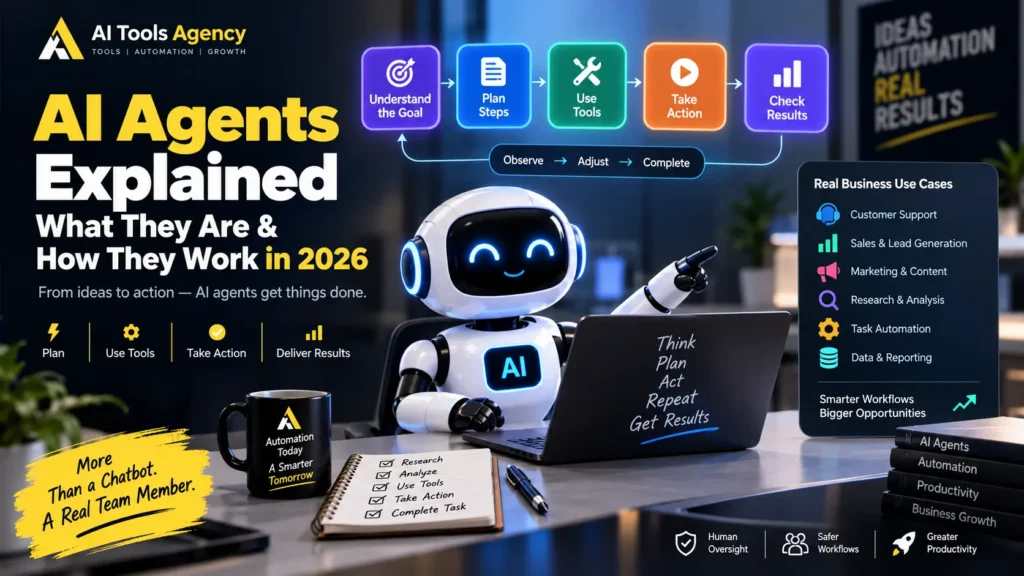
Artificial intelligence is moving beyond simple question-and-answer chatbots. Instead of only responding to a prompt, newer AI systems can receive a goal, decide what steps are required, use software tools, collect information, perform actions, evaluate results, and continue working until the task is complete. These systems are commonly called AI agents. In this guide, we will keep AI agents explained in practical language. You will learn what an AI agent is, how AI agents work, how they differ from chatbots and traditional automation, where businesses can use them, and why human oversight still matters. OpenAI describes agents as systems that can independently accomplish tasks on behalf of users. In addition, an agent can use an AI model to manage workflow execution and select tools as the task develops. Anthropic makes a similar distinction. It describes workflows as systems that follow predefined paths, while agents can dynamically direct their own processes and tool use. If you already understand basic workflow automation, our guide to automating repetitive business tasks with AI provides a useful foundation. AI Agents Explained: What Is an AI Agent? An AI agent is a software system that uses an AI model to work toward a goal with some level of independence. A normal chatbot typically waits for a question and provides a response. An agent can go further. For example, instead of asking: “Write a follow-up email for this lead.” you could give an agent a broader goal: “Review our new sales leads, identify the most promising opportunities, prepare personalized follow-ups, and create tasks for the sales team.” The agent may then: Therefore, the difference is not simply better text generation. The important change is that the AI can participate in workflow execution. How Do AI Agents Work? Most AI agents can be understood as a repeating cycle. A simplified model looks like this: Goal ↓ Understand the Task ↓ Plan ↓ Choose a Tool ↓ Take Action ↓ Observe Result ↓ Evaluate ↓ Continue, Correct, or Finish Anthropic describes this practical behavior as a self-directed loop in which an agent plans, acts, observes results, adjusts, and repeats until the task is complete or human input is required. Let us break that process down. Step 1: The Agent Receives a Goal Every useful agent begins with an objective. For example: Find five potential business leads that match our ideal customer profile and prepare a research summary for the sales manager. This is different from a highly specific automation instruction. The user provides the outcome, while the agent may decide how to reach it. However, good systems still include boundaries. For example: Do not send emails. Do not make purchases. Use only publicly available information. Ask for approval before updating the CRM. Clear boundaries reduce unnecessary risk. Step 2: The AI Model Reasons About the Task The language model acts as the decision-making layer. It interprets the goal and determines what information or actions may be required. For example, the agent may reason that it needs to: Unlike a fixed workflow, the exact sequence may change depending on what the agent discovers. OpenAI highlights this model-driven workflow management as one of the core characteristics that separates agents from simpler LLM applications. Step 3: The Agent Uses Tools An AI model alone cannot do everything. Agents become much more useful when they can access tools. Examples include: For example: Goal: Prepare tomorrow’s sales meeting. Agent may use: Calendar → Find meeting CRM → Get account data Email → Review recent messages Documents → Find proposals Analytics → Pull performance numbers AI → Summarize everything The final output might be a meeting briefing prepared automatically. Tools are important because they allow the agent to interact with real systems rather than simply generate text. Anthropic also emphasizes that agent performance depends heavily on the quality and design of the tools available to it. Step 4: The Agent Observes the Result After using a tool, the agent receives information back. Suppose it searches a CRM for a customer. The result might say: Customer: Acme Ltd Status: Active Last Contact: 12 days ago Open Deal: £18,000 Next Action: None The agent can then evaluate what to do next. Perhaps it decides that the account requires follow-up. Alternatively, it may discover missing information and perform another search. This ability to react to intermediate results is one of the biggest differences between an agent and a simple static workflow. Step 5: The Agent Adjusts Its Plan Real-world tasks rarely go perfectly. An agent may discover: Instead of stopping immediately, an agent can sometimes adjust. For example: Primary database unavailable ↓ Try approved backup source ↓ Data still missing ↓ Ask human for clarification This adaptability is useful. However, it also introduces risk because the AI may make a poor decision. Therefore, reliable agents need guardrails, approval points, monitoring, and fallback behavior. Step 6: The Agent Completes or Escalates the Task Eventually, the agent should reach one of two outcomes. It either: Completes the goal or: Returns control to a human For example: Research Complete ↓ Report Generated ↓ Manager Approval Required OpenAI’s guidance specifically notes that reliable agents should recognize when a workflow is complete and should be able to stop or transfer control back to the user when necessary. That handoff is especially important for consequential actions. AI Agents vs Chatbots People often use the words chatbot and agent interchangeably, but they are not necessarily the same. A basic chatbot usually follows this pattern: User asks question ↓ AI responds ↓ Interaction waits An agent may follow: User provides goal ↓ AI creates plan ↓ AI uses tools ↓ AI performs actions ↓ AI checks results ↓ AI adjusts ↓ Task completed Simple Comparison Feature Chatbot AI Agent Answers questions Yes Yes Generates content Yes Yes Uses external tools Sometimes Usually important Executes multi-step tasks Limited Core capability Makes workflow decisions Limited Yes Adapts based on results Limited Yes Can act across systems Sometimes Yes Human approval possible Yes Yes The distinction is increasingly
How to Automate Repetitive Business Tasks With AI: Step-by-Step Guide (2026)

Learn how to automate repetitive business tasks with AI using practical workflows for email, leads, customer support, reporting, content, and daily operations.

