


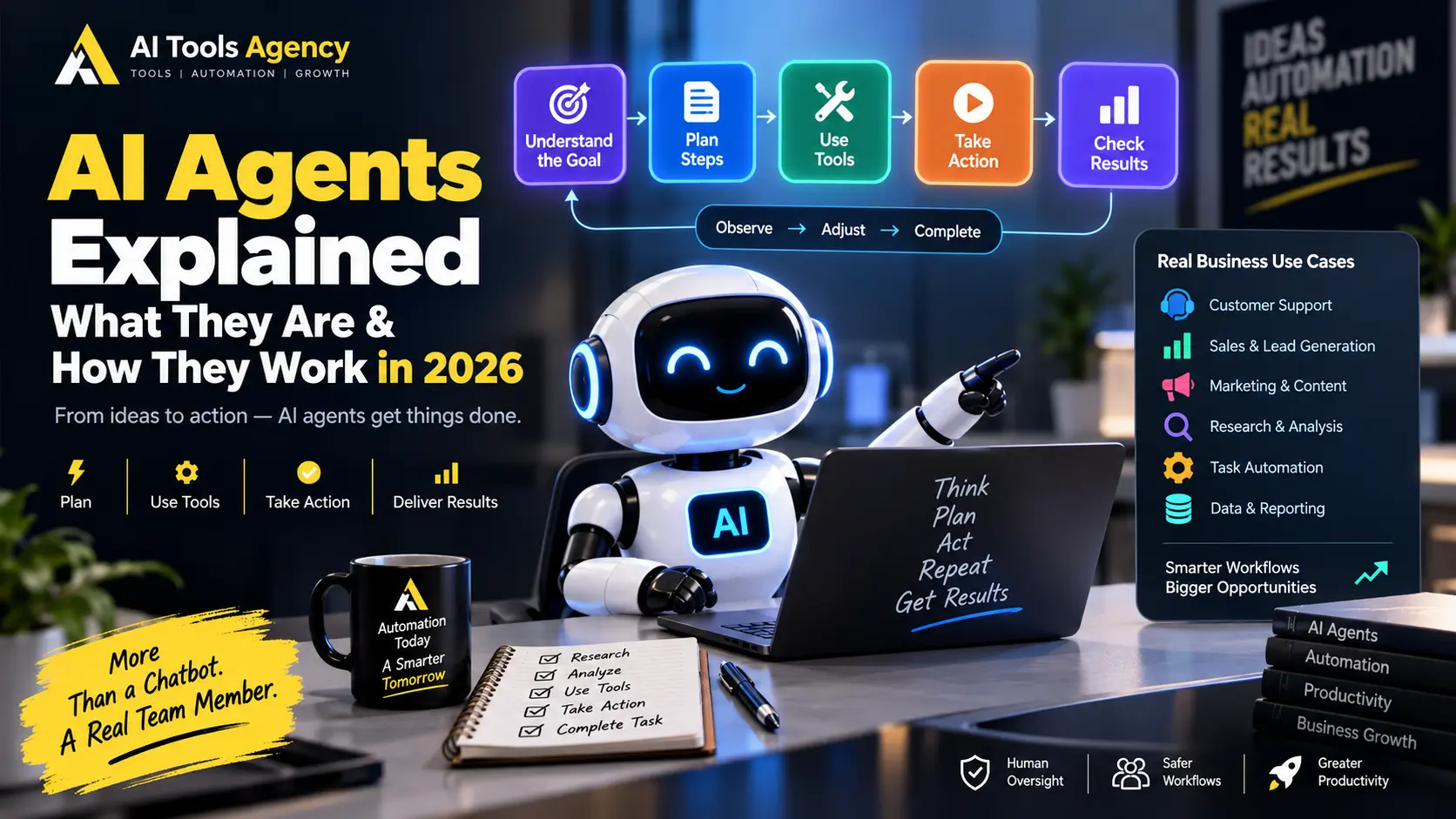
Artificial intelligence is moving beyond simple question-and-answer chatbots.
Instead of only responding to a prompt, newer AI systems can receive a goal, decide what steps are required, use software tools, collect information, perform actions, evaluate results, and continue working until the task is complete.
These systems are commonly called AI agents.
In this guide, we will keep AI agents explained in practical language. You will learn what an AI agent is, how AI agents work, how they differ from chatbots and traditional automation, where businesses can use them, and why human oversight still matters.
OpenAI describes agents as systems that can independently accomplish tasks on behalf of users. In addition, an agent can use an AI model to manage workflow execution and select tools as the task develops.
Anthropic makes a similar distinction. It describes workflows as systems that follow predefined paths, while agents can dynamically direct their own processes and tool use.
If you already understand basic workflow automation, our guide to automating repetitive business tasks with AI provides a useful foundation.
AI Agents Explained: What Is an AI Agent?
An AI agent is a software system that uses an AI model to work toward a goal with some level of independence.
A normal chatbot typically waits for a question and provides a response.
An agent can go further.
For example, instead of asking:
“Write a follow-up email for this lead.”
you could give an agent a broader goal:
“Review our new sales leads, identify the most promising opportunities, prepare personalized follow-ups, and create tasks for the sales team.”
The agent may then:
- access the lead database;
- inspect each lead;
- determine which information matters;
- classify the lead;
- research additional details;
- draft a response;
- update the CRM;
- create a follow-up task;
- ask for human approval before sending.
Therefore, the difference is not simply better text generation.
The important change is that the AI can participate in workflow execution.
How Do AI Agents Work?
Most AI agents can be understood as a repeating cycle.
A simplified model looks like this:
Goal
↓
Understand the Task
↓
Plan
↓
Choose a Tool
↓
Take Action
↓
Observe Result
↓
Evaluate
↓
Continue, Correct, or Finish
Anthropic describes this practical behavior as a self-directed loop in which an agent plans, acts, observes results, adjusts, and repeats until the task is complete or human input is required.
Let us break that process down.
Step 1: The Agent Receives a Goal
Every useful agent begins with an objective.
For example:
Find five potential business leads that match our ideal customer profile and prepare a research summary for the sales manager.
This is different from a highly specific automation instruction.
The user provides the outcome, while the agent may decide how to reach it.
However, good systems still include boundaries.
For example:
Do not send emails.
Do not make purchases.
Use only publicly available information.
Ask for approval before updating the CRM.
Clear boundaries reduce unnecessary risk.
Step 2: The AI Model Reasons About the Task
The language model acts as the decision-making layer.
It interprets the goal and determines what information or actions may be required.
For example, the agent may reason that it needs to:
- identify suitable companies;
- research their websites;
- collect business information;
- evaluate relevance;
- rank leads;
- prepare a summary.
Unlike a fixed workflow, the exact sequence may change depending on what the agent discovers.
OpenAI highlights this model-driven workflow management as one of the core characteristics that separates agents from simpler LLM applications.
Step 3: The Agent Uses Tools
An AI model alone cannot do everything.
Agents become much more useful when they can access tools.
Examples include:
- web search;
- browsers;
- email;
- CRM systems;
- calendars;
- databases;
- spreadsheets;
- APIs;
- code execution;
- file systems;
- business applications.
For example:
Goal: Prepare tomorrow’s sales meeting.
Agent may use:
Calendar → Find meeting
CRM → Get account data
Email → Review recent messages
Documents → Find proposals
Analytics → Pull performance numbers
AI → Summarize everything
The final output might be a meeting briefing prepared automatically.
Tools are important because they allow the agent to interact with real systems rather than simply generate text.
Anthropic also emphasizes that agent performance depends heavily on the quality and design of the tools available to it.
Step 4: The Agent Observes the Result
After using a tool, the agent receives information back.
Suppose it searches a CRM for a customer.
The result might say:
Customer: Acme Ltd
Status: Active
Last Contact: 12 days ago
Open Deal: £18,000
Next Action: None
The agent can then evaluate what to do next.
Perhaps it decides that the account requires follow-up.
Alternatively, it may discover missing information and perform another search.
This ability to react to intermediate results is one of the biggest differences between an agent and a simple static workflow.
Step 5: The Agent Adjusts Its Plan
Real-world tasks rarely go perfectly.
An agent may discover:
- missing information;
- incorrect data;
- unavailable services;
- conflicting instructions;
- failed API calls;
- incomplete documents.
Instead of stopping immediately, an agent can sometimes adjust.
For example:
Primary database unavailable
↓
Try approved backup source
↓
Data still missing
↓
Ask human for clarification
This adaptability is useful.
However, it also introduces risk because the AI may make a poor decision.
Therefore, reliable agents need guardrails, approval points, monitoring, and fallback behavior.
Step 6: The Agent Completes or Escalates the Task
Eventually, the agent should reach one of two outcomes.
It either:
Completes the goal
or:
Returns control to a human
For example:
Research Complete
↓
Report Generated
↓
Manager Approval Required
OpenAI’s guidance specifically notes that reliable agents should recognize when a workflow is complete and should be able to stop or transfer control back to the user when necessary.
That handoff is especially important for consequential actions.
AI Agents vs Chatbots
People often use the words chatbot and agent interchangeably, but they are not necessarily the same.
A basic chatbot usually follows this pattern:
User asks question
↓
AI responds
↓
Interaction waits
An agent may follow:
User provides goal
↓
AI creates plan
↓
AI uses tools
↓
AI performs actions
↓
AI checks results
↓
AI adjusts
↓
Task completed
Simple Comparison
| Feature | Chatbot | AI Agent |
| Answers questions | Yes | Yes |
| Generates content | Yes | Yes |
| Uses external tools | Sometimes | Usually important |
| Executes multi-step tasks | Limited | Core capability |
| Makes workflow decisions | Limited | Yes |
| Adapts based on results | Limited | Yes |
| Can act across systems | Sometimes | Yes |
| Human approval possible | Yes | Yes |
The distinction is increasingly important because many products now include both conversational and agentic capabilities.
AI Agents vs Traditional Automation
Traditional automation is not outdated.
In fact, simple deterministic automation is often better when the process is predictable.
Consider:
New order
↓
Save order
↓
Send confirmation
↓
Notify warehouse
AI is unnecessary here.
A rule-based workflow can perform this reliably.
However, imagine this task:
Read incoming customer request
↓
Understand the problem
↓
Determine urgency
↓
Search account history
↓
Choose appropriate next action
That process requires more interpretation.
Therefore, an agent may be useful.
Anthropic recommends starting with the simplest solution possible and increasing complexity only when the added flexibility is justified. Agentic systems can provide better task performance, but they can also increase latency and cost.
AI Agents vs AI Workflows
This distinction is especially useful.
AI Workflow
A workflow follows a predefined path.
Example:
Email Received
↓
AI Summarizes
↓
Summary Added to CRM
↓
Notification Sent
The developer determines the sequence.
AI Agent
An agent can decide what path to follow.
Example:
Customer Requests Help
↓
Agent identifies problem
↓
Agent decides which system to search
↓
Agent gathers information
↓
Agent determines next step
↓
Agent requests approval if required
Both approaches are useful.
In many business systems, the strongest design combines them.
The workflow provides structure, while the agent handles uncertainty.
What Are AI Agent Tools?
Tools allow an agent to interact with outside systems.
Without tools, an AI agent may only be able to reason and generate text.
With tools, it can potentially:
- search;
- retrieve files;
- execute code;
- update databases;
- send requests;
- create tasks;
- read calendars;
- generate documents;
- manipulate business records.
Modern agent platforms increasingly provide built-in tool access.
For example, OpenAI’s current agentic platform supports tools such as web search, file search, computer use, and integrations for building agents.
What Is Agent Memory?
Some agent systems also maintain context or memory.
Memory can help an agent remember:
- previous actions;
- task progress;
- user preferences;
- project information;
- intermediate results.
For example, a research agent may analyze ten sources.
It needs to remember what it has already found so it does not repeatedly perform the same research.
However, memory should be handled carefully.
Sensitive or unnecessary information should not be stored simply because the technology makes it possible.
Privacy and access controls remain important.
What Is a Single AI Agent?
A single-agent system uses one primary agent to manage a task.
For example:
Research Agent
↓
Search sources
↓
Analyze results
↓
Create report
This architecture can be relatively easy to understand and maintain.
For many businesses, starting with one focused agent is better than immediately building a complicated multi-agent system.
Anthropic’s more recent guidance similarly recommends matching architecture complexity to business value and often starting with a single agent before expanding.
What Is a Multi-Agent System?
A multi-agent system uses several specialized agents.
For example:
Manager Agent
↓
┌────────────┬────────────┬────────────┐
Research Data Writing
Agent Agent Agent
└────────────┴────────────┴────────────┘
↓
Final Report
Each agent may focus on a particular role.
This can help with complicated projects.
However, multi-agent systems also introduce additional complexity.
Teams must manage:
- communication between agents;
- duplicated work;
- errors;
- context;
- cost;
- monitoring;
- permissions.
Therefore, multi-agent architecture should solve a real problem rather than simply making a system look advanced.
AI Agents for Customer Support
Customer support is one of the most practical agent use cases.
An agent could receive a customer request such as:
“I paid yesterday, but my account still shows inactive.”
Then it could:
- classify the issue as billing;
- inspect payment records;
- check account status;
- search approved support documentation;
- prepare a response;
- escalate if account changes are required.
The business could require human approval before performing financial or account-related actions.
Therefore, the agent saves time while important decisions remain controlled.
Later today, we will publish a dedicated guide to the best AI chatbots for customer support.
AI Agents for Sales
A sales agent could assist with:
- researching prospects;
- enriching leads;
- qualifying opportunities;
- reviewing CRM records;
- drafting follow-ups;
- preparing meeting briefs;
- identifying leads requiring attention.
For example:
New Lead
↓
Agent researches company
↓
Checks CRM
↓
Scores relevance
↓
Creates sales brief
↓
Salesperson reviews
This approach can reduce preparation work without automatically sending risky outreach.
AI Agents for Marketing
Marketing agents can support:
- campaign research;
- competitor research;
- content planning;
- reporting;
- campaign analysis;
- content repurposing;
- SEO research;
- audience analysis.
However, brand-critical content should still be reviewed.
An agent may be fast, but speed does not guarantee accuracy or brand consistency.
If your team wants to automate marketing processes, explore our AI Automation guides.
AI Agents for Research
Research is particularly suitable for agents because it often requires several steps.
An agent might:
- interpret the research question;
- search multiple sources;
- compare information;
- identify conflicts;
- gather additional evidence;
- summarize findings;
- prepare references.
OpenAI’s newer agent infrastructure also reflects this broader move toward long-running agents that can work with tools, files, code, and intermediate results across extended tasks.
AI Agents for Software Development
Software engineering has become another major agent use case.
Coding agents can potentially:
- inspect repositories;
- locate bugs;
- write code;
- run tests;
- modify files;
- review changes;
- explain failures.
Unlike a simple code-generation chatbot, an agent can work through several development steps.
However, code changes should still be reviewed and tested before production deployment.
Benefits of AI Agents
Businesses are interested in agents because they can reduce the amount of manual coordination required for complex work.
Potential benefits include:
Less Repetitive Work
Agents can take over tasks involving repeated research, classification, organization, and preparation.
Faster Workflows
Instead of waiting for an employee to move information between systems, an agent can coordinate several steps automatically.
Better Use of Business Tools
An agent can connect multiple applications into one goal-oriented process.
More Flexible Automation
Traditional automation struggles when input is unpredictable.
Agents can interpret natural language and adjust to changing conditions.
Longer Tasks
Agents can work across many steps rather than providing only one response.
OpenAI describes this shift as moving knowledge work from short interactions toward delegated, longer-horizon tasks that can involve tool use and iteration.
Risks of AI Agents
Agents also introduce important risks.
Greater autonomy means mistakes can have greater consequences.
Incorrect Decisions
An AI model can misunderstand the user’s intent.
Hallucinated Information
Agents can still generate inaccurate information.
Excessive Permissions
An agent with unnecessary access may be able to perform actions it should never perform.
Prompt Injection
Malicious instructions hidden in websites, files, or other content may attempt to manipulate an agent.
Anthropic specifically identifies prompt injection, unintended actions, privacy, transparency, and maintaining human control as important challenges for trustworthy agents.
Cascading Errors
One incorrect decision early in a workflow can affect later steps.
For example:
Incorrect lead classification
↓
Wrong department selected
↓
Wrong response prepared
↓
Incorrect follow-up created
Therefore, monitoring matters.
How to Use AI Agents Safely
Businesses should avoid giving a new agent unrestricted access from day one.
A safer approach is:
1. Define one specific goal
2. Give minimum required tools
3. Limit permissions
4. Add clear instructions
5. Require approval for sensitive actions
6. Record agent activity
7. Test unusual scenarios
8. Monitor failures
9. Measure accuracy
10. Expand only when reliable
For example, an email agent might initially be allowed to:
Read → Classify → Draft
but not:
Send
Once reliability is proven, automation can gradually expand.
Human-in-the-Loop AI Agents
Human-in-the-loop means the agent performs some work but pauses for human approval at important points.
For example:
Agent researches prospect
↓
Agent prepares proposal
↓
Manager reviews
↓
Approved?
↓
YES → Continue
NO → Revise
This model works particularly well when the agent handles repetitive preparation while humans retain authority.
Sensitive areas such as finance, legal matters, employment decisions, medical decisions, security, and high-value transactions require especially careful oversight.
When Should You Use an AI Agent?
An agent may be useful when a task:
- requires several steps;
- contains unpredictable information;
- requires reasoning;
- uses multiple tools;
- needs adaptation;
- cannot be handled easily with fixed rules.
For example:
Good agent task
Research a potential client, review our existing CRM information, summarize the opportunity, and prepare a briefing.
Probably unnecessary agent task
Add every new website form submission to Google Sheets.
The second example is simple automation.
Using an agent there would add unnecessary complexity.
When Should You Avoid AI Agents?
Do not use agents simply because agentic AI is popular.
Avoid unnecessary agent systems when:
- rules already solve the problem;
- actions are highly sensitive;
- the task cannot tolerate mistakes;
- data access cannot be properly controlled;
- there is no monitoring;
- nobody understands how the workflow works.
An agent should provide measurable value.
Otherwise, traditional automation may be the better design.
How AI Agents and Automation Work Together
AI agents should not replace every workflow.
Instead, businesses can combine both approaches.
For example:
Form Submitted
↓
RULE: Validate required fields
↓
AGENT: Understand customer intent
↓
RULE: Save information
↓
AGENT: Prepare personalized response
↓
HUMAN: Approve
↓
RULE: Send email
This architecture uses each technology where it performs best.
Rules handle predictable work.
AI handles interpretation.
Humans handle consequential judgment.
For more examples, see our guide to the best AI automation tools for small businesses.
The Future of AI Agents
AI agents are increasingly moving from demonstrations into real business workflows.
Current agent platforms are focusing on better tool use, longer-running tasks, multi-agent coordination, observability, evaluation, and safer permission systems.
For example, OpenAI introduced its Agents API in September 2026 for building and running longer-running cloud agents with support for context management, tools, environments, and subagents.
At the same time, Anthropic has emphasized evaluation because agent autonomy and multi-step behavior make reliability harder to measure than ordinary chatbot responses.
Therefore, the future of agentic AI will depend not only on intelligence.
Reliability, security, observability, and human control will matter just as much.
FAQ
What is an AI agent?
An AI agent is a software system that uses an AI model to pursue a goal, make workflow decisions, use tools, observe results, and continue working until the task is complete or human input is needed.
How is an AI agent different from ChatGPT-style chat?
A normal chatbot mainly responds to individual prompts. An AI agent can potentially manage a multi-step task, use tools, take actions, and adjust its approach based on intermediate results.
Are AI agents fully autonomous?
Not necessarily. Agents can operate with different levels of autonomy. Many business implementations intentionally require human approval for important actions.
Can AI agents use business software?
Yes. Depending on the platform and permissions, agents can interact with tools such as CRMs, email, calendars, files, databases, APIs, and project-management systems.
Are AI agents the same as automation?
No. Traditional automation usually follows predetermined rules. Agents can make more flexible decisions about how to complete a task.
Do small businesses need AI agents?
Not every small business needs them. Start with a clear workflow problem. If regular automation solves it reliably, an agent may be unnecessary.
Can AI agents make mistakes?
Yes. Agents can misunderstand tasks, use incorrect information, select inappropriate tools, or take unintended actions. Testing, permissions, monitoring, and human approval are important.
Final Thoughts
With AI agents explained, the concept becomes much simpler.
An AI agent is not merely a chatbot with a new name.
The important difference is its ability to work toward a goal by making decisions, using tools, observing results, and continuing through multiple steps.
However, businesses should not replace every automation with an agent.
Use deterministic workflows for predictable processes.
Use AI agents when flexibility, interpretation, and adaptive decision-making provide real value.
Most importantly, keep humans in control of consequential actions.
The strongest business systems will likely combine automation + AI agents + human judgment rather than relying entirely on any one of them.
Explore more practical resources in our AI tools and resources hub.

