


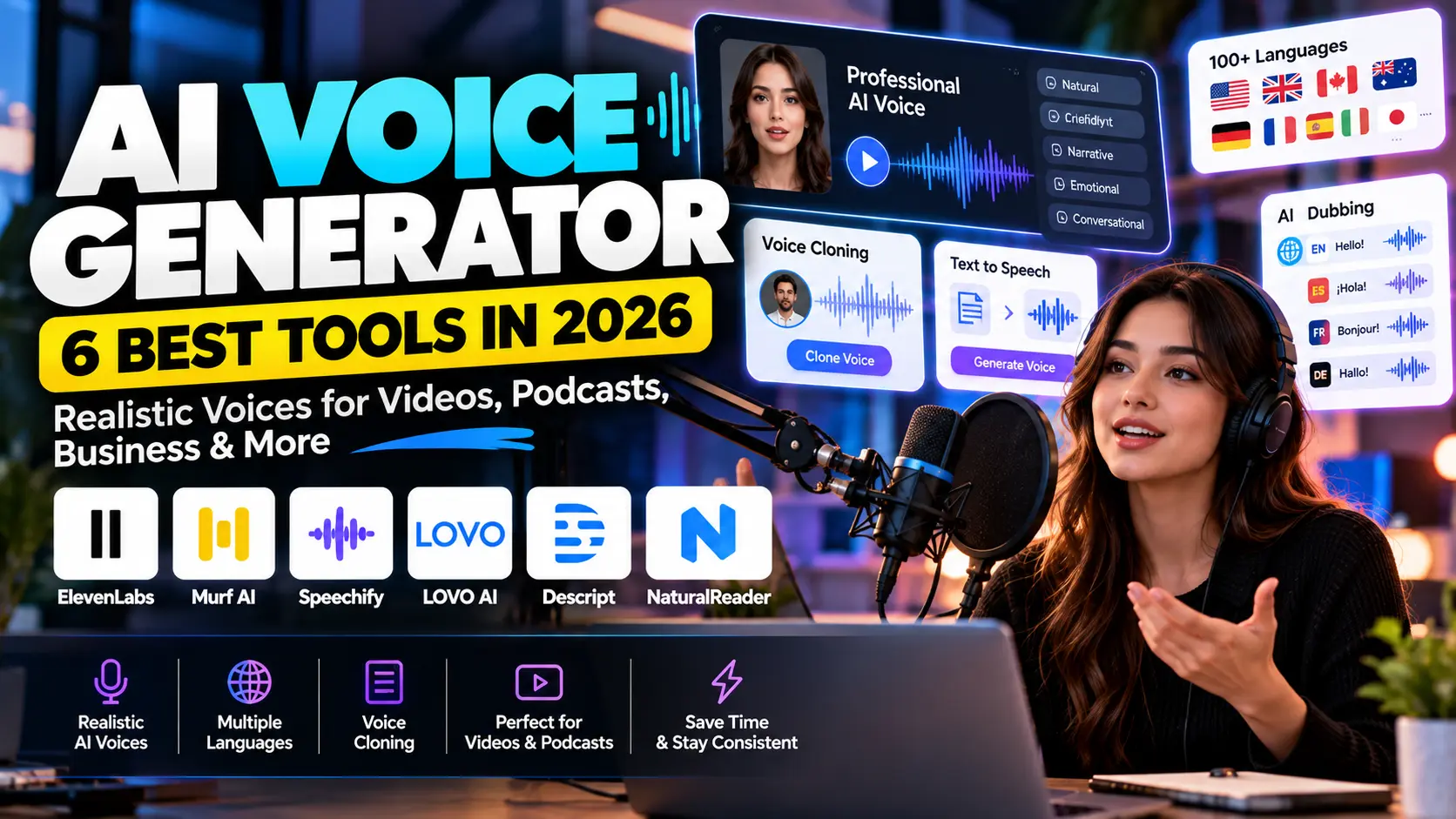
AI-generated voices have improved dramatically.
A few years ago, text-to-speech often sounded robotic. Today, an AI voice generator can produce narration with more natural pacing, emotion, pronunciation, tone, and vocal style.
As a result, creators can produce voiceovers without recording every line themselves.
Businesses are also using AI voices for training videos, product explainers, advertisements, podcasts, e-learning, customer experiences, and multilingual content.
Interest in the technology is rising quickly. In September 2026, Exploding Topics listed AI Voice Generator among the top trending topics in the United States, with 2,650% five-year search growth.
However, not every platform is designed for the same user.
Some tools focus on realistic speech. Others are better for dubbing, voice cloning, video editing, commercial licensing, or large business workflows.
Therefore, this guide compares six strong AI voice generator platforms:
- ElevenLabs
- Murf AI
- Speechify Studio
- LOVO AI
- Descript
- NaturalReader
If you are exploring other fast-growing AI categories, our AI Tools hub includes reviews, comparisons, tutorials, and automation resources.
What Is an AI Voice Generator?
An AI voice generator converts written text into spoken audio using artificial intelligence.
You enter a script, choose a voice, and generate audio.
For example, you could paste:
Welcome to our AI automation platform. In this video, we will show you how to create your first workflow.
The system then creates spoken narration.
Modern tools provide much more control than traditional text-to-speech systems.
Depending on the platform, you may be able to adjust:
- tone;
- speed;
- pronunciation;
- emotion;
- accent;
- pacing;
- language;
- speaking style;
- voice identity.
In addition, many platforms now support voice cloning.
Voice cloning lets you create a digital version of a real voice from recorded samples. However, you should only clone voices when you have the person’s clear permission.
Why Are AI Voice Generators Growing?
Producing professional narration traditionally required a microphone, recording environment, voice actor, editing software, and repeated recording sessions.
AI changes that workflow.
A creator can now write a script, generate narration, make revisions, and export the audio without re-recording the entire project.
Therefore, AI voice tools can save significant time.
They are especially useful for creators who publish content frequently.
For instance, a YouTube channel may need several narrations each week. Meanwhile, an international business may need the same training video in several languages.
AI voice technology can make both workflows easier.
If video creation is also part of your strategy, our AI Video Generator comparison covers current text-to-video and image-to-video platforms.
1. ElevenLabs — Best Overall AI Voice Generator
ElevenLabs is one of the most recognizable platforms in AI speech generation.
Its current Creative platform includes text-to-speech, speech-to-text, voice design, voice cloning, dubbing, sound effects, music, and other audio-generation tools.
The platform currently supports text-to-speech across 74 languages, while its broader voice library contains thousands of available voices.
Why ElevenLabs Stands Out
Natural delivery is one of its biggest strengths.
Instead of simply reading words, modern ElevenLabs models can produce speech with more realistic pacing and expression.
In addition, users can choose from existing voices or create their own.
The platform provides both Instant Voice Cloning and Professional Voice Cloning on supported paid plans.
Consequently, creators can develop a consistent voice for repeated content.
Voice Design
ElevenLabs also includes Voice Design.
Rather than finding a speaker from an existing library, you can describe the type of voice you want.
For example:
Confident British male narrator in his early 30s, warm tone, calm delivery, suitable for premium technology documentaries.
The system can generate voice options from that description.
That makes it useful when a project needs a specific vocal identity.
ElevenLabs Pricing
Current Creative pricing starts with:
| Plan | Current Monthly Price |
|---|---|
| Free | $0 |
| Starter | $6 |
| Creator | $22 |
| Pro | $99 |
| Scale | $299 |
| Business | $990 |
The Free plan currently includes 10,000 monthly credits, while the Starter plan adds commercial licensing and Instant Voice Cloning.
However, pricing and credit usage can change. Therefore, always check the official pricing page before buying.
Best For
ElevenLabs works particularly well for:
- YouTube narration;
- podcasts;
- audiobooks;
- documentaries;
- voice cloning;
- dubbing;
- AI agents;
- applications using voice APIs.
Main Limitation
Heavy usage can become expensive.
Moreover, different features use the same overall credit system.
Therefore, creators producing large amounts of audio should calculate their expected usage before choosing a plan.
2. Murf AI — Best for Business Voiceovers and Teams
Murf AI focuses heavily on professional voice production.
It combines AI voice generation with an editor designed for marketing videos, presentations, training material, product explainers, and business content.
Murf currently provides more than 200 voices, with multiple styles and tonal options. Its platform also supports more than 30 languages and accents across paid Studio plans.
Why Murf Is Useful for Businesses
Businesses usually need more than a realistic voice.
They may need:
- consistent pronunciation;
- collaboration;
- project management;
- commercial rights;
- translation;
- presentation integration;
- shared workflows.
Murf includes several tools designed around those requirements.
For example, Business users can access controls such as emphasis, variability, and Murf’s “Say It My Way” functionality.
As a result, teams can fine-tune the delivery more carefully.
Free Murf Plan
Murf currently offers a free option with approximately 10 minutes of voice generation for testing.
However, downloads and commercial rights are limited on the free tier.
Therefore, free access is best used for testing whether the voices fit your project.
Paid Plans
Current annual-billing rates start around:
Creator: $19 per month equivalent
Business: $66 per month equivalent
Murf also offers Enterprise arrangements for larger companies.
Developer API
Murf also provides APIs.
Its current API pricing includes options designed for real-time conversational AI as well as higher-quality studio speech.
Therefore, developers can use Murf beyond simple voiceover creation.
Best For
Murf suits:
- corporate training;
- presentations;
- marketing videos;
- explainers;
- e-learning;
- agencies;
- business teams.
Main Limitation
Creators who simply want quick narration may find Murf’s business-oriented workflow more than they need.
For solo creators, ElevenLabs or Speechify may feel simpler.
3. Speechify Studio — Best for Large Voice Selection and Dubbing
Speechify is widely known for text-to-speech reading.
However, Speechify Studio is a separate creator-focused environment for producing voiceovers, dubbing, video, and other media.
The current AI Voice Generator offers access to more than 1,000 voices in 60+ languages, including different accents and dialects.
Why Speechify Is Interesting
Choice is a major strength.
For example, a creator producing several channels may want a different voice for each project.
Meanwhile, an agency may need voices representing different regions.
Speechify provides a large selection of voices, which makes testing different vocal styles easier.
Voice Customization
The platform allows users to adjust characteristics such as:
- pace;
- tone;
- pitch;
- pronunciation.
In addition, Speechify supports AI dubbing and voice cloning.
Its current cloning workflow can create a voice replica using a short voice recording.
As a result, creators can use a consistent digital voice across multiple projects.
Speechify Studio Pricing
Speechify currently offers:
Free Plan: $0
Studio Starter: $100/year
Studio Creator: $300/year
The free tier includes Studio credits and access to more than 1,000 voices. However, it does not include commercial usage rights.
Studio Starter adds voice cloning and commercial usage rights.
That distinction is important.
If you plan to monetize or publish content commercially, make sure your plan provides the required usage rights.
Best For
Speechify Studio works well for:
- content creators;
- YouTube channels;
- multilingual videos;
- dubbing;
- advertisements;
- training material;
- podcasts.
Main Limitation
The Speechify product family contains several different services.
Therefore, users should understand the difference between the consumer reader and Speechify Studio before selecting a subscription.
4. LOVO AI — Best for Voiceovers Plus Video Editing
LOVO combines AI voice generation with a broader content-production platform called Genny.
Its current service provides more than 500 voices across 100 languages.
That wide language coverage makes LOVO particularly interesting for international content.
Voice and Video in One Place
Some creators generate voice in one application and edit video in another.
LOVO tries to reduce that switching.
Genny combines voice generation with an online video-editing workflow.
Therefore, creators can prepare narration and then continue assembling the content in the same environment.
This approach can help with:
- YouTube videos;
- product demonstrations;
- advertisements;
- e-learning;
- corporate training;
- social media.
Expressive Voices
LOVO also focuses on emotional and expressive delivery.
Its voice library includes different speaking styles, while newer Pro V2 voices are designed for more directable speech generation.
For example, marketing content may require confidence and energy.
On the other hand, an audiobook may need slower narrative pacing.
Having more emotional control can make generated narration feel less generic.
Free Trial
LOVO currently provides a Pro trial without requiring a credit card on its main offer.
Therefore, users can test the workflow before committing.
Best For
LOVO works particularly well for:
- marketing videos;
- YouTube;
- e-learning;
- advertisements;
- product demos;
- international content.
Main Limitation
An all-in-one platform can be convenient.
However, creators who already have a preferred video editor may not need the additional video features.
In that case, a dedicated voice platform may be simpler.
5. Descript — Best for AI Voice + Audio and Video Editing
Descript approaches AI voice generation from an editing perspective.
Instead of treating voice generation as a separate step, Descript places AI speech directly inside a text-based audio and video editor.
That makes it particularly useful for podcasts and video creators.
Edit Audio by Editing Text
One of Descript’s strongest ideas is text-based editing.
You transcribe the content, then edit the media by editing the written transcript.
For example, if you delete a sentence in the transcript, the corresponding audio or video section can also be removed.
As a result, editing feels closer to editing a document.
AI Speech
Descript can generate voiceovers from text using stock AI speakers or custom voice clones.
It also allows creators to regenerate sections when they need corrections or script updates.
This can save significant time.
Imagine recording a 20-minute tutorial and later discovering one sentence is wrong.
Instead of re-recording the entire section, you may be able to regenerate the required audio.
Larger Voice Library
Descript also expanded its voice selection in 2026 by integrating the ElevenLabs voice library into its voice picker.
Therefore, creators can combine Descript’s editing workflow with a broader selection of AI voices.
Current Plans
Descript provides a Free plan for testing.
Current annual pricing starts around:
Hobbyist: $16/month equivalent
Creator: $24/month equivalent
Business: $50/month equivalent
Different plans include different AI-credit, media-hour, and AI-speech allowances.
Best For
Descript is especially useful for:
- podcasts;
- YouTube videos;
- interviews;
- tutorials;
- screen recordings;
- audio editing;
- video editing.
Main Limitation
If you only need to convert a short script into an MP3, Descript may offer more editing functionality than necessary.
However, creators who edit both audio and video can benefit from having everything together.
If you regularly create multimedia content, our Best AI Tools for Content Creation guide covers additional writing, design, and content-production tools.
6. NaturalReader AI Voice Generator — Best for Commercial Voiceovers and Model Choice
NaturalReader has long been associated with text-to-speech.
However, its commercial AI Voice Generator is designed specifically for creators and businesses that need audio they can redistribute.
That distinction matters.
NaturalReader clearly separates personal listening tools from its commercial voice-generation product.
Multiple AI Voice Providers
One of NaturalReader’s most interesting 2026 features is its multi-model approach.
Its commercial product includes voices powered by technologies from providers such as:
- Google Gemini;
- OpenAI;
- ElevenLabs;
- Microsoft Azure.
As a result, users can access different voice technologies through one workflow.
Commercial Rights
Paid commercial AI Voice Generator plans include commercially licensed audio.
This makes NaturalReader particularly relevant for businesses producing content that will be shared publicly.
For example:
- YouTube videos;
- advertisements;
- e-learning;
- podcasts;
- corporate material.
Languages and Customization
NaturalReader supports multilingual generation in more than 90 languages across its commercial environment.
In addition, users can control tone, emotion, pacing, accent, and other speech characteristics through supported customization tools.
Current Pricing
Current commercial pricing includes:
| Plan | Monthly | Annual Equivalent |
|---|---|---|
| Starter | $29 | $16.50/mo |
| Creator | $49 | $24.75/mo |
| Team | $33/user | $16/user/mo |
Plans include different monthly credit allowances, while additional credits can be purchased when required.
Best For
NaturalReader is useful for:
- businesses;
- e-learning;
- commercial narration;
- training content;
- multilingual audio;
- teams.
Main Limitation
NaturalReader separates its personal and commercial products.
Therefore, make sure you purchase the correct product if the audio will be published or used for business.
Best AI Voice Generators Compared
| Tool | Best For | Key Strength | Free Option |
|---|---|---|---|
| ElevenLabs | Overall AI speech | Natural voices + cloning | Yes |
| Murf AI | Businesses | Professional voiceover workflow | Yes |
| Speechify Studio | Voice selection | 1,000+ voices + dubbing | Yes |
| LOVO AI | Voice + video | 500+ voices, 100 languages | Trial |
| Descript | Creators | Voice + text-based editing | Yes |
| NaturalReader | Commercial content | Multiple AI voice providers | Limited testing |
Which AI Voice Generator Should You Choose?
The best choice depends on the type of content you create.
Choose ElevenLabs if realism matters most
ElevenLabs offers a strong combination of natural speech, voice cloning, Voice Design, dubbing, and developer tools.
Therefore, it is a strong all-round choice.
Choose Murf if you create business content
Murf focuses heavily on professional voiceover workflows.
Consequently, training teams, agencies, and corporate users may appreciate its collaboration and production controls.
Choose Speechify if you want many voice options
With more than 1,000 voices across 60+ languages, Speechify offers significant variety.
In addition, dubbing and voice cloning make it useful for multilingual creators.
Choose LOVO if you also need video editing
LOVO’s Genny platform combines voice and video creation.
As a result, creators can produce more of the final project without leaving the platform.
Choose Descript if you edit podcasts or videos
Descript integrates AI speech directly with a powerful editing workflow.
Therefore, it can save time when narration is only one part of the project.
Choose NaturalReader for commercial production
NaturalReader clearly focuses its commercial version on content redistribution and business use.
Moreover, its multi-provider voice selection offers extra flexibility.
How to Create Better AI Voiceovers
Choosing the tool is only the first step.
Your script has a major effect on the final audio.
Write for Speech, Not Reading
A sentence that looks good on a blog may sound awkward aloud.
Therefore, use shorter sentences.
For example, instead of writing:
Our innovative platform provides organizations with a comprehensive variety of automation tools designed to significantly increase organizational productivity.
Write:
Our platform helps teams automate repetitive work. As a result, employees can focus on more valuable tasks.
The second version will usually sound more natural.
Add Punctuation Carefully
Punctuation affects pacing.
A comma can create a small pause.
Meanwhile, a full stop creates a stronger break.
Therefore, edit the script after listening to the first generation.
Test Several Voices
Do not choose the first voice you hear.
Generate the same paragraph with several options.
Then compare:
- clarity;
- emotion;
- accent;
- pacing;
- brand fit.
A corporate training video may need a different voice from a TikTok advertisement.
Check Pronunciation
AI may mispronounce:
- company names;
- technical terms;
- locations;
- people’s names;
- abbreviations.
Fortunately, many platforms provide pronunciation controls.
Therefore, review the complete narration before publishing.
AI Voice Generator for YouTube
YouTube is one of the strongest use cases for AI-generated narration.
For example, a creator can:
- research a topic;
- write the script;
- generate the voiceover;
- create visuals;
- edit the video;
- publish.
AI can reduce production time at several stages.
Our AI Image Generator comparison can help with supporting visuals, while the AI Video Generator guide covers generative video tools.
However, avoid creating low-value automated content simply because production is easy.
Useful information, original ideas, editing, and strong storytelling still matter.
AI Voice Generator for Marketing
Marketing teams can use AI voice for:
- product demonstrations;
- advertisements;
- social videos;
- explainers;
- onboarding;
- presentations;
- localized campaigns.
Suppose a business launches one product video in English.
Instead of producing six completely separate recordings, the team could create versions for different markets.
Consequently, localization becomes faster.
Nevertheless, the translated script should still receive human review.
Idioms, product claims, humor, and cultural references may not translate perfectly.
AI Voice Cloning: Use It Responsibly
Voice cloning is powerful.
However, it also creates serious ethical concerns.
Never clone another person’s voice without clear permission.
That rule applies even if the person is:
- famous;
- a colleague;
- a customer;
- a family member;
- an employee.
In addition, avoid using cloned voices to mislead people into believing someone said something they never said.
A responsible workflow includes consent, clear ownership, secure storage, and honest disclosure when appropriate.
Businesses should also review local laws and platform rules before publishing synthetic voice content.
Free AI Voice Generator vs Paid Tools
Free plans are useful for testing.
However, they often include limits.
Common restrictions include:
- fewer credits;
- limited downloads;
- no commercial rights;
- no voice cloning;
- lower audio quality;
- fewer projects.
Therefore, free access is best for experimentation.
Once you know the tool fits your workflow, compare paid plans based on real usage.
For commercial projects, always confirm licensing before publishing.
Common AI Voice Generator Mistakes
One common mistake is using a script that is too formal.
Consequently, the voice may sound unnatural.
Another problem is ignoring pronunciation.
Even a realistic voice becomes distracting when a brand name is spoken incorrectly.
In addition, creators sometimes choose the wrong speaking style.
For example, an energetic advertising voice may sound inappropriate in a serious training course.
Finally, some users publish the first generated version.
Instead, listen to the entire audio and make revisions.
Small changes to punctuation and wording can significantly improve the final result.
Can AI Replace Human Voice Actors?
For some projects, AI can reduce the need for traditional recording.
However, human performers still offer important advantages.
Professional actors understand:
- emotional context;
- subtle timing;
- character performance;
- improvisation;
- creative direction.
Therefore, AI voice should not automatically replace human talent.
The better question is:
Which method fits this specific project?
A simple product tutorial may work perfectly with AI narration.
Meanwhile, a dramatic commercial or character-heavy production may benefit from professional actors.
Frequently Asked Questions
What is the best AI voice generator in 2026?
There is no single best option for every user.
ElevenLabs is a strong all-round platform, while Murf is suitable for business voiceovers. Speechify offers a large voice library, LOVO combines voice and video, Descript integrates speech with editing, and NaturalReader focuses strongly on commercial production.
Is there a free AI voice generator?
Yes.
ElevenLabs, Murf, Speechify Studio, and Descript currently offer free ways to test AI speech.
However, free tiers often have credit or commercial-use restrictions.
Which AI voice generator has the most voices?
Speechify currently advertises access to more than 1,000 realistic voices in 60+ languages.
Meanwhile, LOVO provides more than 500 voices across 100 languages.
Can I clone my own voice?
Yes.
Platforms such as ElevenLabs, Speechify, LOVO, Descript, and NaturalReader provide voice-cloning capabilities in supported plans or workflows.
However, voice cloning should always involve proper consent.
Can I use AI voiceovers on YouTube?
Many AI voice platforms provide commercial usage rights on specific paid plans.
However, licensing differs by service and plan.
Therefore, verify the current terms before monetizing or redistributing generated audio.
Final Thoughts
The AI voice generator market is growing quickly in 2026.
ElevenLabs offers a powerful overall speech platform with realistic voices, cloning, and Voice Design.
Meanwhile, Murf provides a polished workflow for business voiceovers.
Speechify Studio stands out for its large voice library and dubbing tools, while LOVO combines narration with video production.
Descript is particularly valuable for podcasters and video creators who want AI speech inside their editing workflow.
Finally, NaturalReader provides strong commercial licensing and access to multiple voice-model providers.
Therefore, the best platform depends on what you want to create.
Start with a free plan or trial when possible. Then test the same script across several voices.
Most importantly, choose a voice that fits your audience rather than simply choosing the most realistic option.
For more current AI tools and practical guides, explore the AI Tools hub.

