


Building a professional website used to require design skills, coding knowledge, or a developer.
That is changing quickly.
An AI website builder can now turn a short description of your business into a website structure, page layout, starter copy, images, colors, and navigation.
As a result, entrepreneurs can launch simple websites much faster than before.
However, AI website builders are not all designed for the same type of user.
Some platforms focus on beginners. Others provide advanced design control, WordPress integration, ecommerce tools, CMS functionality, or professional agency workflows.
Therefore, choosing the right platform matters.
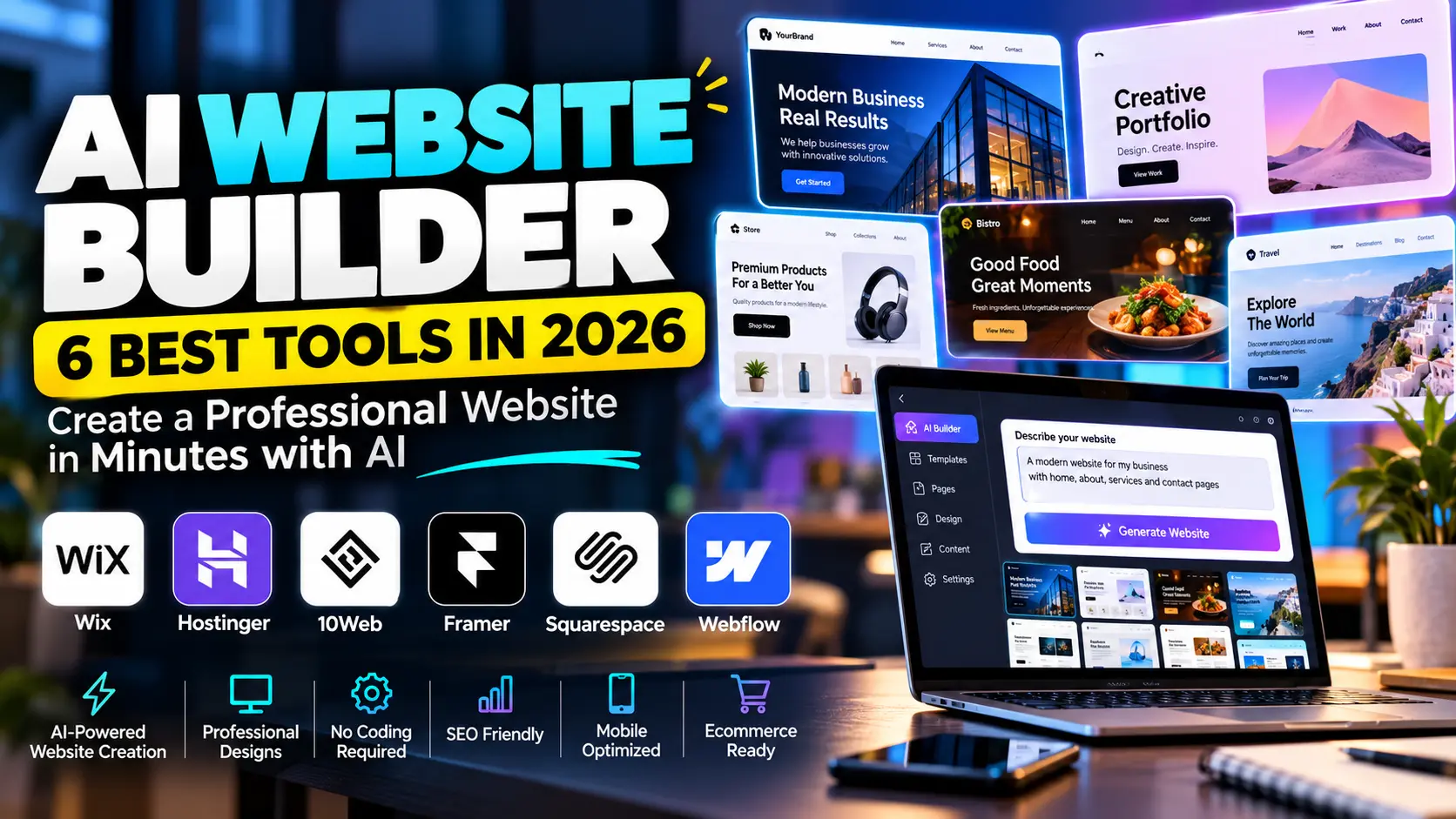
In this guide, we compare six leading AI website builders in 2026:
- Wix
- Hostinger
- 10Web
- Framer
- Squarespace
- Webflow
If you are also researching other AI software, visit our AI Tools hub for reviews, comparisons, automation guides, and practical tutorials.
What Is an AI Website Builder?
An AI website builder uses artificial intelligence to help create a website from a description or prompt.
For example, you might write:
Create a modern website for a dental clinic in Chicago. Include Home, About, Services, Testimonials, Appointment Booking, and Contact pages. Use a clean blue-and-white design.
The builder can then generate a starting website based on those instructions.
Depending on the platform, AI may create:
- page layouts;
- navigation;
- website copy;
- images;
- color schemes;
- fonts;
- calls to action;
- forms;
- SEO metadata;
- mobile layouts;
- ecommerce sections.
However, an AI-generated website should still be reviewed before publication.
You need to check the content, branding, mobile design, links, forms, SEO settings, legal pages, and business information.
Therefore, AI works best as a website creation accelerator, not as a replacement for final human review.
Why AI Website Builders Are Growing
Search demand shows that more users are actively looking for AI-based website creation.
Ahrefs currently reports around 30,000 monthly US searches for “ai website builder,” with approximately 16% year-over-year growth.
Another Google Ads-based keyword dataset reports approximately 40,500 monthly US searches for the same keyword and similar terms such as “AI site builder” and “AI website creator.”
This growth makes sense.
Small businesses want websites, but many owners do not want to spend weeks learning web design.
Meanwhile, agencies want faster ways to create prototypes and landing pages.
AI builders reduce the time between an idea and the first working version of a website.
1. Wix AI Website Builder — Best All-Round Option for Small Businesses
Wix has significantly expanded its AI website creation tools in 2026.
Its current Wix Harmony experience combines AI generation with traditional drag-and-drop editing.
Users can describe the website they want, while Wix’s AI agent Aria generates pages, layouts, colors, images, and starter content.
How Wix AI Works
The process is simple.
First, you provide information about your business.
For example:
Build a professional website for an AI automation agency serving small businesses.
Then you can explain your preferred:
- pages;
- colors;
- business type;
- visual style;
- goals;
- features.
Aria then generates a website direction.
Afterward, you can continue asking the AI to make changes or manually edit the site.
That combination is important.
Some AI builders generate a site quickly but offer limited customization.
Wix, on the other hand, lets users move between conversational AI and visual editing.
Business Features
Wix also provides a broader business ecosystem.
Depending on the plan and setup, users can add:
- ecommerce;
- bookings;
- payments;
- blogs;
- marketing tools;
- SEO tools;
- customer management;
- forms.
Therefore, Wix can work well for businesses that need more than a simple portfolio.
Pricing
Wix offers a free plan for testing and website creation.
Paid plans add features such as custom domains, additional storage, ecommerce, and business tools. Current prices vary by region and billing cycle.
Best For
Wix is a strong choice for:
- small businesses;
- consultants;
- restaurants;
- service businesses;
- freelancers;
- portfolios;
- ecommerce sites.
Main Limitation
Wix offers many options.
As a result, beginners may feel overwhelmed by the number of features available.
Nevertheless, users who want an all-in-one business platform may appreciate that flexibility.
2. Hostinger AI Website Builder — Best for Affordable Website + Hosting
Hostinger combines AI website creation with web hosting.
That makes it attractive for people who want to buy hosting, connect a domain, create a site, and publish from one platform.
Hostinger’s current AI Builder allows users to describe what they want to create and then refine the generated website using AI or manual editing.
What Can Hostinger AI Build?
Hostinger supports several types of projects, including:
- business websites;
- portfolios;
- booking websites;
- membership sites;
- blogs;
- online stores;
- landing pages.
You can start by describing your idea.
After that, AI creates the initial website.
Users can then change text, images, design, and functionality before publishing.
Hosting Is Included
This is one of Hostinger’s biggest advantages.
You do not need to find a separate hosting provider after generating the site.
Depending on the plan, Hostinger can include:
- hosting;
- domain registration;
- email;
- templates;
- AI credits;
- ecommerce;
- analytics;
- marketing integrations.
Therefore, the setup can be easier for beginners.
Current Pricing
Hostinger currently lists promotional pricing starting around $2.99/month on longer-term Premium plans, while higher plans provide additional websites, ecommerce features, and AI credits. Prices renew at higher standard rates, so users should always check renewal costs before purchasing.
Best For
Hostinger may work particularly well for:
- beginners;
- small businesses;
- affiliate marketers;
- portfolios;
- service websites;
- budget-conscious users.
Main Limitation
Users looking for advanced visual design freedom may prefer Framer or Webflow.
Hostinger focuses more heavily on making website creation simple.
Therefore, advanced designers may eventually want more control.
3. 10Web AI Website Builder — Best for AI + WordPress
10Web takes a different approach.
Instead of creating a completely separate website ecosystem, 10Web combines AI website building with WordPress.
That makes it especially interesting for users who want AI speed but still prefer the WordPress CMS.
Its platform currently includes an agentic website builder, redesign functionality, page cloning, Figma conversion, WordPress CMS access, hosting, and performance tools.
Why WordPress Matters
WordPress remains useful because users can extend websites with plugins, themes, SEO tools, custom code, and integrations.
Therefore, 10Web can provide a middle ground.
You get an AI-generated starting point without completely giving up WordPress flexibility.
For example, an agency could create the first version of a client site with AI.
After that, the team could continue managing it through WordPress.
Existing Website Redesign
10Web also offers an AI redesign workflow.
This may be useful when a business already has an outdated website.
Instead of starting from zero, the platform can help recreate or modernize the existing design.
Current Pricing
10Web currently lists AI Starter around $10/month, AI Premium around $15/month, and AI Ultimate around $22.50/month, with annual offers and limits depending on the plan.
Pricing can change, so check the official page before purchasing.
Best For
10Web is particularly relevant for:
- WordPress users;
- agencies;
- freelancers;
- businesses moving from old websites;
- people who want AI plus plugin flexibility.
Main Limitation
WordPress provides more control, but that also means more moving parts.
Users may still need to understand:
- plugins;
- backups;
- updates;
- caching;
- hosting;
- security.
Therefore, 10Web may require slightly more technical confidence than simpler all-in-one builders.
4. Framer AI — Best for Designers and Modern Landing Pages
Framer is a strong option for users who care deeply about visual design.
Its 2026 AI system uses agents directly inside the Framer canvas.
You can describe a website, page, section, or change, and the AI creates editable layouts, copy, and visuals.
Why Framer Is Different
AI generation is only the starting point.
Afterward, users can visually control:
- typography;
- spacing;
- components;
- responsive breakpoints;
- animations;
- CMS content;
- layouts;
- effects.
Therefore, the generated website does not stay locked inside an AI template.
You can refine the details manually.
AI Agents
Framer 3.0 introduced AI agents directly into the canvas in June 2026.
These agents can help with design, writing, organization, analysis, and site creation.
For example, you can ask the agent:
Make this hero section more premium.
Then:
Make it responsive on mobile.
Later:
Improve the headline for conversions.
This creates an iterative workflow rather than a single generation.
CMS and SEO
Framer also includes:
- CMS;
- SEO settings;
- redirects;
- analytics;
- hosting;
- responsive design;
- publishing.
As a result, it can support more than static landing pages.
Best For
Framer is especially suitable for:
- designers;
- startups;
- SaaS companies;
- portfolios;
- landing pages;
- agencies;
- marketing sites.
Main Limitation
Framer offers more creative control than basic builders.
However, that extra flexibility can also increase the learning curve.
A complete beginner may find Wix or Hostinger easier.
5. Squarespace Blueprint AI — Best for Polished Small-Business Design
Squarespace has continued expanding its AI website creation experience through Blueprint AI.
Blueprint AI can generate a personalized multi-page website based on information about your business, brand personality, colors, fonts, goals, and industry.
How Blueprint AI Works
Instead of starting from a blank canvas, you answer questions about your project.
Squarespace can then generate:
- page structure;
- starter copy;
- imagery;
- colors;
- fonts;
- overall visual direction.
Afterward, everything remains editable.
Therefore, users get a faster starting point while maintaining control over the final website.
Strong Visual Direction
Squarespace has traditionally focused heavily on polished design.
Blueprint AI follows that same approach.
For example, a photographer, consultant, restaurant, or creative business can generate a cohesive site without designing every page manually.
Squarespace also updated Blueprint AI in September 2026 with more personalized multi-page generation and expanded imagery across more than 1,000 industries.
Business Tools
Squarespace can also support:
- scheduling;
- selling;
- invoicing;
- portfolios;
- blogs;
- services.
Therefore, businesses can grow beyond a basic brochure website.
Best For
Squarespace may suit:
- photographers;
- consultants;
- restaurants;
- creators;
- portfolios;
- service businesses;
- small brands.
Main Limitation
Users who need advanced development or highly custom application functionality may eventually want a more flexible platform.
However, for polished business websites, Squarespace remains an accessible option.
6. Webflow AI Site Builder — Best for Professional Design and Scalability
Webflow sits closer to professional web design than many beginner-focused builders.
Its AI Site Builder can generate a structured, multi-page website from a prompt.
More importantly, the result includes a reusable design system that can be edited and expanded inside Webflow.
Structured Website Generation
Webflow’s AI builder can create:
- site structure;
- layouts;
- images;
- copy;
- visual themes;
- reusable styles.
Users can then continue editing through the Webflow environment.
Paid plans can support larger sites, while the AI builder can initially generate multiple pages.
SEO and AEO
One interesting development in Webflow’s 2026 platform is its focus on both SEO and AEO, or Answer Engine Optimization.
Webflow AI can help identify sitewide SEO gaps, generate copy, improve metadata, and provide AI-driven suggestions for search and answer-engine visibility.
This is particularly relevant as discovery expands beyond traditional Google results.
Current Pricing
Webflow currently provides a free Starter option.
Its Basic Site plan starts around $15/month billed yearly, while Premium is around $25/month billed yearly for more content-heavy sites.
Best For
Webflow is useful for:
- agencies;
- professional designers;
- SaaS companies;
- marketing teams;
- content-heavy sites;
- scalable business websites.
Main Limitation
Webflow has a steeper learning curve than simpler builders.
Therefore, someone who just wants a five-page business site may not need all of its capabilities.
However, teams that value control and scalability may appreciate the added flexibility.
AI Website Builder Comparison
| Tool | Best For | AI Strength | Starting Option |
|---|---|---|---|
| Wix | Small businesses | AI + drag-and-drop business tools | Free |
| Hostinger | Budget users | AI website + hosting bundle | Paid, low-cost |
| 10Web | WordPress | AI + WordPress flexibility | Paid |
| Framer | Designers | AI agents + visual canvas | Free entry |
| Squarespace | Polished business sites | Brand-focused AI generation | Trial/paid |
| Webflow | Professional sites | Structured AI + advanced control | Free |
Which AI Website Builder Should You Choose?
Choosing an AI website builder depends on what you plan to build.
There is no reason to pay for advanced functionality you will never use.
Choose Wix if you want an all-round business platform
Wix combines AI website creation with business features.
Therefore, it works well for businesses that may later need bookings, ecommerce, payments, or marketing tools.
Choose Hostinger if budget matters
Hostinger includes hosting and domain-related features in one package.
As a result, beginners can avoid managing several separate services.
Choose 10Web if you want WordPress
WordPress users may prefer 10Web because it combines AI generation with the flexibility of the WordPress ecosystem.
Therefore, it can be attractive for agencies and freelancers.
Choose Framer if design matters most
Framer gives designers much more control over generated layouts.
In addition, its AI agents can continue helping after the first website draft.
Choose Squarespace if you want polished simplicity
Squarespace is strong when visual consistency matters but you do not want a highly technical builder.
Therefore, it fits many creative businesses and service providers.
Choose Webflow if you want professional control
Webflow offers deeper control, scalability, CMS functionality, and advanced web-design tools.
However, it also requires more learning.
Can an AI Website Builder Replace a Web Developer?
For simple projects, sometimes.
A small business may only need:
- Home;
- About;
- Services;
- Contact;
- Blog.
AI can create a strong starting point for this type of site.
However, more complex websites may require professional development.
Examples include:
- advanced SaaS platforms;
- custom dashboards;
- complex ecommerce systems;
- membership applications;
- custom APIs;
- unusual payment workflows;
- advanced databases.
Therefore, AI website builders reduce the need for development in some situations, but they do not eliminate professional development completely.
AI Website Builder vs WordPress
This is an important comparison.
Traditional WordPress gives users enormous flexibility.
You can choose:
- hosting;
- themes;
- plugins;
- page builders;
- SEO plugins;
- caching tools;
- custom development.
However, that flexibility can also make WordPress harder to maintain.
An AI website builder usually provides a simpler experience.
Hosting, editing, generation, and publishing may all happen in one platform.
Choose WordPress when:
- you want maximum plugin flexibility;
- content publishing is important;
- you need custom integrations;
- you want control over hosting.
Choose an AI builder when:
- speed matters;
- you are a beginner;
- you want fewer technical tasks;
- your website requirements are straightforward.
10Web is interesting because it tries to combine both approaches.
Can an AI Website Builder Create an SEO-Friendly Website?
Yes, but AI does not automatically guarantee rankings.
A website still needs:
- useful content;
- fast loading;
- good mobile design;
- logical navigation;
- internal links;
- optimized titles;
- meta descriptions;
- alt text;
- crawlable pages;
- useful backlinks.
Moreover, some AI website platforms provide more technical SEO control than others.
Ahrefs has noted that website builders with less technical control can sometimes create SEO limitations. Therefore, businesses that depend heavily on organic search should evaluate SEO capabilities carefully before committing to a platform.
If organic search matters to your business, also explore our AI Tools for Content Creation guide to improve the content side of your website.
How to Build a Better Website With AI
AI can save time, but the quality of your instructions matters.
Do not simply write:
Make a business website.
Give the builder more context.
For example:
Create a professional five-page website for an accounting firm serving small businesses in Manchester. Use navy blue, white, and subtle gold accents. Include Home, Services, About, Resources, and Contact pages. The main CTA should encourage visitors to book a consultation.
This tells the AI:
- industry;
- target audience;
- location;
- design style;
- pages;
- conversion goal.
Therefore, the generated website should be much closer to what you need.
Step 1: Define the Goal
Decide what visitors should do.
Possible goals include:
- contact your team;
- buy a product;
- schedule an appointment;
- request a quote;
- subscribe;
- read content.
Your website should support one primary goal.
Step 2: Define the Audience
Tell AI who the website is for.
A website targeting enterprise software buyers should look different from one targeting local restaurant customers.
Therefore, audience context matters.
Step 3: Generate the First Version
Use the AI builder to create the initial site.
However, treat this as a draft.
Do not publish immediately.
Step 4: Replace Generic Content
Review every paragraph.
Add:
- genuine business details;
- real services;
- original examples;
- customer information;
- accurate pricing;
- real contact details.
AI-generated filler reduces trust.
Step 5: Check Mobile Design
Open every major page on mobile.
Check:
- headings;
- menus;
- buttons;
- forms;
- images;
- spacing.
Mobile visitors should not receive a weaker experience.
Step 6: Optimize for Search
Add unique SEO titles and descriptions.
In addition, connect related pages with internal links.
If you are creating content regularly, our AI Image Generator guide can also help you create supporting blog and social visuals.
Step 7: Test Everything
Before publishing, test:
- forms;
- buttons;
- menus;
- checkout;
- emails;
- booking systems;
- links.
A beautiful website is useless if the main conversion action is broken.
Common AI Website Builder Mistakes
Publishing AI Text Without Editing
Generated copy often sounds generic.
Therefore, rewrite important sections with real business information.
Using Too Many Sections
AI sometimes generates more content than the website needs.
Remove weak or repetitive sections.
Ignoring Mobile
Always check mobile manually.
AI-responsive design can still need adjustments.
Forgetting SEO
A beautiful website does not automatically receive traffic.
SEO needs deliberate work.
Ignoring Website Speed
Large images, animations, and third-party scripts can slow down a website.
Compress assets and avoid unnecessary elements.
Treating AI as the Final Designer
AI provides a starting point.
Your judgment should determine what stays.
Is a Free AI Website Builder Enough?
Free plans can be useful for testing.
For example, Wix, Framer, and Webflow provide ways to start building without immediately purchasing a full plan.
However, free plans often come with restrictions such as:
- platform-branded domains;
- page limits;
- storage limits;
- limited business features.
Therefore, businesses usually need a paid plan before launching professionally.
AI Website Builder for Small Businesses
Small businesses are one of the strongest use cases for AI website builders.
A local business may not need a complicated custom platform.
Instead, it may need:
- clear services;
- location information;
- contact options;
- booking;
- reviews;
- FAQs.
An AI website builder can generate this structure quickly.
Afterward, the owner can replace generic content with real business information.
As a result, the website can launch much faster than a traditional development project.
Frequently Asked Questions
What is the best AI website builder in 2026?
The best option depends on your needs.
Wix is strong for general small-business use. Hostinger works well for affordable all-in-one hosting, while 10Web is particularly useful for WordPress.
Meanwhile, Framer and Webflow offer more professional design control, and Squarespace is strong for polished business websites.
Is there a free AI website builder?
Yes.
Wix, Framer, and Webflow currently allow users to start building for free.
However, custom domains and advanced business features generally require paid plans.
Can AI build a complete website?
Yes.
Modern builders can generate multiple pages, layouts, content, colors, and images.
However, you should still review and edit the final result before publishing.
Which AI website builder is best for WordPress?
10Web is one of the most direct choices because it combines an AI website builder with a full WordPress CMS.
Which AI website builder is best for designers?
Framer and Webflow both provide strong visual control.
Framer offers an AI-native canvas, while Webflow combines AI site generation with a structured professional design system.
Can AI websites rank on Google?
Yes, provided the website is crawlable, fast, useful, mobile-friendly, technically sound, and contains high-quality content.
The AI builder itself does not determine rankings.
For online stores, launching the website is only the first stage. Helpful product pages also need clear copy and realistic images; our guides to AI-assisted ecommerce product descriptions and AI product photography for ecommerce cover those steps in more detail.
Final Thoughts
The AI website builder market has improved rapidly in 2026.
Wix provides a strong all-round business platform, while Hostinger combines website creation with affordable hosting.
10Web is particularly useful for users who want AI plus WordPress.
Meanwhile, Framer offers a modern design-focused experience, and Squarespace provides polished website generation for creative businesses.
Finally, Webflow gives professional teams deeper design, CMS, SEO, and scalability controls.
Therefore, do not choose an AI website builder only because it generates a website quickly.
Choose the platform that fits your long-term needs.
Your website still needs accurate content, clear branding, good SEO, mobile optimization, and a strong conversion path.
For more AI reviews, comparisons, and practical guides, visit the AI Tools hub.

